

Yahoo users may not need to change their Yahoo ID as Yahoo allows more than one Yahoo ID integrated per user. This means the user can register another one (maybe two or three) and share the list of friends, the address book, and even the inbox.
In order to do that, go to the Yahoo Messenger menu and choose “My Profiles.” A small dialog box will appear, listing the Yahoo IDs for the user’s account. At the beginning, only one will be displayed. There is a button at the bottom that says “Create/Edit My Profiles.” Click it in order to be taken to a page that sums up the user’s account status. Finally, there is a button that says Create New Public Profile, click it in order to be taken to a registration form.
Enter the real user’s name and account information, then click “Create Profile.” The user is then redirected to the previous account summary, only this time his/her new profile will show up. Now the user has a fully functional different Yahoo ID to use. Switch the default ID or change the ID within a conversation by selecting the appropriate ID from the dropdown box.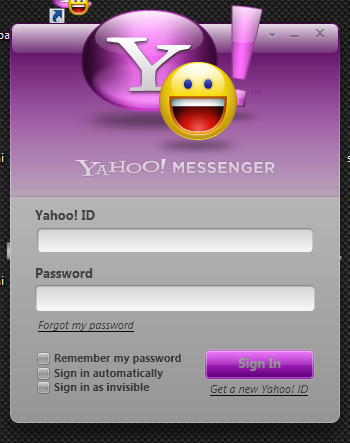
In case a Yahoo user does not want a certain Yahoo ID anymore, he/she can delete them all from Yahoo’s Webpage. Users cannot delete the default profile that is associated with their e-mail address.
By terminating their Yahoo Account, users will lose access to files, settings, and all data regarding ALL Yahoo services used, including mails, photos, etc. The user’s account will be permanently deleted and he/she will not be able to reactivate it by any means. The user may sign up again if he/she wishes, but that will not bring his/her data back.
If the user uses any Yahoo Premium services, it is recommended that he/she unsubscribes from those services and only remove his/her account afterward as he/she will be charged for those services when they expire.
When ready, visit Terminating Your Yahoo! Account. The user will be asked for a password at first and will then be taken to an informational page that should be read carefully.
The whole process takes about 90 days. Meanwhile, the user’s account information will be stored in Yahoo’s servers but he/she will not be able to access it. This action is taken in order to discourage any fraudulent activities users might engage in with their Yahoo accounts. After reading and pondering one’s decision, in order to cancel the account, confirm the password once again and press “YES, Terminate this account.” A confirmation message will be shown and after the 90 days pass (in most cases), the user’s former name becomes publicly available for anyone to register and use.
So, users can change their Yahoo ID either by adding another public profile to their existing account, either by deleting the current account along with the personal data and signing up again as a whole different user who has no relation to the past one.


daniel h volkart
got into mail on desk top but i phone 4 to a i phone 5 yahoo messenger wont rest password and face book works on i phone 4 @desktop but not on i phone 5 now but still works on i phone4newer [phone
Ishaqkhan
I wanna change my yahoo id cz I have forgotten my password
I
abichal
change my yahoo id
TroubleMaker
http://answers.yahoo.com/my/my_edit
change ur name