

Adding songs to an MP3 player is easy, no matter which type of an MP3 player you have. There are several ways to do this.
Traditional Method
The easiest method of transferring music to an MP3 player is to simply plug your MP3 player into your computer and go to “My Computer” (the icon is located either on your desktop or Start menu). Next, find your MP3 player’s icon which should be listed next to other drives. Click on this folder, open it and then drag your music files into the window. Now just close the window, click on the “safely remove hardware” button on your taskbar, and disconnect your MP3 player.
The problem is that many MP3 players and similar devices have encryption schemes built into the software so you need a synchronization program in order to load the music files onto the device. Luckily, you can find these programs on the Internet. Here are several examples:
WinAmp
WinAmp is a centralized media player for Windows, much like Windows Media Player. It allows you to buy concert tickets, search for lyrics, and download music from the Internet, and it also includes a synchronization tool you can use when you want to copy audio and video files to your MP3 player. Simply open WinAmp, import your music to the WinAmp library, click on USB under Portables, and click Sync. You can also use these steps to enable or disable automatic synchronization. To do so, simply check or uncheck the box in the Sync window that says “Automatically Sync upon connection”.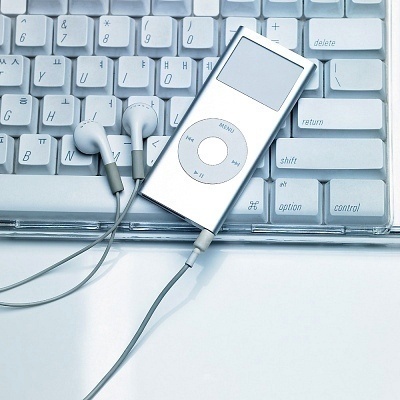
iTunes
iTunes was created by Apple to allow users to synchronize their music and video files to their iPods. However, iTunes actually works for almost all MP3 and MP4 players. Simply download a copy of iTunes and install the software on your computer. Next, plug your MP3 player into your computer and open the iTunes software. Your MP3 player should show up on the left side of the window under the Devices category. Add the songs to your iTunes library and synchronize the device. Wait until it stops synchronizing and then disconnect the MP3 player from your computer. It should now have your songs on it.
MP3 Player Sync To PC Software 6.0
MP3 Player Sync To PC Software 6.0 is designed specifically for synchronizing your music and video files from your PC to your MP3 player and does not offer any additional features whatsoever. Simply open the software and follow the onscreen instructions to begin synchronizing your music and video files.
Windows Media Player
Windows Media Player – software that comes with Windows – is intended as a media processor. However, Windows Media Player includes many tools that allow you to burn, rip, compile, and, most importantly, synchronize music and videos to your MP3 player and similar devices. Simply connect your MP3 player to your computer, open Windows Media Player, import your music to Windows Media Player’s library, click on the Sync tab, and drag your music files into the Sync list. Now just click on the Start Sync button.
CD to MP3
Many people have songs on CDs that they want to transfer to their MP3 players. Rather than trying to transfer songs directly from your CD player to your MP3 player, you need to insert the CD into your computer and use a CD ripping software to extract the songs. Fortunately, Windows Media Player has this function built right into the software. Once the CD is inserted into your computer, all you have to do is open Windows Media Player and click on the Rip tab and follow the instructions. Once the songs are on your computer, synchronize them to your MP3 player by using any of the programs mentioned above, or simply by using the Sync function in Windows Media Player.
Annie Yazbeck
To download music to an MP3 player, the first thing you need to check is whether the music files are compatible with your MP3 player. If not, you need to convert music to MP3 player supported audio formats, like MP3.
Take Spotify as an example, Spotify music are encoded in Ogg Vorbis audio format that can be recognized by MP3 player. If you’d like to download music to an MP3 player, you need to use AudFree Spotify Music Converter to convert Spotify music to MP3 and then you can easily transfer Spotify music to MP3 player with ease.
Victoria cain
I’m trying to figure out how to download from an i pad or kindle to an mp3. Any ideas? The sun only fits the mp3 it needs a cord with the same type of ends for kindle and mp3 to connect. Will that work? Do those exsist?
Chad st julien
I do not see a sync tab
takotokino Adams
how can i down load videos of the internet onto my mp3 player thanx