

For many, MP3 is the perfect digital format. Music in this format sounds similar to CD music quality. MP3 files are much smaller than the standard CD WAV file and using MP3 is free. It seems the only drawback of using MP3s is the fact that most music is stored on media that are not compatible with computers and MP3 players. These media include vinyl records and audio tapes. To quickly and easily convert audio tapes to MP3 in order to listen to one’s favorite music ona computer, MP3 player, or iPod, here are some tips.
In order to record audio tapes into MP3 format, get the following things:
- A computer with a sound card
- WAV File Recording Application (sometimes called Ripping program)
- Application to change the format of a WAV file into an MP3 file (called “encoder”)
- A cable with a 1/8″ mini plug on each end
When all the components required to successfully convert audio tapes to MP3 format are acquired, follow these quick steps: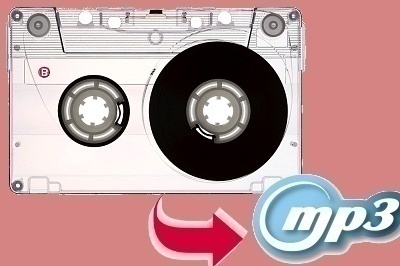
- Connect the mini plug to the earphone output of the receiver that is hooked up to the audio tape player or use the earphone jack that is integrated into the audio tape player.
- Connect the other side of the cable into the Line In of the Sound Card (this input is usually green).
- Start the Ripping software on the computer for Line In recording. At the same time, press play to start the audio tape. The audio tape should be recording onto the computer in real time. It is important to note that the audio recording must first be saved in the WAV format, then changed later to MP3 format.
- Once there is a full recording of the audio from the audio tape saved onto the computer and in WAV format, encode it with the MP3 encoder program. Most ripping programs also include an encoding program. Now the old audio tape music is saved as a digital file that can be played on any computer or stored on a CD or IPod type device.
Important Notes
When saving audio tapes to a computer as a WAV file, make sure the computer has plenty of storage. WAV files are very large, usually about 10 megabytes for one minute of sound. The proper settings for CD quality of a WAV file are 44.1kbs, stereo, and 16 bit. These settings will assure that the recording is a very high CD type quality.
Advantages of MP3
MP3s have many advantages including the ability to: a) be transferred over the internet, b) be much smaller than a WAV file, and c) produce near CD quality. For instance, MP3s have a sound quality that is nearly 95% as good as a CD but only takes up 1/12 of the space. The MP3 has become the most popular digital music file today because of its good sound quality and the small amount of space that the file takes up. It has the ability to be played on IPods, cell phones, and every computer with an MP3 player.
Digital Music Terminology
It is important to note a few terms when working with MP3 files.
- MP3 – MPEG (Motion Pictures Experts Group) Layer 3 Audio compression
- Bit rate – the average amount of bits per second that an audio or video file will consume or process. Usually CD quality is between 128 kbps and 160 kbps. However, 128 kbps is the de facto standard.
- Rip – to extract music from a CD (WAV file). However, music can also be ripped from an audio tape, vinyl record, or other media using a Line Input from a soundcard.
- Encode – to take a file, usually a large WAV file, and process it to a new format. Formats can be MP3, WMA, OGG, etc. Encoding usually requires the file to be compressed to make it smaller.
PieMan
Audio CD have 1411.2 kb/s (2 channels × 44,100 samples per second per channel × 16 bits per sample = 1,411,200 bit/s) – Wikipedia.org
Susan
I check on amazon there are many different products to conver tape to mp3.I found brand like ION,DB,TaoTronics,Coby,Belkin etc. Any recommendation about this brand?
iTunes formatting
Sorry to inform you, but iTunes has a way to change formats. I used it to export music to windows media player for my cell phone.
Steps:
Edit-> preferences then change the import settings to whatever format you want it to be(AAC, WAV, MP3 etc)
2: (Sometimes ITunes changes how they do this but it will b either of the two) highlight the song. Right click and make a copy, or if that doesnt show as an option go to advanced and select make a copy there. Tthen copy and paste your copy anywhere
Eli
How do I get rid of a squeal when playing my open reel audio tapes? I am trying to convert my tapes to MP3 and many of the tapes emit a squeal that is carried over onto the PC. It sounds like it’s coming from the tape recorder rollers not from the tape itself. The tapes are in good condition and I have cleaned and demagnitized the heads, but nothing seems to help.
Will.Spencer
According to the Old Time Radio FAQ:
There are at least two causes for “squeaky reels” on a reel-reel tape recorder.
(1) The tape edge may be rubbing against the rim of a distorted take-up reel, or
(2) the oxide may be sticking to your erase (or other) heads. If the former, the
least frustrating alternative is probably a new take-up reel. If the latter,
Fred Korb left this note:
If you have any squeaky reels that you would like to recover, I will
be glad to send you more information on how to do it. Just send me a
stamped self addressed # 10 envelope and I will respond. Send your
request to: Fred Korb, c/o Oldtime Radio Collectors and Traders
Society, 725 Cardigan Court, Naperville, Illinois 60565-1202. I am
willing to help you preserve the sounds of radio days gone by.
[Note from the Old Time Radio FAQ Editor: Fred’s method consists of a kit by which a lubricating film can
be automatically applied to the tape as it is played. I tried it. Although
temporary, it does indeed work! I’d recommend it for those squeaky tapes that
you wish to re-record onto newer reels.]
Richard Fish (lodeston@bluemarble.net) also left this helpful info about an
alternative method:
HYRDROLYZATION is the culprit. The tape material — the backing, or the
binder compound used to stick the magnetic particles to the plastic
backing — has absorbed water from the air. The water molecules actually
make the tape expand a bit, so it doesn’t fit the machined tape-guides
properly anymore; and they can interfere with the lubrication impregnated
into the tape; and it is theorized they can even interfere with the
polished smoothness of the tape surface.
WHY SOME TAPES AND NOT OTHERS? It depends on the formulation of the
plastic backing and binder. In the mid-70s, both 3M (Scotch) and Ampex,
the two major tape manufacturers, started experimenting with their
formulas. They thought they were introducing major improvements, but
instead created a tape much more prone to hydrolization than anything had
ever been. The problem did not show up for years, and the formulas did
not get corrected until sometime in the mid-’80s. Theoretically any tape
could get hydrolyzed over a long period of time, especially if stored in
a high-humidity situation, but in practice most squeaky tapes were made
(roughly speaking) between 1975 and 1985.
WHAT’S THE FIX? Tom Lopez at ZBS (the most prolific and entreprenurially
successful producer of radio drama in the US today) gave me his formula
and I’ve done it many times now and it works:
Bake the tapes in a convection oven for 8 hours at 130 degrees
Fahrenheit. It is entirely possible to bake a tape twice if the first
time doesn’t do the trick. You get about a three-week “window”, sez Tom,
before the tape starts to re-absorb water. So the best deal is to bake
the tape and immediately make a copy. But if you forget to do it and it
re-hydrolyzes, you can bake it again.
javier rodriguez lopez
hola me parece muyt bueno el codificador de tape a mp3