

The most popular Internet web browser is Microsoft Internet Explorer, commonly referred to as IE. Currently, the newest version of IE is IE7.
Sometimes computer users have difficulty with their computer or web browser (MS Internet Explorer). During these times, they should reinstall Internet Explorer in order to troubleshoot or determine the cause of the problem and correct any glitches. However, it should be noted that there is no reinstallation procedure per say. The reinstallation procedure requires users to uninstall their current Internet Explorer and install it again. Here are some tips.
Uninstall Internet Explorer
It is fairly easy to uninstall Internet Explorer.
Click on Start –> Control Panel –> Add and Remove Programs.
Locate the Install / Uninstall tab and go down the list to Internet Explorer. Now, highlight Internet Explorer and Click Add/ Remove.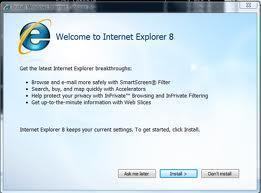
If IE is Not in Add/Remove Programs
If Internet Explorer does not show under Add and Remove programs, which seems to be the case with Windows Vista and Windows 7, it is still possible to effectively remove IE from Windows.
In Windows Vista, go to Start –> Control Panel –> Add/Remove Programs and on the right click “Add/Remove Windows Components.” From the window that appears, uncheck Internet Explorer. For more help, check out this video.
In Windows 7 go to control panel (Start –> Control Panel) and under Programs click “Uninstall a Program.” Then on the left sidebar click “Turn Windows features on or off” and deselect Internet Explorer from the list.
Reinstall Internet Explorer
Now that Internet Explorer is uninstalled, either reinstall the Internet Explorer that came with the computer or install the most recent Internet Explorer.
- To reinstall the original Internet Explorer that came with the computer, find the IE program on the Windows Restoration disk.
- Insert the restoration disk and load Internet Explorer, click restore the previous windows configuration or choose “Advanced” to specify any additional components to be removed.
- Once restore is clicked the IE 6 dialogue box will appear. It is in maintenance mode. Once the setup starts, click OK to restore IE.
- The dialogue box will ask the user to verify his/her choice, click Ok and follow the set up wizard.
Installing the Most Recent Version of Internet Explorer
Besides restoring the computer’s current IE version, there is the option of installing a new and improved version of Internet Explorer. Just follow these tips:
- Visit Microsoft’s web site to download the most recent release of Internet Explorer.
- Click Download to download the most recent release.
- Select save to computer
- Now, uninstall the current IE version by clicking Start/ Control Panel/ Add and Remove Programs.
- Locate the Install/ Uninstall tab and go down the list to Internet Explorer. Now, highlight Internet Explorer and Click Add/ Remove.
- Go to the location where the newly downloaded IE was saved and double click to install it. Follow the installation wizard.

VeeDub57
I have Windows 7 64 bit, IE 9 and it’s acting up. Every time I try to update from microsoft my computer won’t let me. It keeps saying a “newer version is already installed”.
How can I have a newer version than what microsoft has for download?
norkoko
Install best internet expoler for xp pack3
Ajay Khule
Hey Norkoko!
Do you mean you want to install the latest Internet Explorer browser on Windows XP with Service Pack 3?
galasso
I cannot open the news articles on the Yahoo home page from my laptop. I get “Bad Request” when I attempt to open them. I use another computer I hav no problem. Is there something wrong with the browser? I have no problem opening news articles on AOL or any other site. Just Yahoo. Any suggestions?
Tonya
How do you download a browser from one computer to install onto another computer.
help
I was wondering the same thing my internet wont start and I need to redownload it how do I do that when i cant access the internet and how do I download it from the other computer
Dave
I can’t speak for Vista or 7 but in xp, I’ve never seen IE available in Add/Remove programs and I’ve worked on a lot of computers. Also, in XP, the ‘Windows Components Wizard’ specifically says “Adds or removes ACCESS to Internet Explorer from the Start Menu and Desktop” it never says it actually removes it just that it removes access to it.
Dave
Also, if you check “Show Updates” in Add/Remove Programs, you will see Internet Explorer 8 HOWEVER, that will only uninstall the update… Not the full program…
Dave
Hey I have a problem, I have a mini and the Internet seams not to be working. The Internet wont go start. how do I install a new Internet explorer in my computer if I dont have Internet access
Dave
A mini what? You can’t spell “seem”? If the internet won’t start, how are you on here? If you’re accessing from another computer, download firefox or chrome from this computer and install it on the other computer.
do_what?
Valuable article for the novice user. Just because smarterthanthissite did not find IE Explorer in his/her Add and Remove Programs does not mean the rest of us don’t have it. Was able to uninstall and reinstall using this exact method. Negative comments like this are the real waste of space.
sm
same prob here buddy i could not find ie in add/remove program
memenode
What version of Windows do you have? If it’s Vista or 7 it might not have it, but there’s still a way to disable IE. Go to your control panel, then “Uninstall a program” under Programs and click on “Turn Windows features on or off” on the left sidebar.
Internet Explorer should be in the list and you can deselect it.
smarterthanthissite
this is retarded. there is no internet explorer in add/remove. what a waste of space this article is