

Inkjet printers are cheap but they are still expensive enough to make some repairs worthwhile. There is a surprising number of parts in them, and every part is a potential failure point.
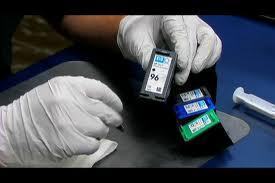
The most common failure is a clogged print head. They are notoriously difficult to clean because of their microscopic nozzles. The first attempt should be to use the self-cleaning command, found in the printer properties dialog. If that fails, the print head will need to be removed and wiped with alcohol. Both the contacts and nozzles should be cleaned well, and avoid touching them after cleaning. If all that fails, consider replacing the print head.
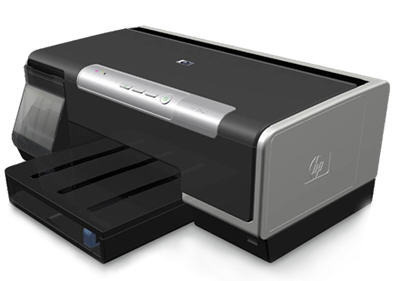
One benefit of the cheaper models is having the print head on the cartridge, so buying a new cartridge usually fixes the problem. For others, buying a new print head can be expensive, and it's usually better to buy a new printer.
Another failure point is the power cord. Turn off the power first, then check the cord for any obvious cuts or sharp bends. A cord that is twisted enough times can break internally without showing any signs of damage. Use the continuity checker on a multimeter to check for internal breaks. A battery and light globe can also be used for this test. Also check the sockets for bent or broken pins.
Check the power supply unit for any sign of smoke or melted plastic. This indicates that it has overheated and potentially failed. Fixing a power supply unit is best left to professionals. However, the cost is not worth it, and just like the print head, it's usually better to buy a new printer.
Inkjet printers have a small sponge that soaks up excess ink from the print head. Eventually, the sponge fills up with ink, and this causes smudging due to the buildup of excess ink. The sponge can be can be replaced with some cotton wool but it's a messy and difficult job.
Paper jams are a sign of trouble with the rollers that pickup and feed the paper through the printer. Over time, the roller rubber becomes hard and smooth. This can cause the paper to slip and jam. Rubbing them gently with a cottonbud soaked in alcohol, or even with fine sandpaper, may help them grip better.
Squeaking is caused by a lack of lubrication in the roller bearings. This can be fixed with some mineral oil, but getting it into the right spot is difficult. If too much oil is applied, it will find it's way onto the rollers and smear the paper.
Unless the problem is simple to fix, it's usually better to buy a new inkjet printer. Only the more expensive models justify the high cost of servicing and parts.
Charles Williams
I have a canon i 9900 printer that does not print the photo colors but prints the regular colors. I have replaced the printer cartridge with no results. Can you suggest anything?
Ajay Khule
Hi Charles,
If you have replaced the cartridge and you still get the same issue, then the print head must be defective.
Check whether the print heads are clogged. If so, then try cleaning the clogged print heads.
You can check what the problem is by checking error report from your printer.
Patrick Kaye Bula
Something broke apart from my hp f2400 below the cradle. Its size is only .5 cm but my printer doesnt print anymore. It only rolls up the paper.
Ray Patterson
I have an HP B209a and when I attempt to print something I get a message saying ” printer cartridge failure turn printer off then on to continue.” I would appreciate any suggestions.
Thank you Ray Patterson