Home     Blog

How to Install Flash Player

How to Install Flash Player

Adobe Flash Player or simply “Flash Player” is an Adobe product that allows users to watch flash based content on the web. Flash allows websites to perform a wide variety of tasks that they would not be able to do via simple browser programming languages. For example, the popular video hosting website, YouTube, is run on Flash and provides interactivity within the videos themselves, such as the ability to click on in-video links to external websites and other YouTube videos. Flash is al

[ read more ]

How to Install Internet Explorer

How to Install Internet Explorer

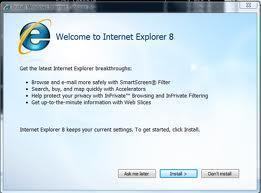
Internet Explorer is a popular web browser that Microsoft owns and maintains. It serves as the basic platform of virtually all other web browsers. Internet Explorer was the first web browser introduced to the public, released in 1995 as part of the “Plus! for Windows 95” service pack. Internet Explorer has been transformed many times since then and is currently available as Internet Explorer 9, a web browser designed to be supported on both 32-bit and 64-bit operating systems including th

[ read more ]

IEXPLORE.EXE Application Error

IEXPLORE.EXE Application Error

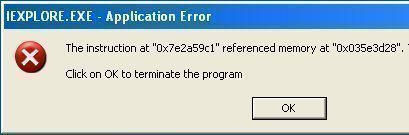
Those who use Microsoft Internet Explorer may sometimes encounter an "IEXPLORE.EXE Application Error," which causes the browser window to crash and become unusable. A variety of issues that may be activated upon configuration of the program or individual files on the hard disk often cause this. IEXPLORE.EXE Application Error Causes Since Internet Explorer is prone to errors, it is important to understand what is causing the application error in question. The following cause most common IEXPLOR

[ read more ]

How to Enable Sun Java in Internet Explorer

How to Enable Sun Java in Internet Explorer

Sun Java or Java may not be enabled on your web browser, causing difficulty in accessing the web. To enable Java in Internet Explorer (version 7.x), follow the process defined below: Open Internet Explorer. Pull down the “Tools” menu. Select “Internet Options.” Select the “Advanced” tab on far right. Scroll down and check the box for Java (Sun). Click the “Apply” button at bottom, then the “Ok” button (if needed). System will prompt restart. Restart system.

[ read more ]

How to Reinstall Internet Explorer

How to Reinstall Internet Explorer

The most popular Internet web browser is Microsoft Internet Explorer, commonly referred to as IE. Currently, the newest version of IE is IE7. Sometimes computer users have difficulty with their computer or web browser (MS Internet Explorer). During these times, they should reinstall Internet Explorer in order to troubleshoot or determine the cause of the problem and correct any glitches. However, it should be noted that there is no reinstallation procedure per say. The reinstallation procedur

[ read more ]

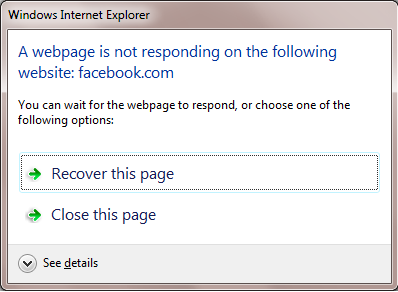
How to Fix Microsoft Internet Explorer Not Responding

How to Fix Microsoft Internet Explorer Not Responding

One of the most widely deployed Internet browsers is Microsoft Internet Explorer. The software is bundled with the Windows operating system (OS) and is one of the oldest browsing software brands on the market. A common problem that Windows users face is how to properly deal with Microsoft Internet Explorer not responding while they surf the web despite the ongoing development and upgrades Microsoft Corporation makes to the browser. How to Fix Microsoft Internet Explorer Not Responding Step 1

[ read more ]

Internet Explorer Keyboard Shortcuts

Internet Explorer Keyboard Shortcuts

Activate a selected link. ENTER Add "www." to the beginning and ".com" to the end of the text typed in the Address bar. CTRL+ENTER Add the current page to your favorites. CTRL+D Change paper, headers and footers, orientation, and margins for this page. ALT+U Close Print Preview. ALT+C Close the current window. CTRL+W Copy the sel

[ read more ]

Internet Explorer Stored Password Recovery

Internet Explorer Stored Password Recovery

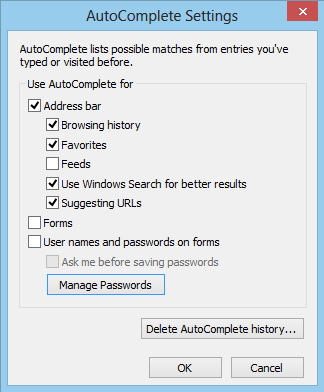
Internet Explorer Stored Password Recovery refers to a system used by Internet Explorer to temporarily store usernames and passwords for the user’s convenience. Internet Explorer Stored Password Recovery is used for AutoComplete purposes in order to automatically fill in user identification fields whenever the user visits a previously accessed webpage. While Internet Explorer Stored Password Recovery is able to store the user’s usernames and passwords for a variety of websites, it may or may

[ read more ]

What is Iertutil.dll?

What is Iertutil.dll?

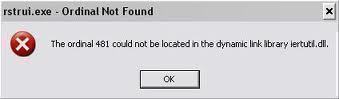
Iertutil.dll is a Runtime utility for Internet Explorer that is essential for Internet Explorer 7 to function properly. If Iertutil.dll is missing, the user may not be able to run Internet Explorer or even boot his/her computer. Iertutil.dll was missing from the Beta version of Internet Explorer 7, causing many users to have to manually replace the file, but the file is included in the final version of Internet Explorer 7 that is now available. Iertutil.dll runs on the Windows Operating System a

[ read more ]

How to Use Favorites

How to Use Favorites

The new version of Internet Explorer has a feature built in known as Favorites Center. This controls the favorites of the web browser, but then incorporates other features such as a RSS feed and then your recent history. All of these components, when combined together, make for an exceptional Favorites Center. Making it work to your liking, though, can be a little bit tricky. Internet Explorer Favorites The first feature that is obvious for a favorites center is the section of favorites. These

[ read more ]

Page 1 of 212