Understanding the FAT File Systems
The FAT file system was initially introduced with the MS-DOS operating system (OS) when hard disks were generally much smaller, and the structure of folders was not as intricate as it is in networks today. The FAT file system continues to be supported by each Microsoft OS since its advent. The initial FAT file system could only support a maximum partition size of 2GB. What this meant was that where a computer's hard disk drive was greater than 2GB, you had to
[ read more ]
What are Dynamic Disks
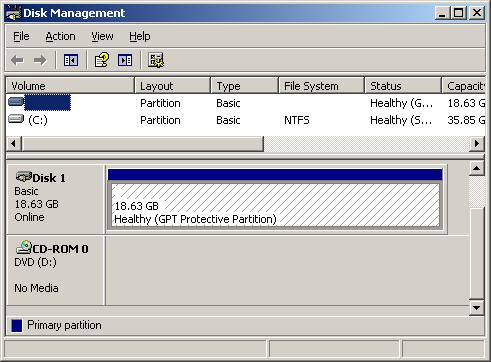
A dynamic disk refers to a hard drive that can be altered at any time to include additional partitions or volumes. This differs from basic disks that only include standard and extended partitions that are setup when the disk is first formatted. Dynamic disks can handle all of the following volumes.
Simple Volumes
A simple volume refers to the standard volume in which computers often work with. A simple volume is basically a folder on a hard drive that holds all of
[ read more ]
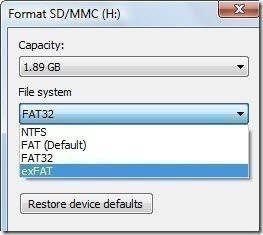
The Microsoft Corporation in conjunction with Windows Vista Service Pack 1 (SP1) released the exFAT file system. The exFAT file system was produced in order to address the short comings of the FAT32 file system; specifically on portable media such as USB sticks or portable hard drives where NTFS file structure use is inappropriate. The exFAT file system is also referred to as FAT64 in some circles. The Microsoft Corporation has a patent pending, which will require licensing for the use of the fo
[ read more ]
An Overview of NTFS
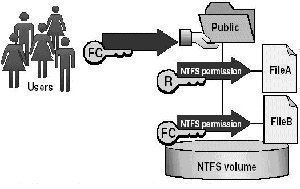
In order to store data on a local partition on a Windows server, you have to format it with a file system. The system that you use influences the manner in which data is stored on the disk. It also specifies the security that can be defined for folders and files stored on the partitions. Although Windows servers offer support for the File Allocation Table (FAT) file system, NT file system (NTFS), and CDFS (Compact Disc File System), the file systems generally utilized by loc
[ read more ]
When copying or moving a file or folder, the permissions may change depending on where you move the file or folder.
Copying Files and Folders
When copying folder or files from one folder to another folder or from one partition to another partition, permissions for this files or folders may change.
When copying a folder or file within same NTFS partition, the copy of the folder or file inherits the destination folder permissions.
When copying a folder or file between different NTF
[ read more ]
On a day-to-day basis when you use your computer you have the ability to organize the information on your hard drive any way you want. One of the easiest methods of organizing your hard drive is by function. This way you use one partition for the operating system, one for your applications and one for the data you create.
When you partition your hard drive what you are really doing is dividing it into isolated sections. So when you partition a drive, each partition will then act as an individua
[ read more ]
DISCLAIMER: This is a one way process and all steps must be taken to ensure that data is backed up before attempting. The author is in no way responsible for loss of data or damage to disk, data, and the computer as a whole.
Before beginning, become familiar with the following terms :
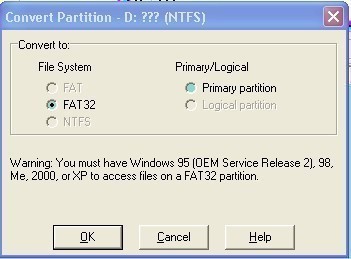
FAT : File Allocation Table is a computer file system architecture that Bill Gates and Marc McDonald developed in the late 1960s and 1970s. It is the main file system in use for MS-DOS and the earlier versio
[ read more ]
Use disk quotas to manage storage growth in distributed environments. Disk quotas allow you to allocate available disk space to users based on the files and folders that they own. Windows 2003 disk quotas track and control disk space usage on a per-user, per-partition basis.
Characteristics of Windows 2003 Server Disk Quotas
Disk usage is based on file and folder ownership. When a user copies or saves a new file to an NTFS partition or takes ownership of a file on an NTFS partition, win
[ read more ]
An Overview of EFS
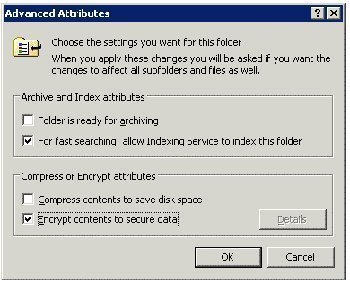
Encrypting File System (EFS) enables users to encrypt files and folders, and entire data drives on NTFS formatted volumes. NTFS enables you to set permissions on files and folders on an NTFS formatted volume which controls access to these files and folders. EFS enables you to encrypt files and folders to further enhance the security of these files and folders. Even when an unauthorized person manages to access the files and folders because of incorrectly configured NTFS permi
[ read more ]
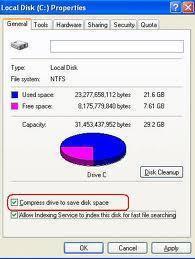
One feature available when you format a volume with the NTFS file system is file compression. NTFS compression can only be applied to a partition or volume that is formatted with the NTFS file system. Through NTFS, you can create additional storage space for files by compressing either single files, or all files in a NTFS folder. Files in a compressed folder are compressed when folder compression is enabled. Any subfolders included in the compressed folder can also be compressed. You can also co
[ read more ]