IIS (Internet Information Services) is an easy to use web server from Microsoft. It is not installed on Windows XP Professional by default. However, it is installed when the user upgrades from Windows NT or Windows 2000 to Windows XP Pro. IIS can be installed as follows:
Click Start, click Control Panel, and double-click Add/Remove Programs. The Add/Remove Programs application starts.
In the left column of the Add/Remove Programs dialog box, click Add/Remove Windows Components.
When the
[ read more ]
The Types of Commands used to Manage IIS from the Command Line
The types of commands that manage IIS from the command line are:
IISReset, Windows Management Instrumentation (WMI) scripts, Active Directory Services Interface (ADSI), and the standard Windows commands and Support Tools utilities.
IISReset Command-line Utility
IISReset is a command-line utility that has been in existence from IIS 5 that can be used to stop IIS, restart IIS, and reboot the IIS server. Typical reasons for res
[ read more ]
An Introduction to Internet Information Services (IIS)Microsoft's integrated Web server, Internet Information Services (IIS) enables you to create and manage Web sites within your organization. It allows you to share and distribute information over the Internet or intranet. With Windows 2000 came Internet Information Services (IIS) 5.0 which was basically the fastest Web server at the time when Windows 2000 Server was introduced. IIS 5.0 was fully integrated with the Active Directory direct
[ read more ]
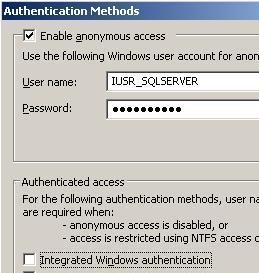
Authenticating users in IIS is one of the initial steps in securing IIS. When a user attempts to access a website or an FTP site on an IIS machine, authentication is the process that verifies whether the user can indeed access the site. Authentication and permissions are closely coupled. After a user is authenticated, NTFS permissions determine whether the user can access folders and files and Web permissions indicate whether a Web or FTP client can read the website's home or virtual directory.
[ read more ]
IIS Administration Tools and Methods.
The administration methods and management tools which you can use to administer IIS are listed below:
Microsoft Management Console (MMC) tools under the Administrative Tools Menu.
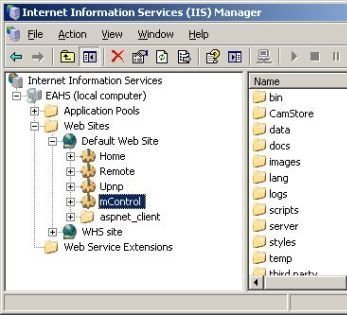
The primary MMC used to administer IIS is the IIS Manager (see below).
You can also use the Computer Management console to perform administration tasks for IIS. The Computer Management console can be opened from the Administrative Tools Menu. To access the Internet Inf
[ read more ]
An Overview of Internet Information Services (IIS)
Internet Information Services (IIS) is one of the more commonly used Web servers utilized on the Internet and in intranets. Through IIS, you can create and manage Web sites, and share and distribute information over the Internet or intranet. With the introduction of the Windows 2000 Server OS came the launch of Internet Information Services (IIS) 5. IIS 5 included the name change from Internet Information Server to Internet Information Services
[ read more ]
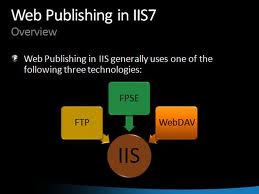
Publishing Content using WebDAV
You can use Web Distributed Authoring and Versioning (WebDAV) to manage and publish content such as HTML files, ASP pages, scripts and executables, to IIS. You can use WebDAV to create and modify web content on Internet servers. WebDAV utilizes the port 80. This is the default used by HTTP. By default, WebDAV is not installed, nor enabled in IIS 6.
How to install WebDAV
Click Start, Control Panel, and click Add/Remove Programs.
Click Add/Remove Wind
[ read more ]
IIS stands for Internet Information Services and it is a type of software that runs on servers using Microsoft Windows. IIS is the second most popular server software right behind Apache servers, which are open source and usually less expensive to run. Servers that run IIS include FTP, HTTP, HTTPS, SMTP and NNTP.
One of the benefits of running IIS software for web based servers is the amount of information you can collect about your visitors, usually in the form of logs. Logs are a great way
[ read more ]
Using SSL to Encrypt LDAP and Global Catalog Queries
While Secure Sockets Layer (SSL) certificates are mainly installed on IIS
machines to encrypt traffic between a Web server and client, you can also use
SSL certificates to secure the Lightweight Directory Access Protocol (LDAP)
protocol. LDAP is used in Active Directory environments by applications that
need to query domain controllers for information stored in Active Directory.
Because LDAP is also utilized to query for sensitive
[ read more ]
An Overview on Secure Sockets Layer (SSL)
With IIS, you can further secure websites by using the Secure Sockets Layer (SSL) encryption technology. SSL was developed by Netscape Communications, and enables secure communication over the Internet. SSL operates at the transport layer of Transmission Control Protocol/Internet Protocol (TCP/IP) protocol suite, and uses public key cryptography to establish a secure SSL session between a Web server and client. A few features provided by SSL include a
[ read more ]