RSS Feed

Microsoft ISA

Understanding Proxy Server

Understanding Proxy Server

Proxy Server Overview
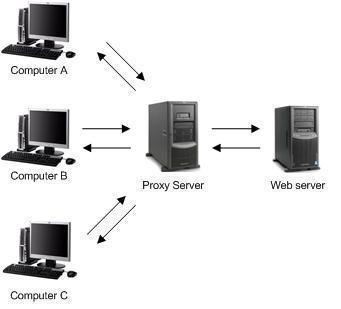
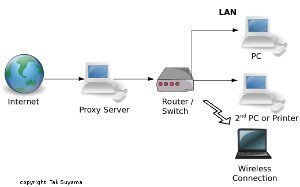
Proxy Server enables you to connect the private network or LAN to a public network such as the Internet, by acting as a gateway for internal client computers to the Internet. Proxy Server is a secure gateway which you can use to provide Internet connectivity for IP and IPX based networks.

Understanding ISA Server Client Types

Understanding ISA Server Client Types

ISA Server Client Types Overview
The different ISA Server client types are:
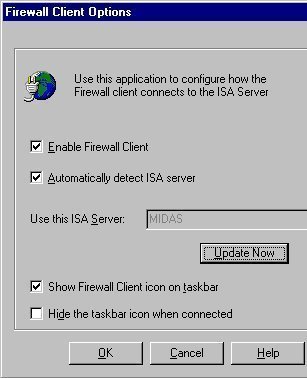
Firewall client: These are client computers on which Firewall Client software is installed and enabled.

SecureNAT client: These are client computers that have no Firewall Client software installed and enabled.

Understanding Internet Security and Acceleration Server (ISA Server)

Understanding Internet Security and Acceleration Server (ISA Server)

Internet Security and Acceleration Server (ISA Server) Overview
Microsoft Internet Security and Acceleration Server (ISA Server) is combination of a firewall and Web caching server that can be used to protect the enterprise from external access, while sharing a internet connection on the network.

Troubleshooting ISA Server

Troubleshooting ISA Server

Tools for Troubleshooting ISA Server
There are a variety of tools that you can use to troubleshoot ISA Server.

Planning for ISA Server Installation

Planning for ISA Server Installation

ISA Server Planning Overview
When planning your ISA Server installation, there are a number of factors that you need to consider and others that you need to determine:

How network topology needs to be configured to incorporate ISA Server.
The size of the network.
How you are going to achieve Internet connectivity.

Monitoring, Tuning and Troubleshooting Proxy Server

Monitoring, Tuning and Troubleshooting Proxy Server

Optimizing Proxy Server Performance
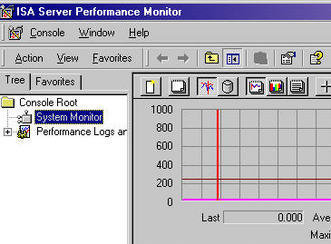
In order to optimize server performance for whatsoever reason, you need to start by monitoring the server. In most cases, before server monitoring commences, it is common practice to establish baseline performance metrics for the specific server.

Monitoring Network Security with ISA Server

Monitoring Network Security with ISA Server

Configuring ISA Server Logging
ISA Server, by default, creates one log file for the following activities each day:

Firewall service activity
Web Proxy service activity
Packet filtering activity

Information is logged in the ISALogs folder in the ISA Server installation folder:

FWSEXTDyyyymmdd.

Monitoring and Tuning ISA Server Performance

Monitoring and Tuning ISA Server Performance

Tuning ISA Server Performance
You can optimize ISA Server performance and tune the ISA Server cache. The ISA Server performance settings that you can tune to optimize the performance of the ISA Server computer exist on the Performance tab of the Array Properties dialog box.
ISA Server caches objects to RAM and on disk.

Migrating from Proxy Server 2.0 to ISA Server

Migrating from Proxy Server 2.0 to ISA Server

Why Upgrade to ISA Server
A few reasons for migrating from Proxy Server 2.0 to ISA Server are listed here:

You need a H.323 Filter Gatekeeper.

You need a multi-layered firewall.

You need a firewall client.

You need to perform SSL traffic inspection.

You want to perform email-content screening.

Stateful inspection has become important.

Managing ISA Server in the Enterprise

Managing ISA Server in the Enterprise

Managing and Configuring ISA Server Arrays
The ISA Server Enterprise Edition provides integration with the Active Directory and additional benefits and features such as centralized server management, multiple levels of access policy, server clustering through arrays, fault-tolerant, and the increased efficiencies of hierarchical and distributed cac