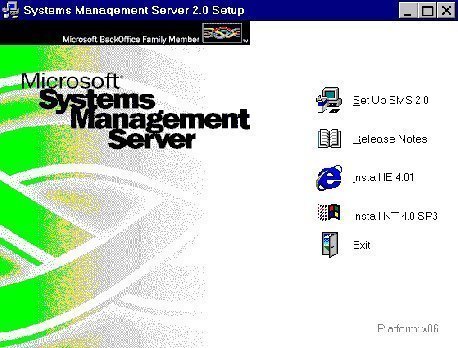
Primary Site Server Installation Overview
A SMS site server is the Windows server on which SMS 2.0 is installed and running. The SMS site server is the main access point between the SMS database and administrators. The SMS server manages the SMS site and component attributes.
The SMS site server must be installed on a domain controller or on a member server. It cannot be installed on a stand-alone server. Before installing the primary site server, you should consider the factors listed her
[ read more ]
Systems Management Server (SMS) Review
SMS 2.0 is a systems management tool that administrators can utilize to centrally control a variety of network environments. Before you can plan your SMS deployment and implement SMS, you need to understand the main functions of SMS, as well as the different SMS components.
The main functions of SMS are listed here:
Resource discovery: Before you can use the SMS Administrator console to manage network resources, SMS has to first discover the networ
[ read more ]
SMS and NTFS Security Overview
The SMS site server must be installed on an NTFS partition. This ensures that NTFS permissions secure the SMS file structure from access by unauthorized users. By default, administrators have Full Control permission. Standard users who are not administrators have the either the Change permission, or the Read permission, or no permissions.
Each SMS site system role enforces security for the SMS components and for user access. With regard to directories and shares,
[ read more ]
Troubleshooting SMS Site Server Installation Issues
When SMS Setup fails to install the SMS site server, you can use the information in the Smssetup.log file to determine where the SMS Setup failed. A SMS installation failure usually fails in one of these categories:
Disk issue
Security issue
SQL Server issue
A few common SMS site server installation issues are listed here, together with the recommended strategy for solving the issue:
When SMS Setup fails bec
[ read more ]
Using Network Monitor
The key administration tasks which you can perform using Network Monitor are summarized below:
You can capture frames directly from the network which you are monitoring.
You can configure capture filters to specify the type of information which should be captured by Network Monitor.
You can view captured frames immediately once the capture is complete, or at some later stage.
You can filter captured frames by creating display filters. This al
[ read more ]
Status Messages Overview
All SMS 2.0 components and services generate status messages as they perform their various functions. These status messages illustrate the movement of processing activity of the SMS site systems and clients. The status messages are automatically summarized for viewing through status summarizers and filtered through status filters.
A status message can have one of the following severity levels:
Informational status messages: These messages merely inform on events
[ read more ]
Configuring Software Distribution
The process for distributing packages can be broken into a number of steps:
Specify the CAPs for the package.
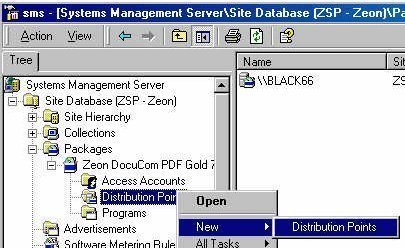
Specify the distribution points for the package.
Create the necessary collections.
Collect the necessary source files, installation scripts etc.
Create the SMS package.
Define one program for the package. This is the minimum requirement. You can define multiple programs for a package.
Advertise the
[ read more ]
Configuring Hardware and Software Inventory
Hardware inventory deals with the collection of data on the hardware properties of installed client computer hardware:
Disk model, Processor type and speed, Firmware manufacturer and version, Capacity, Free space, Amount of RAM and Monitor type and resolution
You can configure which hardware properties information should be collected by SMS. The Hardware Inventory Client Agent collects the actual hardware properties information from the c
[ read more ]
SMS Remote Control Tools Overview
SMS Remote tools enable administrators to control remote client computers. The Remote Tools set provides the following features:
Remote control
Remote reboot
Remote chat
Remote execute
File transfer
Windows diagnostics
DOS diagnostics
Ping test
Remote Tools are categorized as follows:
Remote Diagnostics: Provides the capabilities listed here:
Control a client computer'
[ read more ]
Monitoring SMS Activity
You can use Performance Monitor utility to track various processes on a Windows system in real time. The utility uses a graphical display that you can use to view current data, or log data. You can specify specific elements or components that should be tracked. You can determine resource usage by monitoring trends.
With Performance Monitor, objects, counters and instances are used to monitor the system. An object is a collection of counters which are associated with a s
[ read more ]