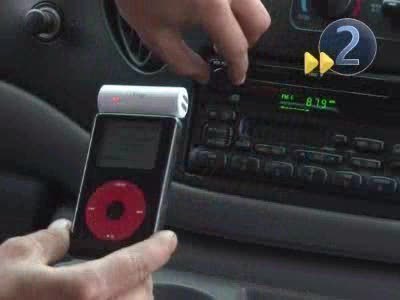
With an increasing number of people listening to music via their MP3 player or iPod, it is no wonder that there is such a large demand to play their favorite digital tunes in their vehicle. Unfortunately, for most vehicles, there is no easy way to connect most MP3 players. Due to the high demand, many companies have created products that make it extremely easy to listen to an MP3 player in a vehicle. Here are just a few ways to connect an MP3 player to a car stereo:
Wireless Adapters
One of th
[ read more ]
Bluetooth is a wireless communication protocol standard that allows wireless devices to communicate with other wireless devices in the area by using shortwave radio transmissions. Bluetooth is a relatively new technology but has quickly become integrated with most modern wireless devices, such as cell phones, PDAs, cameras, and virtually any device that is equipped with a Bluetooth adapter. Bluetooth allows users to share files such as pictures, audio clips, documents, and address book contacts
[ read more ]
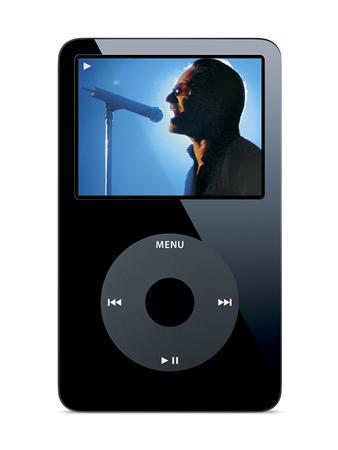
The iPod is a handheld digital device used for storing, transferring, and playing music and video files. There are several different models but they all have a similar basic design which consists of a "click-wheel", a screen, and a lock/unlock switch at the top that prevents the controls from being accidentally activated. The earlier models of the iPod consisted of a hard drive but as technology improved, the newer models were equipped with flash memory, which can be found in any USB-based devic
[ read more ]
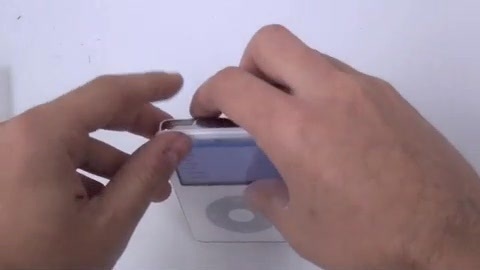
When resetting an iPod, all of the music and files on the iPod are safe. However, some of the settings such as time and date might be lost after doing a reset. But if your iPod freezes, you will have to reset the device.
How to Reset an iPod With a Click Wheel
To reset an iPod with a click wheel--iPod Nano 1-5 generations, iPod classic, iPod 5th generation, iPod with color display, or iPod mini 1-2--toggle the hold button from on and then to off. After doing this, simultaneously click the ce
[ read more ]
The iPod Touch is a dumbed down version of the iPhone. It can connect to the Internet, play music, and anything else. However, it cannot be used as a phone. In other words, Apple took their iPhone, removed the phone capabilities and then released the iTouch. With this in mind, using an iTouch is very similar to using an iPhone. Once you get used to the touch screen, it's very easy.
The first thing you need to do to use an iTouch is to plug it into your computer. If you don't have iTunes, get
[ read more ]
Have you locked your iPod Touch with a passcode and forgotten what that passcode is? Are you considering throwing it away due to the fact that it is no longer operational? Well, you’re in luck. Throw away that idea because you can actually restore your iPod Touch back to factory settings, in turn removing the passcode that was previously there. The downside to this is that you will need to retrieve your files before doing so, unless the files that are on your iPod have already been backed
[ read more ]
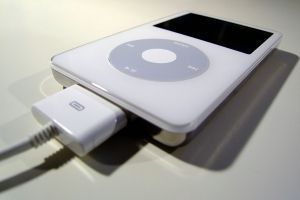
The iPod dock connector is the plug used to connect an iPod to its dock, just as the name implies. It was originally developed by JAE according to the iPod's specifications. The first version of the iPod dock connector was made available with the third generation (3G) iPod.
With the iPod dock connector, a large amount of functionality can be achieved. The dock connector can allow the iPod to be connected to USB or Firewire ports on a computer, to a stereo with the use of a line-out connector,
[ read more ]
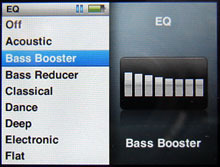
The iPod equalizer or the "EQ" is a perfect way to control the quality of the music and the tone in which it is played back. Apple, Inc. included the EQ function on its music player in order to improve the quality and sound of the music heard.
When the iPod is first purchased, it will contain equalizer presets that the user can choose to boost a song's sound quality. The settings for the equalizer can be changed under the "Settings" menu, and if you would like to change
[ read more ]
The iPod, invented by Apple and released to the public on October 23, 2001, is a digital hand-held device that allows for playback of audio, video, image, and text files. The iPod has progressed more than many other devices of the same nature and can store very large amounts of data. In this article, we will go over what an iPod is, how to use it, the iTunes Store, games for your iPod, file storage space, and the various accessories that you can purchase to aid your iPod in being one of the most
[ read more ]
Downloading songs to an iPod is very simple. Prior knowledge of iTunes is essential to download songs to iPod player. Users can either purchase them or search for the sites that give the tunes for free. Below is an easy-to-follow procedure for downloading the songs to an iPod.
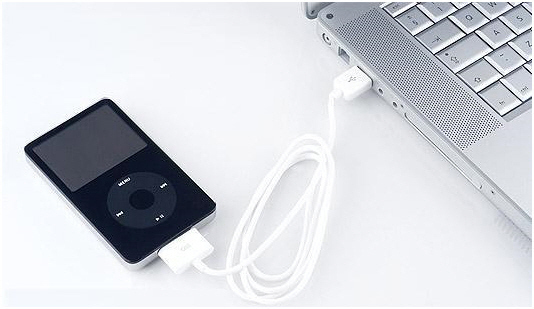
Connect the iPod player to the computer via USB connector/port. However, if connecting for the first time, iTunes should prompt the user to automatically sync his/her iPod when connected.
Install ITunes on the compu
[ read more ]