

Wermgr.exe (Windows Error Reporting Manager) is a process that runs on the Windows Operating System and is responsible for running the Windows Error Reporting software when Windows crashes. Wermgr.exe is usually encountered when Windows Explorer stops working, in which case the user is presented with a message that says that Windows Explorer has encountered a problem and must close. Wermgr.exe runs on all Windows Operating System versions and can be found in the primary hard drive’s System32 folder.
How Wermgr.exe Works
Wermgr.exe runs all processes related to the Windows Error Reporting system. Wermgr.exe logs details about the computer’s current configurations whenever a process fails to work properly or has to close. When a major problem occurs, Wermgr.exe displays a message explaining the situation and sends a report to Microsoft that contains the information it has logged recently in order for Microsoft to prevent similar situations from recurring.
Is Wermgr.exe Harmful?
Wermgr.exe is not known to be a harmful program, but it uses a large amount of CPU memory. This is because Wermgr.exe is usually running during times when the computer is already stressed for resources due to problems with a particular process. Additionally, Wermgr.exe must collect information that it stored and other information from the computer and compile a formal report, which tends to use large amounts of memory. Malicious software, such as trojans, worms, or spyware may impersonate Wermgr.exe. If the user suspects that Wermgr.exe is a malicious software, he/she should run an anti-virus software, such as Advanced SystemCare, Malwarebytes’ Antimalware, or Spyware Terminator. If Wermgr.exe is found to be a malicious program, the user should also run an effective registry cleaner to ensure that the Windows Registry was not damaged.
How to Stop/Remove Wermgr.exe
In order to stop Wermgr.exe from running in Windows Vista / 7 follow the steps:
1) Click Start -> Run
2) Type services.msc
3) Scroll down until Windows Error Reporting entry
4) Double click on it to edit it
5) Click Stop if it is running. C
6) On Startup type: set it up on Disabled
7) Restart your computer.
In order to stop Wermgr.exe from running in Windows XP follow the steps:
1) Click Start -> Control Panel
2) Click the Performance and Maintenance link.
If you’re in the classic view of Control Panel, double-click the System icon and go to Step 4.
3) Click on the System icon.
4) In the System Properties window, click the Advanced tab.
5) On the newly opened window, look on the bottom for Error Reporting button, click it.
6) Select the Disable error reporting
7) Click OK.
8) Close the windows and restart the computer.
Raymond Bennett
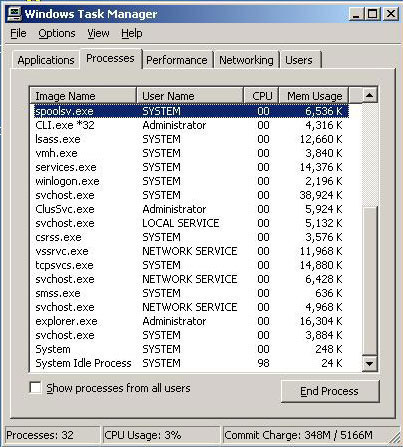
having probs too but when i try to run msconfig i get this
Gurdit
i cant find wermgr.exe in servisec box please help.
WillSpencer
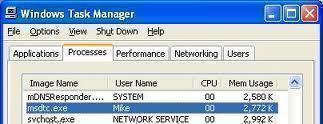
Look in the Processes tab, not the Services tab.
Shane
its called the windows error reporting manager, its not an acronym in the list of services(i.e its not listed as wermgr.exe, its listed by its full name)