

Windows registry 'hacks' are commands incorporated into the Windows Registry with the aim of improving the system's efficiency, security or communications protocols. Knowing how to 'tweak' the registry can help ensure the security and efficiency of a computer system. What follows is a brief explanation of the system registry and some suggested 'hacks' to make a computer system more secure.
What is the Windows Registry?
The system registry is, literally, your computer's 'command and control' program. Technically, it is a database that contains the options and settings for the Microsoft Windows operating systems (starting with Windows 95). This includes the setup configuration and options for hardware and software, user preferences, and so on.
The Windows registry was developed when Microsoft realized the sheer number of individual .ini programs being created to manage the large number of applications running on a Windows platform. These programs were scattered all over the system. This made them difficult to track. The Windows Registry consolidates all these into a single location and database, making them easier to track, edit and save.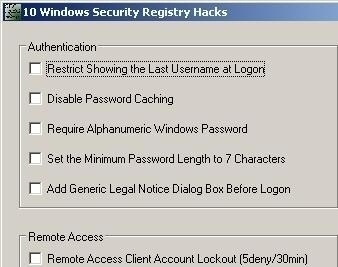
Installing a new program or removing one usually ends with a notification 'Registry entries being saved' – which means that the program's setting and options are being installed in the Windows Registry. Making changes in the Windows Control Panel results in the same thing – the changes made are actually done in the Registry.
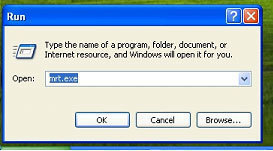
Windows OS includes a 'Registry Editor' that allows individual users to change the registry entries, enabling them to tweak or refine options and settings to make the system more efficient or secure. This is accessed through the 'Run' dialogue box (Click on Start => Run then typing in regedit), which leads to a window which displays the Registry Structure on one panel, and the specific commands and information on the other, 'editing' panel.
Registry Hacks
Security hacks are especially useful in securing computer systems. One such security hack is by controlling the programs that other people can use on your computer – especially useful in a home environment to keep younger family members out of sensitive areas or programs on your system. Although this can be easily accomplished by setting yourself as the administrator, Windows XP also establishes a 'hidden' administrator account by default (with no password) – which can be accessed by other people if they know how to do it.
Tweaking the Windows Registry to disable the 'hidden' administrator account as well as restricting access to specific programs ensures beefed-up security.
Other security 'tweaks' or hacks are preventing other people from having access to specific drives, disabling the 'Saved Password' command for dial-up networking (DUN), and disabling certain dialogue boxes (such as the 'Security' tab in a File Properties folder) to prevent people from changing the permissions that you set.
Before trying these, however, make sure to back up your registry file. Careless modification of the registry may cause your system to crash, which would require a reinstallation of the operating system and applications.
Follow Us!