

MBR – Master Boot Record – or simply Boot Record is the sector located at the beginning of your hard drive. This sector contains crucial information about your hard drive partitions and logical file system. The boot record also stores the first bits of software that the system executes once the BIOS hands control of the computer over to software.
The boot record stores instructions used to start your Windows. Each drive partition can store a boot record. Damage to a boot record may be caused by a hardware error, software error, user error, or even malware such as a boot sector virus.
You will notice that MBR is damaged when you see one of these messages on your screen:
- Error loading operating system
- Missing operating system
- Invalid partition table
Luckily Windows installation disk has a tool with which you can easily repair the master boot record.
How to Recover a Master Boot Record in Windows Me, Windows 98 and Older
Since these old Windows versions relied on MS DOS to function properly, all DOS system tools are used to fix the possible MBR errors.
To run this command you should boot the system from recovery disk which you can download here. After you make boot floppy and you boot the system from it, simply type this command into command prompt:
fdisk /mbr
Follow the instructions and after it’s finished restart your computer.
How to Recover a Master Boot Record in Windows XP and Windows 2000
To recover the boot record in XP, use the fixboot command in the Recovery Console. The fixboot command will write a new boot sector to the partition.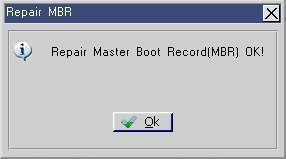
To access the Recovery Console, follow the instructions in How do I use the Windows XP Recovery Console.
The fixboot command takes only one argument, the drive letter of the partition on which you want to repair the boot record.
For example, the command fixboot c: causes the boot record on partition C to be repaired.
If you omit the drive letter argument, the fixboot command will repair the boot record on the current partition.
How to Recover a Master Boot Record in Windows Vista, Windows 7, Windows 8
In the newer versions of Windows, command for fixing the MBR has been changed. Now you need to use tool named BootRec.exe/
To recover the master boot record in Windows Vista, 7 or 8, first enter the Recovery console. To access the Recovery Console insert the Windows setup disk and on the the Install now screen, select Repair your computer. Navigate on recovery tools and select the command prompt. Login to windows installation and then type the following command:
bootrec /fixboot
If corrupted MBR was your only Windows installation problem, running these commands for fixing the MBR will resolve your Windows issues and it will boot up.
Follow Us!