

Overclocking is the process making a computer component run at a higher speed than that specified by the manufacturer. The components that can be overclocked include the CPU, the memory and the video cards. Although there may be many different reasons for overclocking, the most common reason is to increase hardware performance. For example the AMD Athlon 2500+ processor which normally runs at a CPU clock speed of 1.83 GHz may me made to run at a clock speed of 2.20 GHz or the GeForce 6800 cards may be converted to a GeForce 6800 ultra by enabling additional pixel shaders. However, it is very important to note that overclocking can result in system instability and sometimes even permanent hardware failure if done carelessly.
The question arises as to how overclocking is possible. The basic idea is that most CPU manufacturers fix the clock speed of their products by testing them at various speeds. The clock speed fixed by the testing system often tends to be a conservative estimate making it possible for the CPUs that are shipped to run at higher than rated clock speeds quite reliably. Another possible answer is that processor manufacturers sometimes tend to underrate the performance of their products due to competition pressure as was the case of the AMD Athlon 64 X2 4400+ which can be quite easily overclocked to perform as fast as the AMD Athlon 64 X2 4800+.
Some video cards are also overclockable with some companies selling their cards already overclocked. Video Card overclocking is comparatively easier and is generally done with special software like Coolbits (used for nVidia cards), ATITool (for ATI) and Powerstrip (for other cards).
Theoretically many other components may also be overclocked, but it is seldom tried as the risk is simply too great. For example the HDD performance can be improved by increasing the drive motor voltage and consequently making the hard drive platters spin faster, but this often leads to the destruction of the drive or data corruption. Also in some cases the improvement obtained due to overclocking may be too small to be discernable. This calls for a proper analysis of the needs of the user before overclocking is attempted.
How to Overclock a CPU
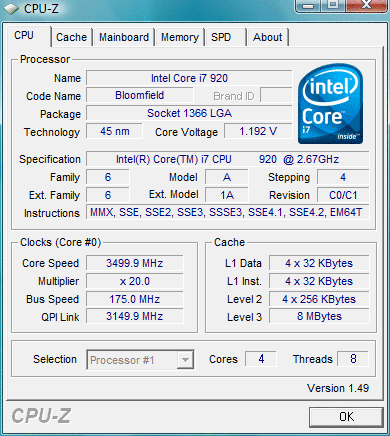
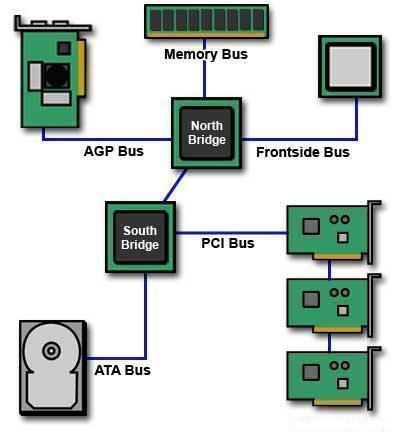
The CPU is the component of the system that is most commonly overclocked. The CPU clock speed is the FSB product (Front Side Bus) speed and the CPU’s multiplier (sometimes called the clock ratio).
CPU Clock Speed = FSB Speed * CPU Multiplier
The CPU clock speed may be increased by increasing either the FSB Speed or CPU Multiplier. However, it is interesting to note that increasing the FSB speed will have a greater impact as it increases factors such as memory speed (for synchronous operation) and processor speed. The CPU multiplier is also comparatively difficult to adjust.
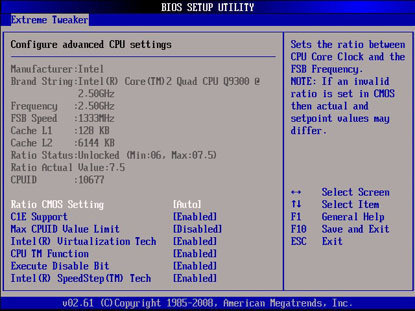
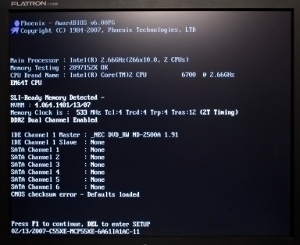
The following section describes how overclocking may be done with the BIOS. Enter the BIOS during system startup. Select the Bios Features Setup, CPU Soft Menu, or any other similar option and press Enter. Modify the CPU Host Bus Frequency, External Clock (PCI), or similar option. Page Down until the desired motherboard FSB speed (for example 200 MHz for processors whose FSB normally works at 166 MHz) is found. In the CPU Core section, find the Multiple Bus Frequency or Multiplier factor and modify the value of the CPU Multiplier (for example 11x may be changed to 13x). Now save the changes to the CMOS and exit. It is generally advisable to change the parameters in steps. For example, increase the FSB speed by a few MHz and check whether the system boots. If the computer boots, increase the speed further and check again. Repeat until the highest setting with which the computer will boot up is obtained. Now test the OS with some resource hungry application (like a game) to check whether the system crashes. If it crashes, lower the FSB speed in steps to the point where the system is stable.
Overclocking results in voltage profile change within the circuitry. This can be minimized by increasing the voltages applied, but too much increase can burn up the circuitry. A bigger problem is the heat generated due to overclocking. This is tackled through the use of better CPU heatsinks and fans, heat spreaders on memory, fans on video cards, and case fans.
Chrisl2366
I have an hp dv6-3225dx and I can’t seem to overclock in bios. The bios will only let me change the date and time. I have looked over and over again and I can’t find any other options in bios. I press esc. When starting computer and then I go to bios setup( F-10). There isn’t anything I can change other than the date and time. If I’m doing something wrong please tell me. Thanks, chrisl2366
rf
i think u mention hp is a laptop. almost all laptop are non- oc able. that mean u can’t oc on the laptops due to the poor heat dissipation of the laptop structure compared to desktops