

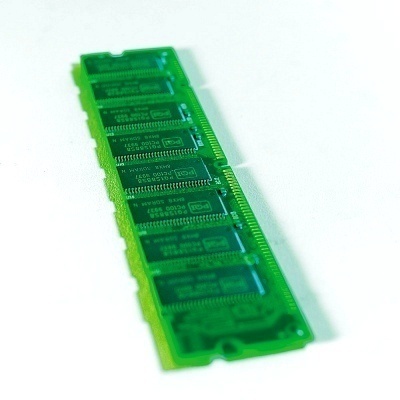
Dual Inline Memory Module or DIMM is a series of Random Access Memory (RAM) chips mounted on a small printed circuit board. The entire circuit collectively forms a memory module. DIMMs are commonly used in personal computers, servers, and high-end workstations. The DIMM makes physical contact with the computer’s data bus through teeth like connectors that fit into a socket on the mother board.
The earlier memory modules were known as SIMMs or Single Inline Memory Modules and had a 32-bit data path. DIMMs on the other hand use a 64-bit data path, since processors used in personal computers, including the Intel Pentium, have a 64-bit data width. Since SIMMs can handle only 32-bits at a time, they were always used in matched pairs to fully utilize the CPU’s processing power. DIMMs were developed to rectify this inefficient method of installing memory modules.
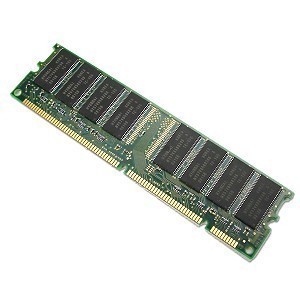
SIMMs have an identical pair of electrical contacts, one on each side of the module. The processor can access the SIMM through either side. Hence, the connectors used in a SIMM are redundant contacts, whereas the DIMM has unique contacts on either side of the module and it makes much better use of the connectors.
DIMMs that implement error detection and correction are known as Error Correction Codes enabled DIMMs or ECC DIMMs. Apart from the data bits, these DIMMs use extra bits for ECC. While there are many types of ECC schemes, the SECDED or Single Error Correct – Double Error Detect scheme is the most common and uses an extra 9th bit for every byte of data.
DIMMs come in various standard sizes known as form factors. Earlier DIMMs came in sizes of 1.5 and 1.7 inches. Later on when rack mounted servers became common, these DIMMs had to be squeezed into a narrow space, hence the DIMM sockets were tilted to an angle to accommodate the memory modules. To address this issue, the next standard of DIMMs had a low profile height of 1.2 inches, eliminating the need for angled sockets. When servers became even smaller, the sockets were again angled to accommodate the LP form factor. This further led to the development of the VLP or Very Low Profile form factor, with a height of a mere 0.72 inches. The Mini-DIMM, the SO-DIMM, and the VLP Mini-DIMM are the other popular form factors.

nyasamish
my ibm think x40 pad has power on password.. pls help me how to remove this password
allen gusha
i have a thinkpad t40 when power on it requesting a password which i have after entering password it says security tempered with then it request another password which i dont have, pliz help
Sam
my IBM thinkpad390E doesn’t open window,it’s requesting an administrator password and I cant’t remember.
Please help
GAUDSA
Can i connect DDR1 single sided with the double sided DDR1 RAM both of 512MB?
Will.Spencer
The physical layout of the chips on DDR1 modules is not important — although other differences between the modules could cause problems. The most reliable way to know whether two memory modules will work together is to try. Also, modules will sometimes work together in one order but not in another order, so if you run into difficulties try swapping the modules.
pk
Please provide more details on DIMM.