

An external hard drive is a storage device that does not sit inside the computer’s chassis. Instead, it connects to the computer via a USB port. Users can carry the external hard drive with them and access their files from any computer in the world. External hard drives can store many hundreds of gigabytes and depend on plug-and-play technology to automatically install all necessary drivers on the host computer when the device is connected to the computer, much like how USB flash drives work.
How to Install Windows OS on an External Hard Drive
Installing Windows OS on an external hard drive is very similar to installing Windows or any other operating system on an internal hard drive.
1) Backup files by copying them to an external location such as a separate hard drive, CD/DVD, or online server.
2) Before the process begins, go into the BIOS settings and ensure that the CD-ROM drive has the highest drive priority and not the disk drive or some other drive.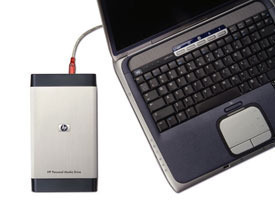
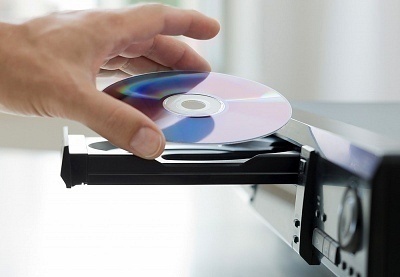
3) Insert the Windows OS disk into the disk tray and boot from it. The disk provides the user with options for deleting and overwriting partitions.
4) Find the partition for the external hard drive and delete it in order to reformat the device and install Windows OS.
5) Follow the on-screen instructions as Windows OS installs itself and prepares the device for use.
6) Once Windows OS is installed on the external hard drive, copy all the files back to the external hard drive and use it whenever the device is connected to a computer.
Applications
Windows OS is often installed on an external hard drive in order to use the device’s storage capacity in conjunction with Windows OS’ processing capabilities. This allows the user to take the device with him/her wherever he/she goes while having a fully functional computer that can fit inside of a backpack, purse, or luggage. Also, Windows OS may be installed on an external hard drive that connects to servers or other devices that do not have their own operating system. This is mostly seen in industrial, commercial, and computer repair applications, although anyone with an external hard drive and a copy of Windows OS can perform it.
Tracy Walker
I tried this. The installation saw the external drive as the only one available on the computer, but wouldn’t install to it, saying it couldn’t install to a usb device.
Meno
Can you please explain what Windows version’s installer alowed you to do the installation to external drive? Win 10 disallowed this. Thank you.
Colin John Cook
My Windows XP computer attempts to boot from a connected external hard drive when plugged in, which gave me an idea. If I install Windows 7 on the external hard drive, and use it, will it change anything on the C: drive when the external hard drive is disconnected? I want to be able to run the computer on XP when I need to.
FakeRage
duel boot the C: drive. you can swap between O.S.s as needed
soroor
Dear sir,
I made an image on my external hard by acronis, but it can’t boot from the external hard. What’s the problem?
Thanks in advance
Michael Cena
you installed the image into the external drive, you need to install the OS in it.