

When executing an inter-network installation, many mechanisms and components are usually involved. Cisco is superior because it is the only inter-networking company with a well made end to end inter-networking solution. Cisco switches makes the LAN more competent by creating multiple collision domains. Each switch port is a split collision domain. With only one device connected per port, collisions are not probable and communications are more efficient. Cisco switches are very capable because they perform packet filtering and forwarding in hardware as opposed to software. Cisco switches increase the speed of work.
Cisco Switch Configuration
A new Cisco switch is not configured by default. Users have to configure the switch with the configuration dialogue in setup mode. After the basic switch configuration is performed in setup mode, the user can verify, modify, and delete the switch’s configuration settings in different configuration modes with the Cisco IOS command line interface. Cisco IOS’s two primary modes are user exec mode and privileged exec mode along with configuration modes such as global configuration mode, interface configuration mode, and line configuration mode with distinctive prompts. Each mode has specific commands to perform specific tasks. The user exec mode is the limited examination mode, while the privileged exec mode is the detailed examination and the prerequisite for all other configuration modes. Global configuration mode is the mode for the switch’s global settings, while the interface configuration mode and line configuration mode configure the specific interface or line. Cisco IOS commands in the different Cisco switch series vary. Nowadays, the most popular Cisco switch series are the Cisco Catalyst 2950 series switch, Cisco 2960 series switch, and Cisco 3548 series switch.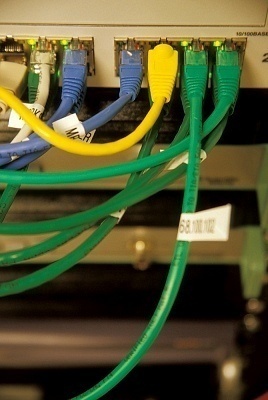
Cisco Switch Configuration Commands
It is important to know the basic cisco switch configuration with the cisco switch configuration commands and basic operational cisco switch commands so that any internetwork performs.
Here are some basic configuration and operation commands of cisco switches:
- interface vlan 1: This is a global command that configures the interface for VLAN.
- ip default-gateway [address]: This is a global command and set default gateway.
- ip address [address][subnet mask]: This command configures the interface and sets the ip address.
- interface fast Ethernet 0/x: This command puts users into user configuration mode.
- speed {10/100/1000/auto/nonegotiate}: This command sets the interface’s speed.
- duplex {auto/full/half}: This command sets duplex mode for the interface.
- switchport port-security mac-address: This command statically adds a MAC address as the allowed address on the port.
- switchport port-security mac-address sticky: This command tells switch to learn MAC addresses on the interface and add as secure MACs.
- switchport port-security violation {protect/restrict/shutdown}: This command tells the switch what to do if an appropriate MAC tries to access through secure switch port.
- switchport port-security maximum [value]: This command allowed max of secure MAC on the interface.
- hostname [name]: This command assigns a host name to the switch.
- line vty 0 15: This command enters vty configuration mode.
- line con 0: This command enters console configuration mode.
- login: This command tells the switch to ask for a password.
- password[password]: This command sets the password.
- enable password [password]: This command sets the password to enter privileged mode.
- enable secret [password]: This command sets encrypted password.
- configure terminal: This command enters configuration mode.
- show interfaces fastethernet 0/x: This command displays interface status.
- show interfaces: This command displays information about a specific interface.
- show interfaces vlan 1: This command displays the ip address configuration.
- show [running/startup]-config: This command displays RAM/NVRAM settings.
- show-mac-address-table: This command displays the MAC address table.
- show port-security: [interface] [address]: This command shows security options on the interface.
- show version: This command displays the switch’s hardware and software status.
- show flash: This command displays the files and directories in the flash.
- show history: This command displays the last ten commands.
- erase startup-config: This command erases startup configuration.
Cisco 2960 Switch
The Cisco Catalyst 2960 switch is one of the popular series that the Cisco System introduced with a management console. There are two different models in Cisco Catalyst 2960 series switch with all uplink ports. One model has 12 fast Ethernet interfaces and the other has 24 fast Ethernet interfaces. The Cisco Catalyst 2960 series switch is mostly used in the industrial or ISP sector for its better performance and scalability features.
Assigning IP to Cisco 2950 Switch
Users can assign an ip address to the Cisco 2950 switch with this global configuration mode command.
Switch2950 (config) # interface vlan 1
Switch2950 (config-if) # ip address 192.168.0.1 255.255.255.0
How to Configure a Cisco 3548 Switch
Configuring a Cisco 3548 switch is very simple. Connect the Cisco 3548 switch’s console port with the computer’s com port by using the UTP roll over cable. After physical connection, make a HyperTerminal session and give it any name. The com port setting should be Restore Default in the com port’s properties. Configure the basic configuration settings in setup mode with the configuration dialogue’s help. The basic configuration includes the configuring of hostname, configuring the enable secret password, enable password and the line vty password, and the configuration of each fast Ethernet interface along with the VLAN interface configuration. The vlan interface’s ip configuration is also included in the basic configuration.
How to configure OSI Bridging on Cisco Switch
In order to configure the OSI bridging on a Cisco switch, use the command “bridging” in the Cisco switch’s global configuration mode.
rdon
how to config swtich
Ronald Tarr
how do I set the ports for half or full duplex?
tanvi
hi i have a doubt..
if there are multiple vlans on a switch, and hosts from each vlan need to access the vlan 1 management interface, then does the switch need multiple “ip default-gateway” command, one for each vlan (since subnets for each vlan will be different)?
Ajay Khule
Hi,
Actually, your switch doesn’t have to have a default gateway configured. However, if you want to be able to communicate with your switch from another subnet, you need to configure a default gateway on the switch so it knows how to get to its local LAN switch.
Hope this link will resolve your query.
karzan
hi i read your commenting guidelines and i wanna configure switch 2960
can you show me from the begning till the end
thanks
frankest
Am new in networking please can you help me out with cisco switch & routers basic configuration ?
Hello
I need someone’s help: I have a big network with several subnets. The guy that was managing it just left the company and I’m to resume his position. The issue is, he has configured all the switches with different id and password. Is there a way I can syn an id and a password to all my switches without doing it manually on individual switch
thanks
durgesh
we are config the 3 vlans in 2950 switch.i connect the 4 desktop differ end vlans .
1st system connect the vlan2.
2nd system connect the vlan3.
3srd system connect the vlan4.
4th system connect the vlan1.
why don’t ping the 4th system?
Abdul Haq
I want to know how can I assign ports to switch, please tell me step by step configuration, as I am new is networking.
Thanks
bob
I think it would also be wise to add to this list log sync to the basic list of commands;
for those that don’t know the log sync will make the router/switch wait until you are not typing into the cli to tell you something. Otherwise the command (please forgive the yelling for a moment) NO SHUT, END, CONF T, would look like
NO SHUT
END
COlineprotacall is up NF T.
Otherwise %5% star help here.
Tumwebaze james
Thanks to the concerned group 4 providing switching tutorials to us. we do appreciate