

An iPod can display its settings in various languages and can be programmed to any language of choice. If you make a mistake and need to reset the language settings, just follow these simple instructions. They note the english name of the options to select, but also describe how to locate them even when you cannot read the current language.
Changing the Language on an iPod Nano
- The first task would be to remove your iPod from any computer it is attached to.
- Next go to the main menu by pressing the “Menu” button. It should then read “iPod” on the display screen.
- To choose the language of an iPod Nano, or later generation iPod, go to the bottom of the Menu screen until you reach the “Settings” option.
- Choose “Settings” by selecting it. At this point you should now have opened the “Settings” menu. The “Settings” option to choose is located on the list as the second option from the bottom.
- Then in the “Settings” menu go down until you highlight the “Language” selection.
- Choose the “Language” option. At this point you should now be inside the “Language” menu. The “Language” option to choose is located on the list as the third option from the bottom.
- Choose the language you would like to display on your iPod based on the list provided.
Changing the Language on a Photo iPod
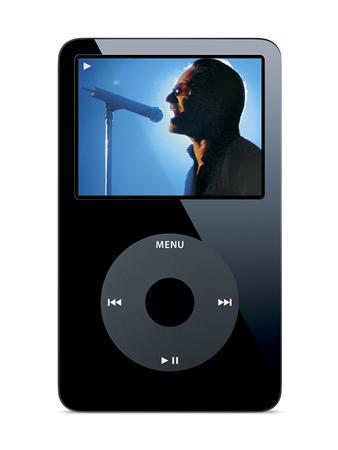
- Go down to the Settings selection underneath the main menu. The “Settings” choice would be located as the third option under the main menu.
- The “Language” selection should be located as the third option from the bottom, in the “Settings” menu.
Changing the Language on an Older iPod
- After entering the main menu, go down to the “Settings” option in this menu. The “Settings” menu is also located as the third option for you to choose.
- Enter the “Settings” menu, and move down to the “Languages” option. The “Language” option should be located as the third selection before reaching the bottom of the screen.
- Select the language from the list provided that you want your iPod to display.
If the reason you are trying to change the language displayed on your iPod is because of a mistake made, there is also the option of changing the global settings on your iPod, back to its original factory settings. To do this reconnect your iPod to the computer and use restore it to the factory settings using the iPod Updater.
James Todd
Rather useless FAQ – if i have accidently changed the language to Chinese, how can I apply your instructions to my device. You just weren’t thinking, were you?
J
memenode
The steps in the article do describe where to find the options to select so you can do this in whichever language. It just tells you what the options are called in English. I added a clarification about this to the beginning.