

Every Ethernet card had a factory assigned MAC address burned into it when it was made. At times, users may want to change this MAC address to one of their choice. One of the main reasons for doing this is to get around access control lists(s) on a specific router or server, either by hiding a certain device on a network or by allowing it to mimic another network device.
The procedures for changing a MAC address are specific to each operating system.
How to Change a MAC address in Microsoft Windows
Under Windows, the MAC address is stored in a registry key. To change a MAC address, find that key with ‘regedit’ and change it. Of course, Microsoft keeps moving the key location around! Alternately, try to alter the NIC card’s information, which can be done by going into the Properties Tab.
To change the MAC address via ‘regedit,’ alter the appropriate values in the ” NetworkAddress” that is located in the subkey of ‘HKEY_LOCAL_MACHINESystemCurrentControlSetControlClass{4D36E972-E325-11CE-BFC1-08002BE10318}’.
In Windows XP, there is an option to change the MAC address on some network cards under the Advanced tab in the network adapter’s Properties menu.
There is a software utility program that has an easier and more reliable method of changing a MAC address in Windows:
Macshift is a free utility that spoofs MAC addresses under Microsoft Windows.
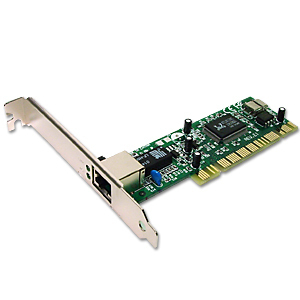
How to Change a MAC Address in Windows 7
In Windows 7 press the Windows menu, go to Control Panel > Hardware and Sound > Device Manager (under Devices and Printers). In the Device Manager, select “Network adapters” and pick the network device (something like Marvell Yukon PCI-E Gigabit Ethernet Controller). Right click on it and choose properties. In a dialog that pops up, go to the Advanced tab, select “Network Address” in a list, select the radio button next to the blank Value field, and enter the new MAC address.
How to Change a MAC Address in MacOS
Instructions for changing the MAC address on a Macintosh can be found at MAC Spoofing on the Macintosh.
How to Change a MAC Address in FreeBSD
In FreeBSD, change the MAC address with the ‘ifconfig’ command.
ifconfig {name of the interface} downifconfig{name of the interface}hw ether {new MAC address}ifconfig{name of the interface}
How to Change a MAC Address in Linux
Under Linux, change the MAC address with ‘ifconfighw,’ or use the GNU MAC Changer (try finding it in your distribution’s repository).
How to Change a MAC Address in Solaris
In Solaris, change the MAC address with the ‘ifconfig’ command.
How to Change a MAC Address in OpenBSD
OpenBSD does not, by default, allow users to change the MAC address. It is possible to change the MAC address under OpenBSD with sea.c.
How to Change a MAC Address in HP-UX
Under HP-UX, change the MAC address in SAM by selecting Networking and Communications, then selecting the interface, Action, Modify, and Advanced Options. HP-UX refers to the MAC address as the “station address.”
Changing a MAC Address in Hardware
Speed Demon Adapters sells network cards that allow users to change the MAC address stored in their EERPROM.
This can give users the ability to change their MAC address under any operating system that supports either the PCI bus or PCMCIA Type II cards.
Yuzhed
My network adapter registry contain a filter list that ignore changes for certain mac address value, any idea how to remove it so i can change to any mac address?
window 7 64 bit..
regards..
Daniel Memetic
I assume you have MAC address filtering enabled in your router. You should login to your router and go to the settings to disable it. The exact procedure depends on the brand of router you have. Usually you visit an address like 192.168.1.1 in your web browser to get to your router’s interface, enter your username and password for it, and navigate to the appropriate settings.
муамар
переведите мне на русский пожалуйста,праграмным путём можно сменить или только если какое-то устройство к компу подключать?
Syed Raheel Ahmed
Dear Sir,
How are you? i want to ask about MAC address. i have four Ethernet devices but there is a problem these devices have same mac address… i want to change them … is it possible to change them by myself?
Michael
In Windows 7 press the Windows menu, go to Control Panel > Hardware and Sound > Device Manager (under Devices and Printers). In the Device Manager, select “Network adapters” and pick the network device (something like Marvell Yukon PCI-E Gigabit Ethernet Controller). Right click on it and choose properties. In a dialog that pops up, go to the Advanced tab, select “Network Address” in a list, select the radio button next to the blank Value field, and enter the new MAC address.
Madawa Wilson
00:1f:16:b2:a7:95 that is the current address,i need to change it to a value for Windows 7,how do i do that?
sam
i tried using macidchanger… bt it shows
“DONT HAVE PERMISSION TO ACCESS THE REGISTRY”
abcdefg
Be sure you have administrator rights in Vista/Windows 7. Maybe you must right click on executable and select “Run as administrator” and give permission to UAC.
Anish
Will this trick work when there is mac id filtering enabled in the router?
I mean If my MAC is not listed in the filter, can i access the internet using another mac address which has been registered in the router?
Qasim Sahi
how to chnage my mac adress of , nokia 5630-d-1 express muxik…!
i am stuck, kindly guide…!
memenode
Try typing in #MAC0WLAN#
manas
send me information to change MAC address of my system,in vienne(windows 7).
memenode
I added Windows 7 instructions to the article.
tishri
Macshift works okay with windows 7 professional edition. After you change the macaddress just disable/enable the hardware.
Will.Spencer
ben:
That’s a bit odd, as both packages officially support Win7.
Daniel Memenode
Originally posted by NotVista: “Macshift utility does only for Win XP. Do you have a solution for Vista/7?”
Did you try SMAC and Technitium? Let us know if they work in Vista and 7.
NotVista
Macshift utility does only for Win XP. Do you have a solution for Vista/7?
Kakynologyst
Great information, thanks
Binkster
With regard to OpenBSD, the article is incorrect. man ifconfig and see lladdr.