

An Ntuser.dat file is a Windows Operating System registry file that contains preferences and settings for each user account on a computer. Each user account has its own unique Ntuser.dat file, which Windows references to display the Start Menu, desktop icons and background, Documents folder, browsing history, and other personalized configurations. Ntuser.dat files can be found in the Documents and Settings folder, but should not be removed under any circumstances.
How Ntuser.dat Works
An Ntuser.dat file is essentially a log file that contains the user’s preferences, settings, and configurations. When Windows loads a user account, it references that user’s Ntuser.dat file in order to display his/her personalized settings. When a user changes his/her settings, Windows keeps the old settings in its log for backup purposes and also saves the new settings. Ntuser.dat files are normally hidden, but can be seen by opening the Document and Settings folder, selecting the Tools tab, selecting Folder Options, selecting the View tab, clicking “Show hidden files and folders” under the “Hide Files and Folders” option, clicking Apply, and clicking OK. This same procedure can be applied to any folder that has hidden files, such as registry files.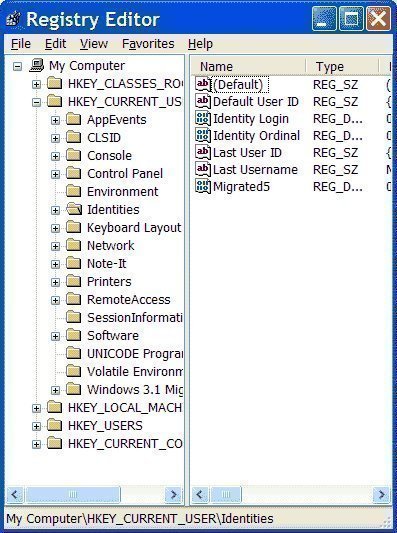
Is Ntuser.dat Harmful?
Ntuser.dat is not a harmful file. It is an essential file to the Windows Operating System. By deleting Ntuser.dat on a user account, the user removes all settings for that account and may cause it to become corrupted or stop working altogether. If the user is experiencing problems with a Ntuser.dat file or settings for a specific user account, he/she should take measures to correct the problem without removing the Ntuser.dat file.
How to Modify an Ntuser.dat File
While users should not delete Ntuser.dat files, they may modify them in order to correct any problems that have arisen from the file being corrupted, moved to the wrong folder, etc. Users are able to view Ntuser.dat files by displaying hidden files in the Documents and Settings folder, a procedure that has been outlined above. The user can then modify the Ntuser.dat file by opening it with Notepad and making adjustments to the file as he/she sees fit. However, an Ntuser.dat file should never be modified before the user has researched the specific problem that he/she is facing and how to correct it.

jargonburn
“The user can then modify the Ntuser.dat file by opening it with Notepad and making adjustments to the file as he/she sees fit.”
Yes; in much the same way I can adjust a person’s insides using a crowbar and with similar results.
soigholsg
FAGGOTS