

For any two devices to be connected, they need a common place, or a hub, as it is called in the computer world. It basically connects multiple computers together. Most of the hubs available in the market today support Ethernet standards. This is why they are called Ethernet hubs, and are most commonly used in computers for networking purposes at home.
Ethernet hubs are available in different types, depending on the speed of the network connection or broadband speed. Also, the number of ports supported by the hub varies, there are some that support only one port whereas others with eight or more ports are common in large offices with many computers inter-connected. The newer range of hubs found in the market are relatively smaller and don't make any noise as against the ones used in early days which had a built in fan to keep the system cool.
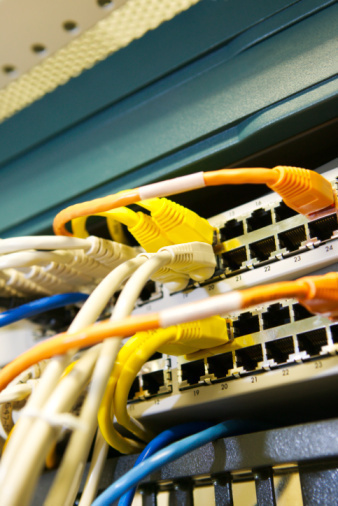
Ethernet Hubs – How they Work
The main purpose of the Ethernet hub is to transmit the large pockets or cluster of data it receives from one computer onto another through all the ports connected to it. The only drawback of this system is that data can be transferred from only one system at a time. If there are multiple systems sending out data to others, it is likely that a collision will occur. A good analogy could be that of a road with one-way traffic: vehicles coming in the wrong direction might cause chaos.
Some of the Ethernet hubs available come with a screen that displays network usage information, which lets the user know how much data is being transferred between computers. A hub is usually placed in a corner or in a place where there is not much of movement as any kind of motion can disrupt its services. Hubs are found in almost all computer networks today, including those in homes that interconnect computers for Internet usage.
Related Articles on Ethernet Technology
- What is Ethernet?
- Understanding Ethernet
- Ethernet at the Data Link Layer
- Ethernet at Physical Layer
- Understanding Ethernet Networking
- Understanding Ethernet LAN Segmentation
- What is an Ethernet Card?
- What is an Ethernet Hub?
- What is an Ethernet Switch?
- Ethernet Cable
- Ethernet Cabling
- What Is the Ethernet Cable Pinout?
- What is a USB to Ethernet adapter?
- What is Power over Ethernet?
- What is an Ethernet crossover cable?
- Ethernet Cross Over Cable

Follow Us!