

TMNet is the primary broadband provider servicing the country of Malaysia. Depending on the consumer’s location in the country, the available download and upload speeds of the service will vary. The majority of industry, government, academic, and consumer usage in the country uses the TM Net Streamyx service in order to access the Internet, stream video, and for website hosting. A common question that arises for TMNet users is how can one change the TMNet Password?
History of TMNet
The primary Internet Service Provider (ISP) in Malaysia has been TMNet for a number of years. Although the majority of the company’s business is based on providing high speed Internet services for the country, the company also provides a number of additional services to include Internet-based TV and other multimedia services. TMNet operates as a government-endorsed subsidiary of TM Bhd. TM Bhd. Functions as the primary telecommunications provider in Malaysia.
TMNet was originally formed in 1995. The company was a major component of the Malaysia National Broadband Plan that was sponsored by TM Bhd. (Telekom Malaysia Bhd.) The original services provided by TMNet were made available to the public via a trial basis. Due to the testing being considered a success, the TMNet sponsored Streamyx Internet service was launched in the spring of 2001. This service provided download speeds that approached 384 Kbit/second. By late summer of 2007, TMNet invested in network upgrades that provided download speeds of 4 Mbit/second in specified locations throughout Malaysia. At the time of this writing, TMNet has subsequently upgraded some of the country’s network infrastructure to permit download speeds approaching eight Megabits/second in specified locations.

At the beginning of 2010, TMNet was able to complete the installation and upgrade of a fiber optic backbone under the HSBB (High Speed Broadband) brand in Malaysia. Due to the significant increase in usage of bandwidth consuming applications such as YouTube, Skype, and Internet TV, the national government continues to push the upgrade and deployment of infrastructure that improves the overall quality of service of TMNet throughout the country.
Does TMNet Place a Cap on Internet Bandwidth?
For a number of years, there was a defacto cap placed on international Internet connections via the TMNet ISP while located in Malaysia. The cap was confirmed via a radio interview with the CDO of Telekom Malaysia in 2010 despite it being previously denied. Today, the practice of capping online bandwidth appears to have been abandoned by the company in favor charging customers a higher rate to ensure a faster connection. It has been reported that consumers who heavily leverage online streaming options but do not subscribe to TMNet’s IP-based TV service may run into “site unreachable” errors while using the default TMNet DNS servers. To date, the only fix that has been reported as being sustainable is to switch the default DNS servers to ones not provided by the TMNet service.
Steps to Change Your TMNet Password
In order to change one’s TMNet password, the company now requires the use of the consumer’s IC number in addition to the bona-fide account login information. This change was necessitated by a substantial amount of account abuses being seen by the company.
Step 1 – Open the primary computer’s Internet browser while connected to your TMNet service.
Step 2 – Enter the TMNet login web page into the browser’s address bar and press the enter or return key: https://tmbill.tm.net.my/SelfCare/Maintenance/selfcareLogin.jsp
Step 3 – Choose the menu option for either an “Organization” or “Personal” account from the options presented on the subsequently displayed screen.
Step 4 – Input the TMNet user name in the applicable field followed by choosing the applicable IC Number menu option from : 1 – New IC Number, 2 – IC Number, or 3 – Passport Number.
Step 5 – Select your “TMNet” service from the available listing and then select the “Login” menu choice.
Step 6 – Once the website has loaded the next page, pick the “Change Password” menu option. This option is located just below the “Account Management” menu choice.
Step 7 – Input the legacy or old password in the text field that is labeled such.
Step 8 – Enter the new password in the labeled text field and then re-enter it in the confirmation field.
Step 9 – On the subsequently displayed screen, de-select the TMNet services that you do not want the new password to be applied to. The company will make all new password changes apply to all services by default. To de-select, simply de-select the check box located next to the service.
Step 10 – Choose the “Update” menu button to complete changing your TMNet password. If you are connecting to the service using a legacy modem, you will likely need to manually change the login and password on the modem in order for it to successfully reconnect to TMNet on future logins to the service.
How Do You Increase the TMNet Email Mailbox Storage Limit?
For legacy users of the lower-end TMNet email service, a common problem that is encountered is increasing the default size of the mailbox to something more usable. Although the following steps can be used to increase the default mailbox size, it will remain significantly less than the amount of storage provided by the company to consumers who choose to use a TMNet premium service plan.
Step 1 – Launch the Web browser on the computer connected to the TMNet email service.
Step 2 – Open the TMNet login web page in the browser, https://tmbill.tm.net.my/SelfCare/Maintenance/selfcareLogin.jsp.
Step 3 – Input the TMNet login username, password, and IC number (Passport number if you are using a legacy account.)
Step 4 – Select “Streamyx” for the TMNet service and click the “Enter” or “Return” key on your computer.
Step 5 – Search or scroll on the main menu until locating the menu option to “Subscribe to bigger mailbox…” for your @streamyx.com account. This option will be available under the “Online Registration” menu title or label.
Step 6 – Click the menu option to subscribe to a bigger mailbox for your TMNet email account.
Step 7 – TMNet will now display a variety of options to increase the email box size. The free option allows you to enjoy 10 MB of free email storage (vice the default 5 MB). Larger options will add an additional cost to your monthly TMNet service, but may prove more usable.
Step 8 – Select the desired TMNet service and choose the “Subscribe” menu option. The email box size limit will be increased to your choice. It is recommended to verify your TMNet mailbox size limits before changing to 10 MB as some consumers report being assigned a larger mailbox size limit at signup depending on the special offers available at the time from the company.
How Do You Fix a Slow TMNet Connection?
Over the years, one of the most common complaints from users of the TMNet Internet service is that the connection will start throwing errors or slow down after being online for a prolonged timeframe. After making sure that the targeted website isn’t the cause of the error, most users will proceed to restart their Internet modem and even their computer to see if this resolves the issue. Once these steps have failed to produce the desired effect, most users will just be stuck on what to do to fix the issue. Although major network infrastructure maintenance or outages could be the cause of the problem, it is more common for TMNet users to encounters problems with the Domain Name Service (DNS) servers provided by the company resulting in the connection issues. If you believe that this is the cause of the problems being generated with your TMNet service, the following steps can be followed to change the DNS servers in use to ascertain if this is in fact the cause of your connection issues.
Step 1 – Connect your computer to your TMNet router via Ethernet cable.
Step 2 – Login to the TMNet router administrator page.
Step 3 – Choose the menu option that will display the IP addresses for the Domain Name Servers.
Step 4 – Ensure your write down both the primary and secondary IP addresses listed on the router configuration page.
Step 5 – Choose the menu option to exit from the TMNet router’s admin page and then open Windows “Control Panel” on your computer.
Step 6 – Click the “Internet Access” menu choice and then click the “Network and Sharing Center” menu option.
Step 7 – Select the “Manage Wireless Networks” menu choice and then select the appropriate network for your TMNet connection.
Step 8 – Click the “Adapter Properties” menu choice and choose the “Internet Protocol Version 4” menu option.
Step 9 – Choose the “Use the Following DNS Addresses” menu option and then enter the TMNet DNS server IP addresses located in the labeled text fields.
Step 10 – Choose the “OK” menu button and restart your computer. The issues that you have been encountering with the TMNet DNS servers should now be fixed. In case the problem persists, you may want to consider finding an alternative pair of DNS servers to use for your TMNet network connection in order to improve overall system performance.
How Does HyppTV Work?
HyppTV is a relatively new service being offered by Telekom Malaysia to existing TMNet broadband Internet customers. The service is designed to deliver TV programming via the Internet Protocol Television (IPTV). Although the service was only available to UniFi subscribers while it was in beta, it is now one of the fastest growing streaming TV services available in the country. At the time of this writing there were 28 channels being offered through the service in high definition with the total number of options exceeding 110 channels. Additionally, 25 of the channels made available to the consumer are free-to-air options with there also being 20 interactive channels and 48 premium content channels. The following are the steps required to try-out or subscribe to the HyppTV service:
Step 1 – Open your computer’s Internet browser while it is connected to your TMNet broadband service.
Step 2 – Open the HyppTV registration website on the web browser, http://streamyxonline.com/pages/hypptv.php.
Step 3 – Select the TMNet (or Streamyx) and Television package from the available drop down menu on the website. You will want to pick the option which best fulfills your needs for television content. The available choices that you can make if living in an area supporting high speed broadband are:
8 Mbit/sec with HyppTV, 4 Mbit/sec with HyppTV, and 4 Mbit/sec without HyppTV. Each of the options lets the consumer choose additional TV packs that can be added to the monthly service for an additional fee.
Step 4 – Pick an additional TV pack to add to your new Hypp service by clicking the check box located next to the desired TV pack.
Step 5 – Choose “Yes” or “No” when prompted by the registration website on if you have an existing TMNet or Streamyx account at your current home address.
Step 6 – Input your full name, new IC number (or legacy if born prior to 1978), and if you have an old IC number the old one in the appropriate fields located on the web page.
Step 7 – Input the home email and snail mail addresses as well as the three preferred TMNet login IDs and email addresses that you prefer. Each login credential must be between three and eight characters in length.
Step 8 – Make a digital copy of both the front and back of the IC card.
Step 9 – Then, use the file chooser on the website to upload these copies from the new service registration page. To avoid disruption, make the digital copies of your card before starting the registration process.
Step 10 – Ensure you add any relevant remarks in the applicable section on the registration page. If you are a current user of TMNet services, you will want to state this here or else you may be at risk at losing your legacy email accounts through TMNet.
Step 11 – Choose the “Submit” menu option to proceed with the new subscription to HyppTV. The availability of both the 4 and 8 Megabit/second service will be dependent on your physical location in the country. Some areas will not support the higher bandwidth service depending on your proximity to fiber or higher capacity data lines.
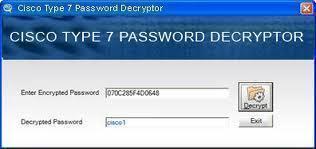

Syani
Is any one helping me
Syani
I forgot my TM Streamyx modem password.Need help