How to Change an Exchange Password
To change a Microsoft Exchange password, follow these instructions:
- Press the [CTRL], [ALT], and [DELETE] keys at the same time.
- In the window that pops up, click the Change Password button
- Enter a User name
- Select the domain that the password is being changed for
- Enter the old password
- Enter the new password
- Enter the new password again
- Click the OK button
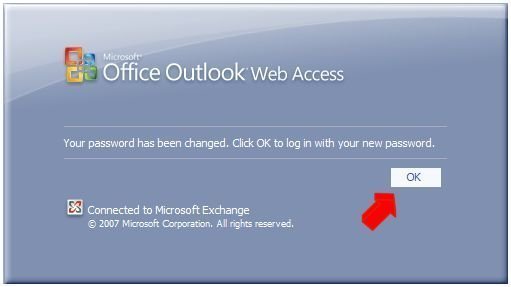
A box that says “Your password has been changed” will pop up.
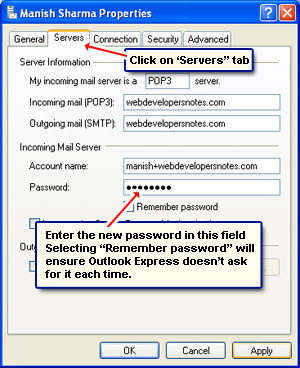
Changing the Microsoft Exchange password will only change the password in the mail server. It will not change the password in the mail client. To receive e-mail, the passwords in the mail server and mail client must match.
To change the mail client’s password, read How do I change my Outlook password?
The Microsoft Exchange password is the same as the Active Directory password. Use this new password when logging onto the computer.
Comments (2)
Leave a Reply
- How to Change an Outlook Password
Microsoft Outlook is a software that not only lets the user send, receive, and manage e-mail, but also lets him/her manage calendar and contacts, such as friends and business associates. For Microsoft Outlook 2003 To change a Microsoft Outlook password, follow these instructions: Open Microsoft Outlook Click the Tools menu Click the E-mail Accounts menu [...]...
- How to Change an Email Password
The steps required to change an e-mail password are different for each email system. When changing email passwords, there are three types of email passwords to consider: Passwords in e-mail clients such as Microsoft Outlook and Eudora Passwords in e-mail servers such as Microsoft Exchange, sendmail, and Postfix Passwords in web based e-mail systems such [...]...
- How can I Change my tmnet Password?
To change your tmnet password, visit the tmnet e-view Home Page. In the upper right side of the page, you will see a sign-in field (it’s orange and says “SIGN IN HERE”). Click on it and it will take you to the next page where you will enter your Username and Password. After this, click [...]...
- How Do I Change my MSN Password?
MSN is an ISP (Internet Service Provider) which is owned and operated by Microsoft Corporation. In addition, Microsoft uses the MSN brand on a number of web sites which they operate. How to Change Your MSN Password The way to change your MSN password is to change your Microsoft Passport password. Changing your Microsoft Passport [...]...
- How Do I Change my eBay Password?
eBay is the worlds largest auction site. eBay stores personal information about you. If your eBay password were to fall into the wrong hands, if could create significant difficulties for you. How to Change Your eBay Password Go to the eBay Change Password and Create Hint page. Enter your eBay User ID. Enter your password. [...]...


This advice is only good for people on a Windows network. What about people who happen to be connecting remotely to a shared exchange server?
my facebook id password forgot so plse halp