Home     Blog

How to Install Flash Player

How to Install Flash Player

Adobe Flash Player or simply “Flash Player” is an Adobe product that allows users to watch flash based content on the web. Flash allows websites to perform a wide variety of tasks that they would not be able to do via simple browser programming languages. For example, the popular video hosting website, YouTube, is run on Flash and provides interactivity within the videos themselves, such as the ability to click on in-video links to external websites and other YouTube videos. Flash is al

[ read more ]

How to Backup Your Firefox Bookmarks

How to Backup Your Firefox Bookmarks

Backing up your bookmarks is very important. By doing this regularly, you will be able to retrieve your favorite URLs in the event that your personal computer crashes. Backing up your Firefox bookmarks is certainly preferable to having to search for your favorite websites again and building up your bookmark list from scratch. Options for  Backing Up Your Firefox Bookmarks There are several different methods to backup Firefox. We will cover: Backing up Firefox bookmarks to a .json file M

[ read more ]

Firefox Toolbar

Firefox Toolbar

A Firefox Toolbar can be any toolbar within Mozilla Firefox, whether it is a default toolbar provided by Firefox or an add-on provided by third-party extensions. Firefox currently has five default toolbars that can be turned on and off at any time: the Menu Bar, the Tab Strip, the Navigation Toolbar, the Bookmarks Toolbar, and the Add-On Bar. The Menu bar displays the basic menus that are available from almost all browsers and user interfaces, such as File, Open, Edit, Help, etc. The Tab

[ read more ]

How to Set Google as the Default Search Engine in Firefox

How to Set Google as the Default Search Engine in Firefox

Mozilla Firefox, which the Mozilla Foundation runs and Netscape owns, is a web browser that allows users to take advantage of thousands of add-ons and plug-ins while browsing the web. Since Mozilla Firefox was specifically designed to be both user friendly and functional, Mozilla Firefox users can easily access administrative options from either the Tools menu or the Firefox button. Additionally, users can find step-by-step instructions for most actions in Firefox by visiting Firefox Support.

[ read more ]

Firefox Plugins

Firefox Plugins

Firefox Plugins are a type of Add-On in the popular web browser, Mozilla Firefox. Firefox Plugins allow users to add multimedia support and functions to Mozilla Firefox or a third-party extension. Firefox Plugins are available from a wide variety of sources and can manage multimedia support for Windows Media Player, YouTube, Acrobat Reader, Flash Player, and many other popular products. Firefox Plugins may be similar to Firefox Extensions, but differ in the fact that Plugins are used to provid

[ read more ]

Firefox Extensions

Firefox Extensions

Firefox Extensions are programs in Firefox that allow users to edit the way Firefox works and add new functions to their browser. Firefox Extensions are most commonly used to add RSS readers and text editors to Firefox, but can be used for a wide variety of purposes. While “Firefox Extensions” can actually be used with many different Mozilla products, they are more popular for use in Firefox as it is, by far, the most popular Mozilla product. Firefox Extensions can also be created by any

[ read more ]

Firefox Themes

Firefox Themes

A Firefox Theme is a type of Firefox Add-On that can be installed in order to change the appearance and/or functionality of Mozilla Firefox. Firefox Themes allow users to customize the “look and feel” of their web browser without removing any of the basic functions provided by Mozilla Firefox. Firefox Themes can be created by any Firefox user, but are most commonly created by Firefox developers, and are the Firefox equivalent of Google Chrome Themes or Windows Live Themes.   H

[ read more ]

How to Delete History on Firefox

How to Delete History on Firefox

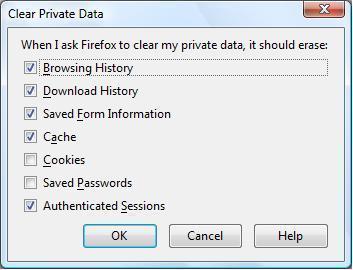
Mozilla Firefox is a web browser that the Mozilla Foundation runs and NetScape owns, which allows users to browse the Internet, access email, and use a wide variety of plug-ins and add-ons that are not available on any other browser. Mozilla Firefox was created to provide users with more support and functionality than other web browsers could provide and is now one of the most popular web browsers in the world.   How to Delete History on Firefox Like all other web browsers, Mozilla

[ read more ]

How to Set One’s Homepage in Firefox

How to Set One’s Homepage in Firefox

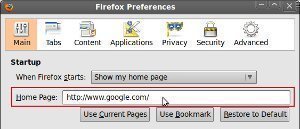
Mozilla Firefox, which the Mozilla Foundation runs and Netscape owns, is a powerful web browser that allows users to browse the Internet, play online games, and check email. Since Mozilla Firefox was designed to be efficient, functional, and user friendly, users are able to easily access administrative tools from the Firefox button, obtain step-by-step support from the Firefox Support Homepage, and access thousands of free add-ons that no other web browser provides. Because of these features, Mo

[ read more ]

How to Block Websites on Firefox

How to Block Websites on Firefox

Mozilla Firefox, which the Mozilla Foundation runs and Netscape owns, is a web browser that allows users to browse the web, check email, and take advantage of thousands of individual add-ons and plug-ins. Since Mozilla Firefox was designed to be easy to use and helpful to the user, its options are readily accessible through the built-in Firefox button and full support for the browser can be found at Firefox Support.   How to Block Websites in Firefox Although Mozilla Firefox does n

[ read more ]

Page 1 of 212