How do I Remove spyware manually?

Manually removing spyware is not an easy task. Usually the best course of action to remove spyware from your computer is to download and install a free spyware removal tool that will do this job for you.

However, sometimes a problem arises in which the spyware removal program is unable to delete the spyware files and they will have to be manually deleted. Because this involves finding files and deleting them, or making changes to a computer's registry, manually deleting spyware should only be attempted by advanced to professional computer users.

Remove Spyware Manually using Add or Remove Programs

After your spyware removal program has failed to automatically remove the spyware, it is recommended that you reboot your computer and put it into "Safe Mode" by clicking F8 or Shift F8 simultaneously. By doing so, none of the spyware will be loaded into the computer's memory.

While in "Safe Mode" you can begin to manually removing spyware by:

From this point, you can run your spyware removal program again to make sure your system was completely cleaned.

Remove Spyware Manually Deleting Spyware Files

Another way to remove spyware manually from the computer is to research on the Internet the files that are specifically installed with a known spyware program.

From here it is just a matter of searching for these files, usually in your Windows "System" folder, and deleting them from there.

This method may cause error messages to appear when Microsoft Windows starts up, as Windows may attempt to run programs that no longer exist.

Remove Spyware Manually using HijackThis

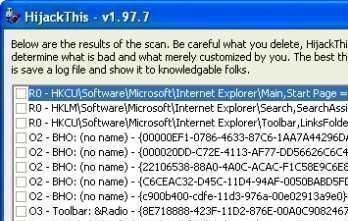
It is also popular for many advanced users to download HijackThis and install it onto their computer.

HijackThis will return a list of all programs installed. You can also use it to manually remove registry entries installed by the spyware software.

Block Spyware Manually in Internet Explorer

Many spyware removal programs allow you to immunize your computer from further attack after it has been cleaned. You can also do this manually in Internet Explorer by blocking these sites as well:


Books on Spyware

Spyware Study and Reference Guide

Spyware Reference and Study Guide was designed as a research guide not just for the techies, IT managers, or computer security experts, but also for the beginner user. This book looks at the good and bad sides of Spyware.


Fighting Spyware, Viruses, and Malware

Think there's no malicious software on your computer? PC Magazine thinks you should think again. Scans by ISPs have revealed as many as twenty-eight spyware programs running on the average home computer like yours. That's a lot of people prying into what's on your PC, and a DSL or cable connection is a virtual welcome mat. But by following Ed Tittel's advice, you can learn how invasions occur, spot an infestation, repair damage that's already done, and slam the door on those who want to hijack your PC along with your wallet. Here's how you can Learn to recognize when a Trojan horse, a virus, adware, or spyware has invaded your PC Get the tools that can cure an infection Dig into the Windows Registry to remove the nastiest of bugs Prevent a recurrence with personal firewalls and protective software Deal with the onslaught of spam Keep your defenses up-to-date Give it the boot If you believe you've caught something and you're willing to kiss everything goodbye that you've added to or changed ... since the last time you booted up your computer ... try this. While Windows is first booting up, hit the F8 key .... Choose the Last Known Good Configuration option, and Windows should boot running the version of the Registry that existed the last time your system booted that is, before you got infected.


Absolute Beginner's Guide to Security, Spam, Spyware and Viruses

Batten down the hatches! Hackers, spammers and thieves (oh my!) are after you! The mere act of turning on an Internet-connected computer can put you, your family, and your personal finances at risk by exposing you to viruses, scam artists, hackers, identity thieves, and spammers. How do you fight back? Absolute Beginner's Guide to Security, Spam, Spyware and Viruses is your first line of defense.

Clear, easy-to-understand definitions of viruses, spyware, and hackers will help you understand what you're up against everytime you go online. Then, you'll learn about other threats, such as identity theft, phishing, and other potential dangers you'll face in your everyday computing. Find out how to search out and destroy spyware, malware and other viscious programs that could potentially harm your computer. Then find out how to lock out hackers, spammers, and theives for good.

We'll tell you how to immediately cut the risk of being attacked in half — in less than 10 minutes! Protect your bank accounts, digital photos, digital music collection, masters thesis, and everything you hold near and dear on your computer with the help of the Absolute Beginner's Guide to Security, Spam, Spyware and Viruses.


How to Do Everything to Fight Spam, Viruses, Pop-Ups, and Spyware

Swat spam, vanquish viruses, knock down pop-ups, and expose spyware with help from this one-of-a-kind resource. Loaded with insightful advice, practical tips, and trial software, this book-and-CD defense will help you rid your computer of the perils and nuisances of Web surfing once and for all. Author and tech expert Ken Feinstein gives easy-to-understand explanations of the technologies at work, and just exactly what steps you can take to take back your e-mail, your surfing enjoyment, your privacy, and your computer.


Blocking Spam and Spyware For Dummies

Fight back and save money with these expert tips Find out what spam and spyware cost your company, and how to stop them Whether yours is a one-person business or a multi-million dollar corporation, here's help giving spammers and spies the bum's rush. Two veterans of the spam wars help you analyze your situation, choose the right solutions, set up and maintain them, and even show the bean-counters why such defenses are essential.


Trojans, Worms, and Spyware: A Computer Security Professional's Guide to Malicious Code

Trojans, Worms, and Spyware provides practical, easy to understand, and readily usable advice to help organizations to improve their security and reduce the possible risks of malicious code attacks. Despite the global downturn, information systems security remains one of the more in-demand professions in the world today. With the widespread use of the Internet as a business tool, more emphasis is being placed on information security than ever before. To successfully deal with this increase in dependence and the ever growing threat of virus and worm attacks, Information security and information assurance (IA) professionals need a jargon-free book that addresses the practical aspects of meeting new security requirements.

This book provides a comprehensive list of threats, an explanation of what they are and how they wreak havoc with systems, as well as a set of rules-to-live-by along with a system to develop procedures and implement security training. It is a daunting task to combat the new generation of computer security threats new and advanced variants of Trojans, as well as spyware (both hardware and software) and bombs and Trojans, Worms, and Spyware will be a handy must-have reference for the computer security professional to battle and prevent financial and operational harm from system attacks.


Top 5 Free Networking Tools

Bookmark How do I Remove spyware manually?

Latest Blog Posts


English English GermanGerman SpanishSpanish FrenchFrench ItalianItalian PortuguesePortuguese RussianRussian DutchDutch
GreekGreek HindiHindi JapaneseJapanese KoreanKorean ChineseChinese Chinese (Simplified)Chinese (Simplified) ArabicArabic

Copyright 2009 Tech-FAQ. All rights reserved. Privacy Policy.