

A Trojan virus is a piece of software designed to look like a useful file or software program but performs a possibly nefarious function once installed on a client computer. The virus takes its name from the “Trojan Horse” from Greek mythology setup outside of the city of Troy. Trojan horse viruses differ from other computer viruses in that they are not designed to spread themselves. Instead Trojan horse malware is either delivered as the payload of another virus or piece of malware or through manual end-user action by downloading infected files or inserting infected drives into a computer. Once a computer is infected with a Trojan virus, the malware can be designed to steal end-user information, perform destructive harm on the target computer, or even download additional computer malware. Trojan horse viruses comprised more than 80% of all computer malware detected in the world over the past year and the number continues to grow.
What are the Components of a Trojan Virus?
A Trojan virus will normally consist of a server and client component. The client component is the portion of the malware that infects the end-user’s computer. Once established or executed, the virus can be designed to establish a certain level of control over the infected computer. Based on the desired purpose of the malware author, the client Trojan can deliver additional malware components such as a key logger, spyware, or perform destructive features on the computer.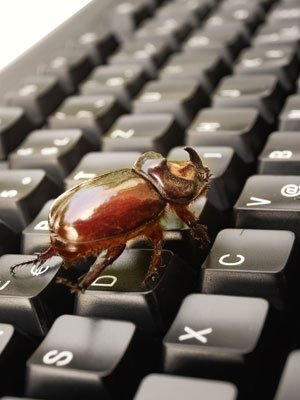
How Do Trojan Horse Viruses Spread?
Trojan viruses can infect client computers in several ways. One of the most prevalent means of infection is through email attachments. The malware developer will either use a broad email list to spam the virus to a large number of people disguised as a potentially useful attachment or even pornography. Once the user opens the file it will then infect their computer. More recently, targeted spam called spear phishing has been used to target high visibility personnel in business and in government. The same technique of spoofing someone they individuals may know or pretending to be a useful email attachment is used, just with a higher profile potential target set. Another common method used to distribute Trojan viruses is via instant messenger programs such as Skype or Yahoo Messenger. Finally, another well-known technique is to send copies of the virus to all contacts listed in the address book(s) found on the computer after infection.
What Type of Damage Can Trojan Viruses Do?
Typically a Trojan virus will be designed to provide some form of remote access to a hacker or criminal on an infected computer. Once the Trojan virus has been installed the hacker will be able to perform tasks on the computer based on the user’s account privilege level. Some of these actions could be: to steal the user’s login and password data, credit card information, or bank account data; using the computer to conduct a denial-of-service attack against another user, company, or organization; installing other software to include additional computer malware; download or upload files on the user’s computer, log keystrokes or take screen captures of sensitive websites; crash the user’s computer; and to web surf in an anonymous fashion. Hackers do not have to directly distribute Trojan viruses; however, as many of the better known malware is designed to infect a computing system and respond to remote commands from hackers who did not originally deploy the malware. The hacker can conduct a scan of computers on a target network and once finding computer’s infected with the desired Trojan virus issue follow-on commands to control the computer.
What Are the Types of Trojan Horse Viruses?
In recent years, Trojan horse viruses have significantly advanced in their complexity, methods of infection and payload. The categories currently used to define the different variants of Trojan viruses include: remote access, password sending, destructive, key loggers, password stealers (or senders), denial of service, proxy, FTP, software detection killers, and Trojan downloaders.
What Does a Remote Access Trojan Virus Do?
A remote access Trojan virus remains the most encountered Trojan in the wild. This virus will give the hacker/attacker full control over the targeted computer equivalent to the user’s permissions. Once access is gained to the computer, the hacker can then access any personal information the user has stored on their computer to include logins, passwords, credit card numbers, financial statements, and other personal information. Many times, this information can then be used to steal the individual’s identity or to apply for credit card/banking information in the person’s name.
How Does a Password Sending Trojan Virus Work?
When a computer is infected by a password sending Trojan virus, the malware will search for all cached passwords and copy those that are entered by the end-user. At preset or scheduled points the Trojan will send the collected information to a preset email or collection of email addresses. These actions are performed without the end-user’s knowledge and the Trojan is particularly dangerous for computers that are not running any type of antivirus software. All types of passwords are vulnerable to this attack to include secure websites, email services, FTP, and instant messaging programs.
How Do Key Logger Trojans Work?
Key loggers are a variant of Trojan virus that is designed to record the keystrokes on an infected computer and then send the log files to a remote server or email account. The more advanced key loggers are capable of searching for login and password data and other pre-programmed personal data in the log files to reduce the overhead of the information sent to the remote hacker. Some key loggers are able to record their information online, where the ones that are designed to send the data via email record information offline. To avoid detection, the offline recording Trojan key loggers will send information or daily or longer intervals based on the configuration set by the malware author.
What Do Destructive Trojan Viruses Do?
A destructive Trojan virus’s primary purpose is to delete or remove files on the targeted computer. They are designed to attack the computer’s core Operating System files but can also be programmed to remove data. The more sophisticated destructive Trojan viruses will be programmed to attack based on a certain date or logic requirement being met. They can be used in blackmail attempts, although this use is not widely reported (yet).
What Is a Denial of Service Attack Trojan Virus?
A denial of service (DoS) attack Trojan virus will be designed to use the infected computer as a bot to attack another web server or computer. Combined with other computers that are infected, the Internet connection for the attacked computer can become too busy to allow regular users to make use of the site. A variation of this Trojan is the Mail Bomb Trojan virus which is designed to infect as many computers as possible while sending potentially malicious emails to all addresses found on the targeted machines.
How Does a Proxy Trojan Work?
A proxy or Wingate Trojan virus is designed to make the infected computer act as a Wingate or proxy server. As a result of the infection, the targeted computer can then be used by other to surf the Internet in an anonymous fashion. This is normally used to conduct other illegal activities such as using stolen credit cards to access pornographic websites, shop online, or purchase other websites or domain names.
What is a FTP Trojan Virus?
A FTP Trojan virus is one of the most basic Trojan viruses in the wild and is one of the most outdated. The primary purpose of the malware is to open port 21 on the infected computer. Once opened, anyone can then connect to the computer using the FTP protocol. For the more advanced versions of this variant of Trojans password protection is enabled so that only the hacker can gain access to the infected machine.
What Are Software Detection Killer Trojans?
A software detection killer Trojan virus is commonly used in conjunction with other computer malware such as scareware. The purpose of this variant of Trojan virus is to disable known antivirus and computer firewall programs. Not only will they disable installed versions of known computer security software, but the Trojan will also preclude installation of new security programs that are well-known. Once they are active, other computer malware can be bundled with the Trojan in order to perform additional malicious tasks.
What is a Trojan Downloader Virus?
A Trojan downloader virus is a fairly recent development over the past several years. This version of Trojan is designed to infect a target computer in a similar manner to other Trojan viruses. The sole job that a Trojan downloader does on the infected computer is to download additional computer malware onto the infected computer. Some Trojan downloaders can also be used to grant remote access to the target machine to a remote server or individual as part of their work.
How to Remove Trojan Viruses
One of the most frustrating tasks a home computer user will have to do is recover from a Trojan virus infection. The following steps are general in nature, but intended to help the average computer user recover from a Trojan and other computer malware infection.
Step 1 – Gain access to a non-infected computer that allows you to save files to a CD-R or memory stick. Then, launch the computer’s web browser and download the RKill process killer application produced by Bleeping Computer and save to the portable drive or place in a temporary folder to burn to CD.
Step 2 – Download the free version of the Malwarebytes antimalware application. If using a portable drive, copy the install file to the drive. One thing to consider is copying two version of each file with the second version being a unique file name such as your first name or something that does not have anything to do with computer security since some Trojan viruses will prevent RKill or Malwarebytes from being installed. If burning a CD, wait to burn the CD until you have renamed the second version of each file
Step 3 – Restart the infected computer in Windows Safe Mode if the computer will allow you to do so.
Step 4 – Copy the files on the memory stick or CD onto the desktop of the infected computer.
Step 5 – Run the RKill application by double clicking either the primary or alternatively named file icon on the computer’s desktop. RKill should stop all known computer malware processes from executing on your infected computer. Note that RKill can take a few minutes to execute.
Step 6 – Once RKill finishes executing, turn off Windows System Restore on your computer. To access the System Restore properties, right click the “My Computer” icon and then select the “Properties” menu option. Select the “Turn Off System Restore” menu choice and choose the default menu prompts to complete the action.
Step 7 – Run the Malwarebytes installation file that you have already copied to the computers desktop. Note that you may need to run the renamed version of this file based on the Trojan virus that has infected the computer. Accept all default menu prompts and then run a complete antivirus scan of your computer’s drives.
Step 8 – After Malwarebytes has completed running, ensure you select the menu options to remove all infected files discovered.
Step 9 – Restart your computer after the infected files are deleted and the Trojan virus will be removed.
Step 10 – After the computer has restarted, turn Windows System Restore back on.
Step 11 – If you were not running a commercial antivirus program prior to the Trojan virus infection, consider purchasing one from Malwarebytes, Avast, AVG, Norton, or McAfee to prevent future infections.
How to Protect Your Computer from Trojan Horse Virus Infection
The best way to defend against Trojan viruses is to take countermeasure to never get your computer infected. To prevent future infections there are a number of prudent measures that you can take to minimize your risk. First, never open unsolicited email attachments contained in received mail. This is one of the most used methods by hackers to infect targeted computers. Next, do not click links that you did not solicit. An increasingly popular method by hackers is to send malicious links out in spam email vice attachments since more users are becoming educated to the threat that email attachments play. If you have not purchased antivirus software and leave it running, you are long overdue. Additionally, ensuring that you run regular updates for your computer’s operating system, installed programs, and leaving the default firewall turned on is another must in today’s threat environment.
Emerging Trends with Trojan Horse Viruses
One of the emerging trends with Trojan viruses is the bundling of Trojans with computer scareware. Scareware is designed as a payload of Trojans or Trojan downloaders. Once installed on the target computer it will disable the computer’s antivirus software (if installed), and then proceed to display fake infection warnings to the user. When the warnings are selected, a fake virus scan will be conducted that then entices the user to pay money to download the commercial version of the scareware. If/when they do, the credit card information is then used for nefarious means, money charged, and additional computer malware is downloaded onto the computer. The number of scareware packages numbers in excess of 15,000 and has seen a greater than 500% increase in the past three years. Some scareware will even go as far as to mimic the look and feel of known computer virus programs. Users must use their best judgment in detecting scareware and be leery of any application that tries to charge you money to do its job!

Snap
my desktop keeps changing and my computer is running slow, I have ran about 4 or 5 diffefent types if scans and they all say its clean yet just today when I was running a scan a window keeps trying to open to my bank logon page.
Help is someone trying to steal my bank info? I continue to close it and it reopens. I ran tdsskiller from Kapersky, and it said nothing.
Zeth Austin
How do i send a remote access virus?
pam
is this for how trojan virus spread in microsoft windows operating systems?
wisin
2 things that u well never be infected 1:’active antivirus 2:” scan pc 3 times in week and always scan when u download
Jeff Hinish
Its like you read my mind! You appear to know a lot about this, like you wrote the book
in it or something. I think that you could do with some pics to drive the message
home a little bit, but instead of that, this is great blog.
A great read. I will definitely be back.
Skamila
My laptop was infected yesterday night when I was searching some Online Marketeting Firm website (as I am building my own now. Came from a Website name was marketingwisepublishing.com (?? I did not remember clearly).
I had AVG 2012 trial running and it detected Trojan generic…..(rest I forgot). I then did full scan with AVG and locked the Trojan to Virus Vault in AVG. Then I uninstalled AVG and installed my Norton 360 (which I just purchased few days back) and ran it for full scan. It showed nothing. My all desktop icons were gone and none of my drives were opening, no programs were working, no CD/DVD/USB drives were responding. I tried to restore my system to a back date but my restore system was turned off and I was not able to open any of my files and folders. I Googled and with their information I reboot my PC in a safe mode etc but it did not work.
I Googled for more information on how to make sure my laptop is free of the beast and how to get back everything. I found many people recommending Malwarebytes so I downloaded it and ran. It detected 12 problems, 7 of them were in Registry Key (Hijack….something) 3 from C drive and 2 from other places. It also said it repaired and deleted them successfully.
Then I again Googled on how to get back all my icons and folders and files. I knew they were there as I found them in searching and in Control Panel but looked like they were hidden. According to pcbleeping.com or something similar recommendation–i downloaded unhide.exe and ran it and instantly found all my desktop icons back. Still i was missing all my programs in Start menu. I again tried another recommendations and downloaded two programs which gave me back my Accessories folders in my Start menu but I am still missing all other programs in my Start Menu-Programs-… Notepad, Pdfcreator, Microsoft office, skype, Realtime, quick, iTunes, IntervideowinDVD, GIMP, Games, Ccleaner, AT&T, system check——-these all are still showing Empty. How can I get them back?
I still feel uncomfortable to open my personal accounts and all emails etc. I have AT&T net connection and Norton 360 plus Malwarebytes running. Is it now safe to use everything as I again ran Malwarebytes today morning and found nothing plus my Norton 360 found nothing for full scan (Norton is less reliable as yesterday it said nothing and Malwarebytes found 12 threats.)
Is it require to do anything else to make sure 200% everything is gone? i checked Task manager—it shows nothing extra running and CPU bellow 20%.
Is it ok to do all my staff on this machine?
How to get back all my Start menu programs?
Also best suggestion on how to avoid further infection.
Any help would be appreciated. Thank you so much