Home     Blog

Computer Worms

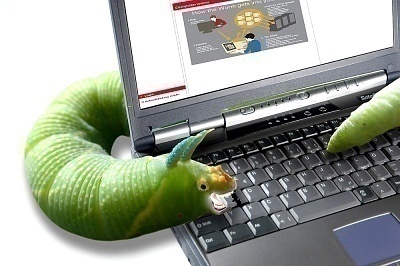
Computer worms are programs that reproduce, execute independently, and travel across network connections. The key difference between a virus and worm is the manner in which each reproduces and spreads. A virus is dependent upon the host file or boot sector and the transfer of files between computers to spread, whereas a computer worm can execute completely independently and spread on its own accord through network connections.

The security threat from worms is equivalent to that of viruses. Computer worms are skilled enough to do serious damage such as destroying crucial files in a system, slowing a system down to a large degree, or even causing some critical programs to stop working. Two very prominent examples of worms are the MS-Blaster and Sasser worms.

Computer Worm Examples

Robert Morris unleashed the original computer worm (perhaps accidentally) on the Internet in 1988. The Internet Worm used sendmail, fingerd, and rsh/rexec to spread itself across the Internet.Computer Worm Computer Worms
The SQL Slammer Worm, which was founded in 2003, used a vulnerability in Microsoft SQL Server 2000 to spread itself across the Internet. The Blaster Worm, also founded in 2003, used a vulnerability in Microsoft DCOM RPC to spread itself.

The Melissa worm founded in 1999, the Sobig worms founded in 2003, and the Mydoom worm founded in 2004 all spread through e-mail. These worms shared some Trojan Horse features in that they spread by tempting a user to open an infected e-mail attachment.

Mydoom also attempted to spread itself through the peer-to-peer file sharing application called KaZaA. The Mydoom worms attempted a Denial of Service (DoS) attack against SCO and Microsoft.

Protect yourself against Computer Worms

Computer worms, like SQL Slammer and Blaster, that spread through vulnerabilities in network services can best be protected against by keeping the anti-virus up to date and installing patches that operating system and application vendors provide.

Computer worms that spread like Trojan Horse can best be defended against by not opening attachments in e-mails. These infected attachments are not limited to .EXE files. Microsoft Word and Excel files can contain macros that spread infection.

Videos Related to Computer Worms

VN:F [1.9.17_1161]
Rating: 10.0/10 (2 votes cast)
Computer Worms, 10.0 out of 10 based on 2 ratings
Follow Will.Spencer on

Comments (5)


  1. daryhsdfhrtahdfhshsghshsghshsfhsgh says:

    ughhhh i hate it and i think it is the worrst u guys do no help at al;l im at school dudeds sooo yahhhh u suck

    VA:F [1.9.17_1161]
    Rating: 0.0/5 (0 votes cast)
    • memenode says:

      Help with what? You didn’t even ask a question.

      Also, we never said anywhere we’re offering help. We offer free information, with support of ads, and help as a bonus service. :)

      VN:F [1.9.17_1161]
      Rating: 0.0/5 (0 votes cast)
  2. techy says:

    how do i remove worm.vb-978

    VA:F [1.9.17_1161]
    Rating: 0.0/5 (0 votes cast)
  3. aj wilson says:

    a gud pc of info!….it helped me !

    VA:F [1.9.17_1161]
    Rating: 0.0/5 (0 votes cast)
  4. oneblood says:

    thanks for a good piece of info

    VA:F [1.9.17_1161]
    Rating: 0.0/5 (0 votes cast)

Leave a Reply

Related Posts

  • Computer Virus

    A computer virus is a program which reproduces itself. It may attach to other programs, it may create copies of itself (as in companion viruses). It may damage or corrupt data, change data, or degrade the performance of your system by utilizing resources such as memory or disk space. Types of Computer Viruses A computer [...]...


  • lsass.exe

    LSASS, or local security authority subsystem service, is a process that functions as part of the Microsoft Windows operating system. Essentially, LSASS is part of the process for maintaining and enforcing the security protocols on the operating system. To this end, LSASS performs several important functions to ensure that the system remains free from unauthorized [...]...


  • How to Protect Your Computer on the Internet

    The Internet is an ever present threat to your computer. Even harmlessly browsing through sites may get your computer affected with a virus or spyware without you even knowing it. As many dangers as there may be out there, you can easily protect yourself by taking a few simple steps. Routers and Firewalls First of [...]...


  • The History of Computer Viruses

    The first computer virus to openly make it to the public was a program called “Elk Cloner”. It was created by Rich Skrenta, a computer programmer who was in high school when this virs was created in 1982. Elk Cloner attached itself to the Apple DOS 3.3 operating system and was later spreaded by a [...]...


  • How to Protect Myself from Viruses

    The most common viruses are boot sector infectors. You can help protect yourself against those by write protecting all disks which you do not need write access to. Definitely keep a set of write protected floppy system disks. If you get a virus, it will make things much simpler. And, they are good for coasters. [...]...