

An email address is where electronic mail is sent from and received. An email address has a specific location on the Internet which can be found by other servers and networks fairly easy. There are a few components to an email address and they are standard throughout the internet.
The first part of an email address is the username. The second part of all email addresses is the “@” symbol, commonly known as the “at” symbol. This symbol is what separates the first part of the email address called the username from the third part of the email called the hostname or domain name. The host name identifies the specific server computer. In addition to the host name, there is also a three letter suffix which identifies the organization that operates the servers. For instance .edu stands for an educational institution such as a college or university. A .com extension stands for commercial, meaning a commercial entity. A .org extension stands for organization, etc. Using the above paradigm, a standard email address will look like the following: joe@unitedstates.edu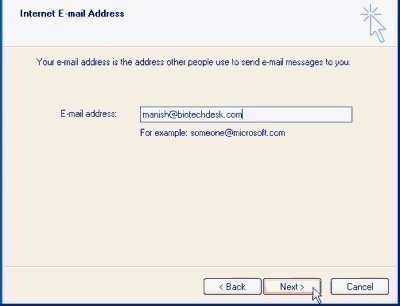
SMTP
SMTP stands for Simple Mail Transfer Protocol and it is the current standard for transferring email throughout the internet. SMTP is an efficient and convenient technology that started being widely used in the 1980’s. While modifications have been made, SMTP is still the standard being used on the internet.
SMTP uses a technology called TCP port 25. TCP port 25 makes it easy for SMTP to determine the server for a specific email address. They are able to look up a specific domain name and mail exchange DNS (Domain Name System). If the email address can not be found, SMTP will usually send the sender of the email a response stating that the address can be located or no address exists.
Email Address Limitations
An email address is made up of four parts as stated above, the username, at symbol, hosting name and three letter extension. All these parts have specific limitations as follows.
Username
Email addresses must include only ASCII characters. The length of the username must not be over 64 characters. The username is not case sensitive, but is usually written in lower case letters. The username can include all uppercase and lowercase letters. It can also include numbers from 0-9. The username portion of an email address can also use the following ASCII characters ! # $ % & ‘ * + – / = ? ^ _ ` { | } ~ However, these characters are usually discouraged because they are not easily identifiable or used in general communication. The period “.” can be used in an email address as long as it is neither the first character nor last one.
At symbol
The “at” symbol (@) is the only symbol that can be used to separate the username and the host name.
Host Name (sometimes referred to as the Domain Name)
The host name is a little more restrictive in the symbols that it can use. For instance, the host name can include all letters, numbers and only the hyphen character. Letters used in the host name or sometimes referred to as the domain name are not case sensitive.
Domain Extension
All email addresses must include the defined extension such as .com, .org, .edu, etc.
Email is usually accessed from an email client that is stored on an individual computer. For instance, Microsoft makes an email client called MS Outlook. Email that is addressed and sent to you is routed and stored directly onto your computer. In order to access your email, you must go to your physical computer and pull it up on your email client program. In other words, if you wanted to check your email, you would have to go to your personal computer, open up the program for receiving and composing email such as Microsoft Outlook in order to have access.
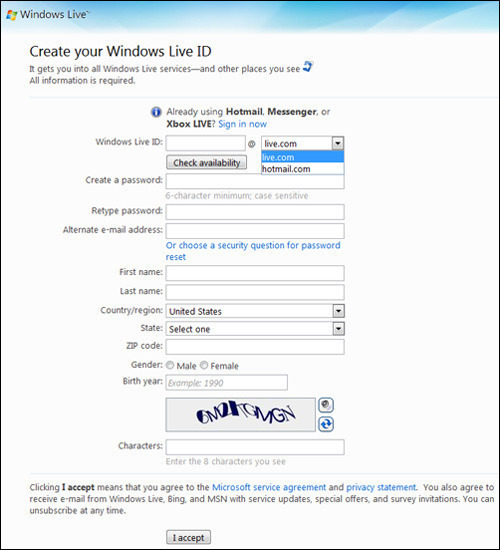
Web mail is standard email; however instead of it being only accessible from an email client located on one comuter, the email is stored at a central location on the internet, where a web application is used to access it. Web mail can be accessed from any computer with a internet connection and browser. Some web mail services that are popular are Yahoo Mail, Google Gmail and Microsoft Hotmail.

choco chai
change password
rogardly mponda
HOW CAN I GET OTHER INFORMATION ON THE VETY SIDE?
rogardly mponda
HIE
IT IS GOOD, INFORMATIVE AND SIMPLE TO READ AND UNDERSTAND.
THANKS.
omid
send me proxy daily
Piyush Patel
fackbook is very nice so he slap googel in 2010