

Microsoft Windows Media Player does not support an MP4 video CoDec. In order to make it work you need to install an MP3 CoDec manually.
Install an MP4 CoDec using the K-Lite Mega Codec Pack
Please note that the K-Lite Mega Codec Pack is not an official release from Microsoft. However, it is a highly supported and a very frequently updated pack. In fact, a recent survey on a technology site showed just as many users using this pack as the official Microsoft pack.
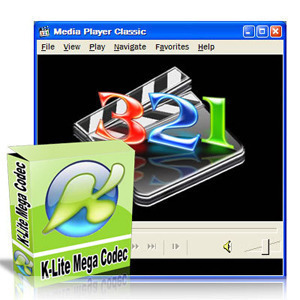
- Go to http://www.filehippo.com/download_klite_codec_pack or http://www.filehippo.com/download_klite_mega_codec. You can download either of them.
- Click the Download latest version link near the top in the right-sidebar.
- Save the EXE to your hard drive. Double-click it to begin installation.
- For non-experts, it is highly recommended to just install the recommended setup by clicking “Next”.


shanhudao
You can use iDealshare VideoGo to convert MOV to Windows Media Player more supported WMV, AVI, ASF for playing MOV on all versions of Windows Media Player
Terry Charge
There is another chance that you can play .mp4 files directly on your computer and no extra plugins needed. Macgo Windows Blu-ray Player is a versatile media player dealing with almost all the media formats including Blu-ray.
alfredbobes
iDealshare VideoGo is just the right MP4 to Windows Media Player
Converter which can convert all kinds of MP4 video to Windows Media
Player supported video format WMV, AVI, ASF, MPG. Besides converting MP4
to WMP video format, it also can convert MP4 to Windows Media Player
supported audio format like WMA, MP3, WAV, AU, and AIFF.
Sam Tomy
Windows Media Player cant play MP4 movies? Why not try Macgo Windows Blu-ray Player for free, which can Play any videos or audios like MP4, MOV and RMVB, etc. on Windows without converting formats for free, and perfect output up to 1080p High Definitionquality without loss for fantastic home cinema entertainment.
marialandoney
instead of install a windows media player mp4 codec, i use a windows media player converter called iDealshare VideoGo to convert MP4, MOV, FLV, ProRes, MKV, FLAC, M4A, MXF, AVCHD and etc to windows media player supported video format.
Just google search Step by Step Guide to Convert MP4 to Windows Media Player with iDealshare VideoGo, you will find a detailed guide.
jfeanrer
To solve this issue, download Elecard MPEG-4 Codec Pack or try Faasoft Video Converter to change MP4 to WMP supported formats.
Liberty Emily
Another way to play mp4 in windows media player is to convert mp4 to
windows media player more supported format like wmv, avi
iDealshare VideoGo is just the right MP4 to Windows Media Player
Converter which can convert all kinds of MP4 video to Windows Media
Player supported video format WMV, AVI, ASF, MPG. Besides converting MP4
to WMP video format, it also can convert MP4 to Windows Media Player
supported audio format like WMA, MP3, WAV, AU, and AIFF.
Moreover, this ideal MP4 Windows Media Player Converter also helps
to convert other Windows Media Player unsupported format like MOV, VOB,
WTV, MKV, WebM, RMVB, FLV, 3GP, MXF, AVCHD, FLAC, APE, OGG, 3GA, M4A,
DTS, RA, VOC, M4R, and etc to WMP supported video or audio format.
James Martin
I tried to download and install the codec for .mp4 files so that I could edit them with Windows Movie Maker version 6.1 (build 7601: Service Pack 1). When I tried to install the file (after I went thru the genuine verification process) it told me that it was able to be installed only on Windows 2000, Windows XP, or Windows 2003 Server.
Can you please tell me how I can solve my problem?
Thanks,
James
ron
rubbish
the codec upgrade does not work for XP with Media Player 11
khaled
thankes alot exelant
Wayne Fuller
Tried once again to get this codec using the links on this site.
When I follow the link “Download Codec Pack here” above, it take me to the site “VideoBuzz.”
When I get there and click the “download here” button/link, I get a “Malicious Web Site Blocked” from NORTON.
Once again ??????????????????????????????
Thanks,
Wayne
xew
Fun to be in China but there with out a VPN connection this link to the K-Lite Mega Codec Pack does not work…:S
Divx is an option would it not be that you get all in Chinese because they link you to it at the divx webpage ( why nobody can tell or knows )..
love to have it still because i need it.Anything would be fine…..
vipin
The instructions are great. Solved the problem I had with playing mpg4 on windows media player.
Mendo_Nut
MP4 files “No Workee” with XP Pro & WMP 10 with the “Codec Installation Package for Windows Media Player 7.1 or later” …. bummer.
I give the VLC Player a try.
memenode
I agree MS should probably include this by default. If it doesn’t work in Windows Media Player though I recommend you just download and use VLC for those files. VLC is widely known as a player that plays everything and it’s invaluable on any computer because of that.
Qasim
Fantastic , great , and superb
It is working. Now I can watch mp4 videos.I am thankful for these information and download links. I hope you will add some more important links for some other important items.
Thanks a lot
steve hayes
The illustration is of Media Player Classic
I think this articles referes to uSoft Media Player versions 10, 11 etc, so the picture gives me some doubts
Otherwise its looking good thanks
hammbone4266
I just went to shark007.net downloaded their codec installed and it worked perfectly on my wmp im usung windows 7 64 bit theres a link above says windows 7 codecs
Wayne Fuller
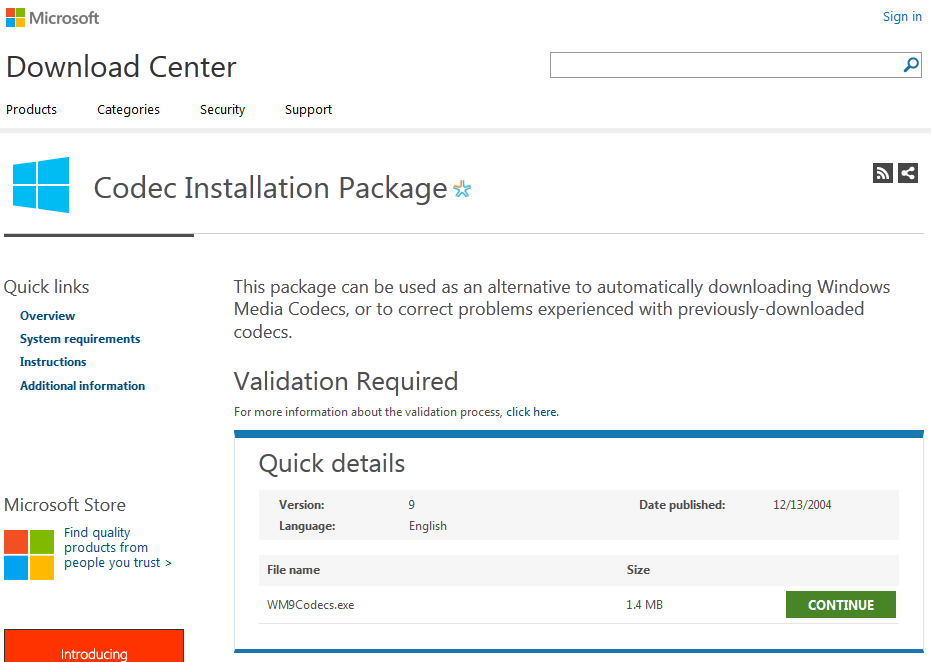
It seems to me that this instruction needs to be updated. When you go the “www.microsoft.com, Downloads & Trials, and then the Download Center”, there is NO left anything that says “Windows Media.” When you do finally get somewhere that looks like it MIGHT be what you are talking about, what you download gives you the message described in Comment #3 above.
??????????????????????????????????????????????????????? :sigh:
elitepurge
Exactly what I was looking for. Many thanks c:
steve2
EXCELLENT! Thanks!