

There are many ways to measure sound quality. Many measurements have been created to specifically measure and rate the quality of sound. Here are a few of the most common types of measurements used for sound quality.
THD
THD stands for Total Harmonic Distortion. It is a measurement taken to view the total amount of distortion from the original audio signal at playback. Most quality components have less than 1% distortion rate, loudspeakers can have 1 to 5% distortion rate and bass subwoofers can produce the most distortion sometimes approaching 10%. However, human ears can't differentiate distortion at very low bass levels.
Output Power
Output power is the maximum energy per channel, usually shown as Watts. Most speakers or receivers show the amount of watts that they have. There are two measurements peak and RMS. Peak watts is usually what is shown on advertisements, it is usually the maximum amount of energy that a speaker or receiver can give off for a very short period of time. RMS stands for Root Means Square and is a more appropriate way to determine power over a longer period of time.
Frequency Response
Frequency Response is an important way to determine the quality of sound. Most human ears can hear frequency (sound) that is from about 20 HZ to about 20K HZ. Bass forms the lower parts of the Frequency response spectrum. Most people consider bass frequencies, those frequencies below 310 HZ. Bass frequencies include percussion and explosions from movie DVD's. Midrange frequencies are those frequencies that range from about 310 HZ to about 12K HZ. These frequencies include dialogue and most of the human voice, piano, guitar and other instruments. High frequencies are at the top of the frequency response spectrum. They are usually from 12K to about 20K or higher. They include cymbals, high notes from the human voice, and some string instruments.
Signal to Noise Ratio
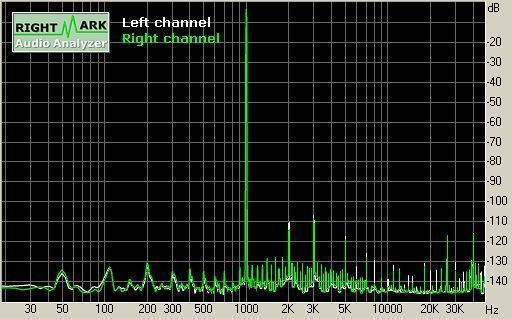
Signal to noise ratio is the ratio of quality sound to noise. This measurement is used to measure many devices including receivers, CD players, DVD players, etc. Usually the higher the decibel (Db), he better the quality of sound. For instance, a signal to noise ratio of 90 or 100 decibels is considered high fidelity. Most electronics are usually 80 decibels or over which is great for many discerning human ears.
It is important to note that the above terms are not the only way to measure sound. There are various ways to measure sound, components and media which are either digital or analog. However, knowing about the above terms does give you some insight into the process of measuring sound quality.
martymarty
I am trying to design a sound detector.
It should be a parabolic dish that reflects sound collected by a paraboloid 30cm in diameter reflected to a
microphone at the focus of the parabola.
In theory the the area of the opening of a 30cm paraboloid is A =pi*d^2 = 3.14*30^2 = 2827 cm^2
the area of the microphone is 1 cm^2
Therefore the microphone input has been increased by a factor of x2827
QUESTION:
A true paraboloid dish is difficult to manufacture.
A simple microphone is large: hence the 1cm^2 area, certainly not a point
An approximation to a paraboloid will not only be less sensitive, it will also cause the detection of speech to become garbled: even a perfect microphone will cause minor distortion by detect different frequency components of speech at at different instants ue to its size.
A coarse approximation will cause the many frequency components of human speech to undergo uncontrolled phase shifts which surely reduce the CLARITY of the detected sound:
to the point where it is difficult or even impossible to understand human speech
” peaches, peaches” may sound like ” peach-as speach-as”
QUESTION:
how is CLARITY of a sound detector measured?
Thijs van Weezel
Hey there,
About the signal to noise ratio:
Say you’ve got 400db speakers, is a signal to noise ratio of 90db still considered high fidelity?
Or, say you’ve got 40db speakers, is it still possible to reach a signal to noise ratio of 90db?
Thanks!
Btw, I know 400db speakers are bullshit, but I just wanted to know…