Lossy Compression
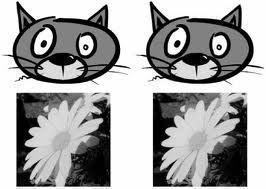
Lossy compression is a type of compression that removes unnecessary components of a file to reduce the file’s size. Lossy compression is often used in multimedia files, such as still images and audio files that hold a significant amount of redundant information. Lossy compression results in a reduction of quality of the file that is being compressed, but the quality difference is usually not noticed by the human senses. Because of this, multimedia files can be significantly smaller when compressed by lossy compression.
Applications
Lossy compression can be used for virtually any type of multimedia file, such as audio and video files as well as images. Lossy compression can be used for a number of reasons, such as transferring files over the Internet or for storage purposes, but is especially used for streaming multimedia files and VoIP applications, where bandwidth and delivery time of files is an important factor.
Advantages
Lossy compression is advantageous because it can make a multimedia file much smaller than its original size. For example, a typical PNG file that is 100 KB in size can be reduced to a 4 KB file before any degradation is noticed by using lossy compression. This results in a file that is 92% smaller than its original size without any noticeable differences in quality.
Disadvantages
Although lossy compression is advantageous, it cannot be used in all types of files because it works by removing data. For example, text and data files cannot be compressed by lossy compression because they do not have redundant information. While text and data files can be compressed by other techniques, lossy compression would make these files unreadable to both users and computers.
- NTFS File Compression
One feature available when you format a volume with the NTFS file system is file compression. NTFS compression can only be applied to a partition or volume that is formatted with the NTFS file system. Through NTFS, you can create additional storage space for files by compressing either single files, or all files in a [...]...
- File Compression Programs
This modern world of high speed Internet and fast-paced business is dependent on one thing: data. Data comes in many forms and can be represented in many different ways but the bottom line is that data makes up everything and society must rely on data to function. When that is understood, it is then imperative [...]...
- AC3 (Audio Coding 3)
AC3, or Dolby AC-3, is a lossy audio format created by Dolby Digital that is used in cinemas, television broadcasts, DVDs, Blu-Ray Discs, and game consoles. While AC3 was never designed to replace MP3 files, it has grown in popularity in the PC audio industry and is now recognized and supported by many media players [...]...
- Audio Codecs
A codec (Coder/Decoder) converts an analog signal to a digital bitstream, and another identical codec converts the digital bitstream back into an analog signal. Codec's are used to encode audio for storage on digital mediums, such as CD's and computer files. Audio codec's are also used to transmit audio over digital transmission lines, such as [...]...
- The Meaning of an .r01 File
An .r01 file is a RAR archive split into several parts. The RAR archive is actually a compression utility and can handle virtually any file. For example, in a four-part archive called “sample”, the separate parts would be “sample.rar”, “sample.r00″, “sample.r01″, and “sample.r02″. Sample.rar would be the first part in a multi-part series, each followed [...]...