

SPDIF, or the Sony/Philips Digital Interconnect Format) is used to carry or transport digital audio signals in consumer electronic equipment such as CD and DVD players, PC audio cards, and car audio systems over short distances. The digital signal can be carried over fiber optic (TOSLINK connectors) or coaxial cable (RCA connectors) and is also commonly used in home theater and stereo systems. SPDIF is based on the AES3 interconnect standard is capable of two 192 bit blocks (split into left and right channel data) which are divided into 12 words of 16 bits each. The first six bits of each word are a control code and SPDIF is also referred to as IEC 958 type II.
What Are the Uses of SPDIF?
The most common use of the SPDIF interface is to transport compressed digital audio. The audio must meet the requirements defined by the IEC 61937 standard. The interface is commonly used to connect the output of DVD and other audio players to home theater receivers which support DTS or Dolby Digital surround sound capability. The interface is also used to transport two channels of digital audio from a CD player to a receiver in uncompressed format. When SPDIF is used to couple the digital sound from a personal computer to a receiver, only stereo sound is supported unless the computer has specialized support such as DTS Connect or Dolby Digital Live installed.
What is the AES/EBU Standard?
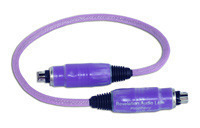
The AES/EBU (Audio Engineering Society and European Broadcasting Union) standard (better known as AES3) was first developed in 1989 and later revised in 1995, 1998, and 2003. AES3 is the complimenting standard to S/PDIF and is primarily used in the professional music industry and for applications requiring the highest degree of sound quality possible. The standard supports PCM encoded audio that is delivered in DAT and CD format. The most accepted formats used are 44.1 kHz (CD) and 48 kHz (DAT) and supports running and processing at any rate. The standard also uses recovering moves synched with the clock rate. This in turn is then handled by encoding the data using the Biphase mark code (BMC).
AES3 Balanced Specifications
Cabling 110-ohm STP (70 ohm coaxial unbalanced)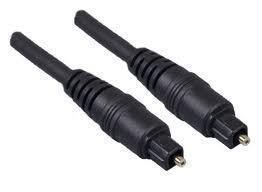
Connector 3-pin XLR (BNC unbalanced)
Output Level 2 to 7 V peak to peak (1 to 1.2 V unbalanced)
Min. Input Level 0.2 V (.32V unbalanced)
Max. Distance 100 m (up to 1,000m using the AES3 unbalanced standard)
Modulation Biphase mark code
Subcode Information ASCII id. text
Max. Resolution 24 bits
What Are TOSLINK Audio Connectors?
TOSLINK (Toshiba Link) is the standardized fiber optic connection system used throughout industry. The connectors are also known as optical audio cables and used as one of the possible connectors for SPDIF. TOSLINK is most commonly used to connect CD/DVD players, computers, video gaming consoles, DAT recorders, and MiniDisc to AV receivers for playback on a home theater system. Although known for SPDIF connections, TOSLINK connectors support a number of different standards and media formats at bit rates ranging up to 125 MB/sec (originally 3.1 MB/sec).
What Are the SPDIF Hardware Specifications?
SPDIF and AES3 were developed at the same time with the goal to better connect professional audio equipment. Due to desires of standards committees that worked on each protocol, both protocols were designed to have a number of similarities and were almost identical at the protocol level. SPDIF can almost be thought of as the consumer variant of the AES3 standard. Similarly, audio signals that are transmitted over TOSLINK connections are identical to those sent over the coaxial SPDIF connectors. SPDIF specifications include:
Cabling: 75-ohm fiber or coaxial cable
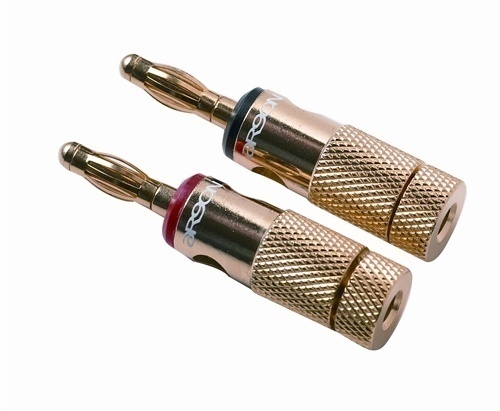
Connector: TOSLINK or RCA
Output Level: 0.5 to 0.6 V (peak to peak)
Minimum Input Level: 0.2 V
Maximum Distance: 10m
Modulation: Biphase Mark Code
Subcode Information: SCMS Copy Protection Information
Maximum Resolution: 20 Bits (24 Bits is optional)
SPDIF Audio Data Rate
Although the SPDIF protocol doesn’t specific a max resolution or data rate, the equipment which uses the SPDIF connectors has to determine the data rate “hand shake” from the SPDIF signal that both pieces of the audio hardware accept. To ensure greater flexibility, SPDIF uses a bi-phase mark code that includes either one or two transitions for each bit. This feature allows the initial word clock to be extracted from the base signal. The most common SPDIF data rates are 44.1khz for stereo CD audio and 48khz for digital audio tape (DAT). The most typical SPDIF transmissions are limited to 16 bit audio due to the limitations of CD even though it is designed to support 20 bits and 24 using after-market adapters. To support transmitting signals that are less than 20 bits, the left-over bits are automatically shaved off to zero.
SPDIF Audio Data Format
SPDIF audio data format is sent as a stream of 32 bit data words with a data frame consisting of 384 words total. There are 192 data words transmitted for both stereo channels (A and B). The most current IEC standard defining the SPDIF audio format is 60958-3 and is also specified in the German Patent EP000000811295B1.The format has also been included in a collection of IEC-60958 standards and is known as the AES/EBU standard and later designated IEC-958 type II. At the protocol level, the S/PDIF (SPDIF) audio data format continues to remain identical to AES/EBU.
The primary difference between the SPDIF and AES/EBU protocols remains the Channel Status Bit. In each sub-frame in the format, there is a single channel status bit located in each sub-frame. These are made up of 192 bits per audio block that results in 192/8 = 24 bytes being available in each block. If the Channel Status bit is not set:
0- Consumer/professional
1- Normal/compressed data
2- Copy prohibit/copy permit
3- 2 channels/4 channels
4- n/a
5- No pre-emphasis/pre-emphasis
There is one channel status bit in each sub-frame, which is comprised of 192 bits per audio block. This translates to 192/8 = 24 bytes available (per audio block).
SPDIF Limitations
In the SPDIF specification, the receiver doesn’t control the data rate of the communication. Slip is avoided by synchronizing the conversion with the source clock. As a result, SPDIF is not able to decouple the final signal from influence through the characteristics of the source. Due to the short range; however, the audio signal can normally be transmitted without data loss. The source clock in SPDIF is also known to wander or jitter. If any distortion or noise is introduced into the data cable, the process of clock recover can be further influenced. Also, if there is not a stable clock reference, then noise will get introduced into the resulting analogue signal if there are not any strategies introduced to limit the influence.
SPDIF also lacks retransmission facilities and flow control that impacts its use in data communications applications. If TOSLINK cables are being used for SPDIF and are tightly bent there will be a negative impact on overall performance. Also, TOSLINK have a light-signal attenuation that limits the effective range for SPDIF when compared to RCA.
When Should You Use SPDIF?
Digital audio connections should be used whenever possible to obtain the highest sound quality. A common question that arises for consumers is when to use SPDIF and when to use HDMI. If you are connecting two pieces of audio equipment, then you will likely have to use SPDIF since there will not be an HDMI connection on the audio data source. If the two pieces of equipment don’t have SPDIF connections, then RCA cables will be the back-up; however, on most modern consumer audio equipment either optical TOSLINK or coaxial connections will be available. When connecting video and audio between devices, then the type of connection will primarily depend on the connection options available on both pieces of equipment. It is also becoming more common to have a mix of both HDMI and SPDIF connections on home theater setups based on the maximum number of HDMI connections available on the theater receiver and television.
SPDIF in Consumer Electronics
In order to save money on SPDIF, the physical connectors were shifted to RCA jacks for coaxial cable connections or TOSLINK for fiber connections which are also known as EIAJ Optical. These proved to be much more cost effective and easier to use for common consumer applications. Similarly, the S/PDIF cable was changed from 110 Ω balanced twisted pair to the cheaper and more common 75 Ω coaxial cable that is good for ranges of up to 10 meters when using RCA connectors. When combined with the less expensive RCA connectors, was able to help consumers enjoy the higher quality audio previously only see in expensive commercial audio equipment.
SPDIF on Home Computers
Not all home computers are sold with “ready-t-use” SPDIF connectors. For desktops, the rear panel of the PC will be the location for the coaxial or optical connector if installed (some have both). On laptops, the connector will be combined with the headphone plug or jack and have the word “SPDIF” written near it if capable of supporting the standard. Not all laptops will have the label written beside the jack; however, forcing the end-user to check the computer’s specifications to see if supported. Another potential indication of SPDIF support is if the inside color of the jack is black it likely supports the standard and green if it does not.

MICHAEL INNES
DIGFFICULT TO GET SPDIF FROM ALVA NANOFACE
Moe
The assertation that digital is noise immune until it becomes unusable (this is called the “digital cliff”) is a generality that cannot be applied to SPDIF because even small amounts of noise cause interference with clock recovery at the recieving end (clock is derived from the data stream). This causes the sample time for those nearly-pristine digital bits to vary (called jitter) , and results in distortion in the recovered signal, which can be noise free but still musically terrible. The best way to connect SPDIF is with a TOSLINK connection, which uses fiber-optics. A disavantage of TOSLINK is that it is limited to 20 feet or so, and the cable cannot be bent sharply or otherwise mistreated or the fiber will break and make the cable useless.
bob
I was with you right up to the point where you said “[T]is is why the cable used to transfer SPDIF data via RCA plugs and jacks is commonly of a shielded coaxial type; which arrests and grounds virtually all audio spectra noise…”. The whole point of digital is that is that you don’t have to worry about bits of stray noise. That is, noise has no effect until suddenly it kills the whole thing.
How I read what you said is somewhat akin to “the advantage of transporting your documents on high quality USB sticks is you get less random characters (noise) showing up…”. In this example, everyone knows this isn’t the case though. Either you USB stick is so crappy that your document in completely lost or it is will be fine. There is no partial degradation in digital. That is why we use it instead of analog.
The difference between the coax and the fiber connection is whether you are electrically coupled or not. The former is only “better” in that your devices are electrically isolated.
http://en.wikipedia.org/wiki/Opto-isolator
Michael
I am trying to connect my TV sound out put to my stereo. The only out put source is SPDIF. My receiver does not support this. Can I use a RF splitter and connect it to my receiver’s RF TV input? Any suggestions?
Larry B
I had this issue with a Vizio ECO HDTV. Unfortunately there is nothing you can do other than ordering a sound bar($69 tigerdirect) that will improve the sound or get a Pioneer VSX-520 like I did for around $150. Excellent low-budget receiver with HDMI and TosLink(optical) inputs!