

A browser toolbar is a type of browser extension. Browser toolbars add additional buttons to the browser interface to accomplish frequently used tasks.
Popular Browser Toolbars
Google Toolbar
Features:
- Google Suggest – Get query suggestions as you type in the search box
- Spell Check – Check your spelling whenever you type in web forms
- AutoFill – Automatically fill out forms for faster online shopping
- Word Translator – Translate English words into other languages
The Google Toolbar supports Internet Explorer and Mozilla Firefox.
Yahoo! Toolbar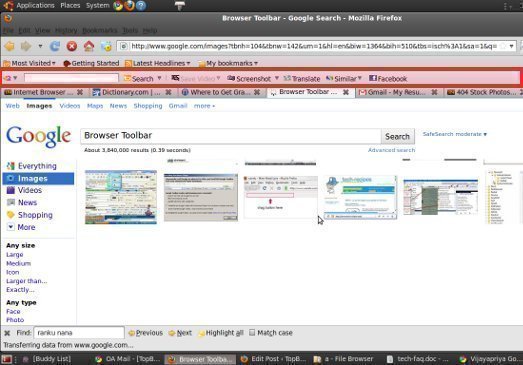
Features:
- Now available for Windows, Mac and Linux
- Instantly access your favorite sites
- Open new tabs from Toolbar buttons
- Quickly add RSS feeds to My Yahoo!
- Instantly save and “re-find” pages with My Web.
- Adjustable search box – resizable to fit your needs
The Yahoo! Toolbar supports Internet Explorer and Mozilla Firefox.
MSN Toolbar
Features:
- Browse smarter with tabs – Switch between websites within the same IE window
- Find anything – Search the web any time, anywhere, and locate documents, e-mail, and more on your computer
- Shop faster – Fill out web forms with one click
- Access MSN services – Get one-click access to Microsoft Hotmail, MSN Messenger, and MSN Spaces
The MSN Toolbar only supports Internet Explorer at this time.
Dogpile Toolbar
Features:
- Web Search – Find the best results from the Web’s leading search engines.
- Yellow Pages – Access business listings easily from one location.
- White Pages – Look up residential listings from around the U.S.
- Popup Blocker – Block those annoying popup ads forever
- RSS Tool – Add any type of ticker feed, including news, summaries and blogs. Learn more.
- Ticker – Get the latest news and information delivered directly to your ticker.
- Ticker Customization – Control the ticker’s speed, size and scrolling direction.
- Cursor Search – Search any word(s) from a Web page or Word document by right-clicking your mouse.
- SearchSpy – Watch scrolling terms to see what people are searching for in real-time.
The Dogpile Toolbar only supports Internet Explorer at this time.
Merriam-Webster Toolbar
Features:
- Merriam-Webster Online Dictionary search box always available in Internet Explorer
- Just type or highlight a word and click
- Results display in a new window so you won’t lose your page
- Accessible from your right-click menu
- Easy to install and customize
The Merriam-Webster Toolbar only supports Internet Explorer at this time.
A9 Toolbar
Features:
- Search the web directly from your browser
- Bookmarks – located on the server so you can access them from anywhere
- Use the Diary to leave notes on any web page, which you can later access from any computer
- Check your browsing and search History from anywhere
- Automatic List feature to ease search result navigation
- Get related links and ratings with Site Info
- Block annoying popups
- Highlight any term on the page
The A9 Toolbar supports the Internet Explorer, Firefox, Mozilla, and Netscape web browsers.

LUNA
Can you pls advise when and what Toolbar is compatible with the new Firefox? It is very hard and time consuming not having a toolbar.