Bump mapping is a graphics technique that is similar to texture mapping. Its primary purpose is to make a surface appear rough, while texture mapping adds color to a visual polygon. Bump mapping adds significant detail to an object that would normally require many polygons to create a similar visual effect. It uses a minimal amount of computer resources to render the object visually. Bump maps are sometimes referred to as texture maps that are depicting light direction on the image.
How does Bu
[ read more ]
In order to make a great looking pencil sketch out of a photo, skill and free time are needed to render it by hand or users can take advantage of a tool such as Adobe Photoshop to do the time consuming work in only minutes. Converting a photo into a pencil sketch can be accomplished in just a few steps.
First, load the photo into Adobe Photoshop. For this example, a photo of an obsolete camera on a bed sheet will be used.
This photo is a random example of a "still life" scene. What the
[ read more ]
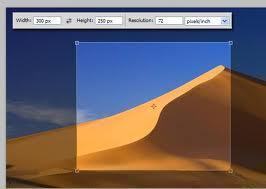
Bitmap images are a map or a collection of individually colored, minute dots or pixels (picture elements) that are arrayed in a matrix or grid. Since each individual pixel is too small for the naked eye to perceive without the help of magnification, an array of these pixels forms a perceivably smooth graphic image.
Resizing Bitmap Images
The quality of a bitmap image depends mainly on its resolution, which is the number of dots or pixels per inch of space. Therefore, resizing bitmap images res
[ read more ]
Step 1: Open a picture in photoshop.
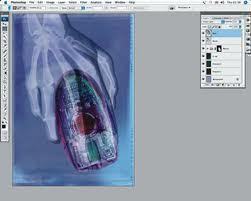
Step 2: First make a copy of this picture, so that if you mess up then you have something to go back to. To make a copy of the picture just click on it and then drag it to the 'Create a new layer' icon on the layer palette as shown below.
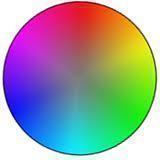
Step 3: Select the Hue/Saturation option from the Image Menu to change the hue/saturation to a desired level.
Click on the colorize option as shown below.
Step 4: After you have set the hue and saturation to the
[ read more ]
Preview:
Purple Theme Navigation System.
Step one:
Open a new document. For this tutorial, I am just going to use a 800x140 px (Width, Height) document with a white background. First create a new layer set called Button, Layer > New > Layer Set. Then in a new layer draw a #7E00FF colored rectangle, size 160x25 px.
Step two:
With your step one layer add the following layer styles:
Step three:
Make another layer and draw a white rectangle on the left side with a litt
[ read more ]
Desktop publishing takes WYSIWYG page layout software and combines it with a personal computer to allow the user to self-publish their own publications whether for high amounts of publishing or for small, mini-publications. However, desktop publishing doesn't just mean page layout skills needed to make a book; it can also be used to describe the design and creation of point of sale displays, outside signs and other promotional items.
Types of Pages in Desktop Publishing
The most important
[ read more ]
Graphics Interchange Format (GIF) is a bitmap based image file format. It was developed and introduced by CompuServe in 1987. GIF is one of the most popular image file formats used on the Internet today. The first version of GIF was 87a; CompuServe introduced an advanced version called 89a in 1989. The 89a version enabled the storage of several images in one file, so as to create simple animations.
GIF supports up to 8 bits per pixel. This permits a single image to use a palette of an upper l
[ read more ]
GIMP an impressively powerful and freely-distributable Adobe Photoshop-alternative open-source application for digital image composition, authoring, retouching and processing.
GIMP is short for GNU Image Manipulation Program}, and is licensed under a cost-free, GNU license. You can read up on the exact terms and conditions here: GNU General Public License.
The GIMP operates on a wide range of platforms {including Mac, Linux and PC}, and in numerous languages, simply by changing the "LANG"
[ read more ]
A chromatic aberration or distortion is a disturbance in an optical image in which colors tend to blend together and distort the image. Chromatic aberrations are produced because lenses have a different refractive index or the spot in which a beam of light is focused, for each wavelength of light. Chromatic aberrations can occur anywhere in an image, but are most common around boundaries that separate dark areas from light areas. Chromatic aberrations cause problems for many different sections o
[ read more ]
Dots per inch is a measurement used for spatial printing and video dot density in which the number of dots that can be packed into a single inch of space is measured. While only related indirectly, the DPI value does tend to correlate with the resolution of a screen. DPI can be best seen when zooming in real close on something. The tiny dots are then visible to the naked eye. These tiny dots make up the images when looking at a printed picture or the screen.
DPI in Video Resolution
Because pix
[ read more ]