

The PSP (PayStation Portable) is a popular, hand-held gaming console that the Sony Corporation produced in 2004. The PSP was the first portable gaming device that used an optical disc format as the primary storage medium for its video games. The PSP is the primary competition for Nintendo DS and the updated version includes additional multimedia functions. Despite the PSP's popularity, there are usually problems with its charger, memory card, and UMD drive.
How to Fix a PSP Charger
Step 1 – First, call Sony's customer service to explain the problem. Sony normally requests that the charger and receipt be sent in order to send out a new charger. A new charger is only sent if the damage is not due to negligence.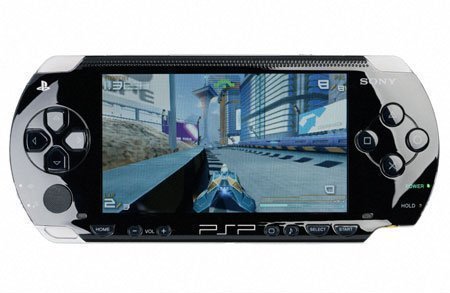
Step 2 – If Sony will not replace the charger, remove the charger casing and inspect the AC plug connections. The solder often fails, but can be repaired with a basic solder gun.
Step 3 – Replace the plug if the solders are not damaged. Purchase a new plug from a local electronics store and re-solder the new connections.
Step 4 – Purchase a new charger if repair attempts fail. Using generic chargers with the PSP sometimes causes its battery system to fail.
How to Fix a PSP UMD Drive
The mechanical drive that rotates the PSP's optical disc is called the UMD drive. These drives sometimes fail to turn because of operating system induced errors.
Step 1 – Turn on the device and select “System Settings, “ “ UMD AutoStart, “ and “On.” Turn off the PSP.
Step 2 – Release the PSP's latch in order to open the UMD drive lid. Blow or use a lint-free cloth to remove dust from the inside of the drive. Repeat this process where the UMD lid connects with the back of the console casing.
Step 3 – Close the UMD lid and open the battery compartment. Remove the battery and clean the compartment and the battery contacts with a lint free cloth.
Step 4 – Insert a UMD disc into the drive and close the lid. Replace the battery and close the battery compartment.
Step 5 – Insert the power supply into the device and charge for a minimum of one hour. Then turn on the device and play the disc from the “Home” menu.
How to Fix a PSP Memory Card
Step 1 – Upgrade the PSP firmware before troubleshooting memory card errors. Many PSP memory card issues are a result of outdated game/accessories firmware. Upgrade the firmware by connecting the devcie to the Internet. It will automatically detect any firmware updates that are available.
Step 2 – Inspect the end of the memory stick to see if any of the sticks separating the connections in the stick are bent. If they are, attempt to straighten them with tweezers.
Step 3 – Insert the memory stick into a computer's memory stick slot if it still does not work. If the files on the memory stick are not displayed, it is probably damaged beyond repair.
Step 4 – If the files on the memory stick are displayed, copy them to the computer's hard drive, right click the drive in Windows Explorer, then choose the “Format” menu option.
Step 5 – Copy the game files from the computer's hard drive to the stick after the formatting is complete.
Step 6 – Insert the memory stick into the PSP and choose “Settings” and “Format Memory Disk” in order to finish the formatting required to play the games on the PSP.
minnie
How can i get a new battery for psp? And the back compartment to shut the battery in?