File sharing is a necessity when there is a network. Whether it is the Internet or an intranet, people are sharing files all the time. It helps businesses function at an optimum level as people can share any information they want.
File sharing makes files available for others to use. This is accomplished in many ways. In business networks it is done via file servers, on the wider Internet it is done via the peer-to-peer (P2P) model, in which the files are received, stored, and served by the per
[ read more ]
We have all made mistakes using our computer where we have mistakenly deleted an item, changed an item or renamed it. While these slips of the mouse or mind can be critical at times, there are a few ways you can restore and undelete your changes in Windows. The three ways to do so is with the recycle bin, using the shortcut Ctrl + Z and using 'Undo Changes' from the menu. Here are some tips:
Using the Recycle Bin
One of the easiest ways to restore your files or documents that you ina
[ read more ]
Whenever someone purchases a new computer to replace the previous one, he/she must transfer the files from the old computer to the new one. In order to do this, there are several available options such as burning CDs, installing the hard drive from the old computer as a secondary hard drive in the new computer, using an external hard drive, or taking advantage of online storage services.
Secondary Hard Drive
A free, easy method of transferring files from an old computer to a new
[ read more ]
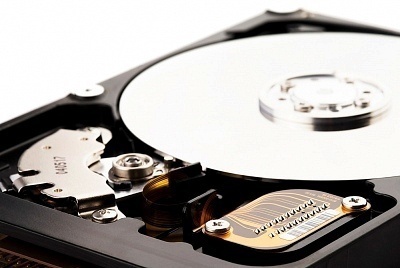
A hard drive refers to the main storage device for any computer system whether it be a desktop computer or handheld device. Hard drives are usually about the size of a small, paperback book and can exist in both internal and external models. Internal hard drives are usually connected to the computer via an IDE cable while external hard drives use a USB or FireWire cable. Regardless of what kind of hard drive it is or how much information it can hold, all hard drives must be maintained in order f
[ read more ]
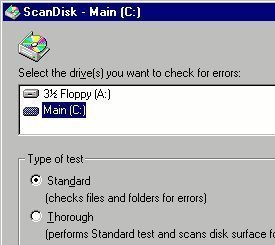
Scan Disk is one of the most common maintenance tools bundled with an operating system such as Windows. This is an application that checks the computer's hard drive for errors and bad sectors. Once Scan Disk finds an error in the hard drive, it will attempt to fix it.
There are a number of reasons for the errors found inside a hard drive. These include:
frequent system crashes
critical system applications that have been improperly closed
the existence of harmful programs such as virus
[ read more ]
A user often accidentally deletes a picture, document, or other file. In most cases, the file is still in the user's Recycle Bin and can be recovered simply by opening the Recycle Bin, right-clicking on the appropriate file, and selecting "Restore." However, if the file is too large for the Recycle Bin or is deleted through a program that is not run by Windows Explorer, the file will seem to have been completely erased. This is not true, however, as hard drives do not simply delete files. In
[ read more ]
The Recycle Bin icon is one that sits on the desktop of most Windows based operating systems. The Recycle Bin's purpose is to offer simple access to items that were deleted to either:
A. Free up space so that new information can be saved on the hard disk, or
B. Restore items that were accidentally deleted.
Sometimes a Recycle Bin can be deleted accidentally or removed by malicious software. Access to the Recycle Bin functions is not entirely disabled when this happens, but it takes addi
[ read more ]
The term driver refers to files that permit hardware and software programs to interface with the Windows Operating System (OS). All hardware components require a driver file in order to work properly with the Windows XP OS unless they are compatible with one of the generic driver files included with the OS. These files are normally stored on the computer's hard drive. However, a prudent computer owner will make a backup copy of the drivers on the Windows XP OS, to make recovery from malware infe
[ read more ]
Hidden files and folders are those that the Windows Operating System (OS) keeps the user from seeing when navigating the file system with “My Computer” or “Windows Explorer.” The folders and files that are hidden by the OS will contain system files that should not normally be accessed or modified by the end-user. Unfortunately, a large amount of computer malware and spyware makes use of this feature of the Windows OS in order to hide their presence from the end-user. A co
[ read more ]
Mapping a network drive is extremely quick and easy. When someone maps a network drive he/she is configuring a file folder on a remote computer that can share files or folders of data over a Local Area Network (LAN). Users can map a network drive with Window Explorer if they are running Windows XP. Users can also use the MS-DOS prompt to map their network drive.
Map a Network Drive in Windows XP
Right click on the start button and select Explore, then the menu bar will appear at the top. From
[ read more ]