

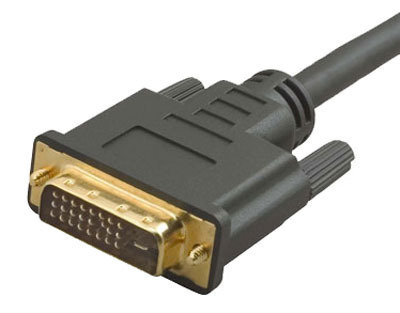
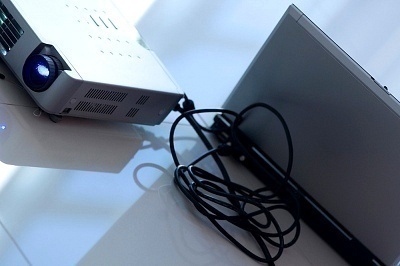
DVI stands for Digital Visual Interface, it delivers uncompressed video signals from the device to HDTV, digital monitors and DLP projectors. DVI can be found on DVD players (both high definition and standard), computer video cards and many cable and satellite boxes. DVI is a fairly new connection standard being used and can deliver high bandwidth from device to display with relative ease. DVI has become extremely popular with high end equipment users due to its high quality.
A DVI HDTV connector is simply a connection from DVI device (as stated above; DVD player, video card, satellite or cable box) to a High Definition TV display. While many computer monitors and Digital projectors also have DVI capability, HDTV is by far the most popular device to connect DVI capable components to.
There are several types of DVI Connections available. They include DVI-I, DVI-D and DVI- A, here is some information regarding each:
DVI-I Connector- DVI-I connectors contain both digital and analog connections. These connectors are perhaps the most popular due to the fact that most components come equipped with both digital and analog capability. DVI-I gives you the best of both worlds (component wise).
DVI-D Connector- This is a digital only connection. DVI-D connectors obviously work with all digital components, but also have capability to support DVI-I components as well. While a DVI-D to DVI-D will naturally give you a pure digital connection, it is also important to note that a DVI-I to DVI-I connection using a digital cable will also ensure a pure digital connection.
DVI-A Connector- DVI-A is analog only. This type of connection is quite uncommon due to the fact that most people use DVI to enjoy high quality digital content.
Single Link and Dual Link Connections
There are two types of DVI connections; they are single link and dual link.
Single Link has three data channels for RGB (red, green and blue) and a maximum bandwidth of 165 MHz. It should be noted that 165 MHz is about 165 million digital pixels per second. A DVI single link connection can easily support high definition TV’s with resolutions over 1920 x 1080 at 60 Hz.
Dual Link has two- three data channels for RGB both with a max bandwidth of 165 MHz per second. Dual link connections can provide bandwidth for resolution up to 2048 x 1536p. It should be noted that for the vast majority of equipment available, a single link connection will easily suffice. Many times stores will try to up-sell you a dual link DVI connector, but unless you have equipment capable of enjoying the increased performance, it won’t improve your picture one bit.
Making the Connection
Making a DVI connection from component to HDTV is extremely simple. First check your components to confirm which type of DVI it uses, then find a compatible DVI type that supports your HDTV. For instance, if your DVD player supports both DVI-I and DVI-D and your HDTV only supports DVI-D, then you should obviously choose a DVI-D connection. However if your DVD player supports DVI-D and HDTV player support DVI-I, you should choose DVI-I.
Buying Tips
The DVI HDTV Connector is used frequently by customers searching for the utmost quality digital transfer for their devices. The only other connector which is comparable is the HDMI Connector. The two connectors transfer an equal picture quality, but the HDMI connector transmits both audio and video digital signals. The HDMI connector is exclusively designed for use in home entertainment systems. The DVI connector was designed for computer associated transfers. The DVI HDTV Connector is particularly valuable for customers who own a device with only a DVI connection.

Lloyd
I have recently bought a Panasonic blueray player +HDMI cable
It is for my grandaughters brithday, but the tv it is to be connected has no HDMI connection
Do I need a DVI connector or is there another connects that will connect the blueray plyer to the tv
Lloyd