

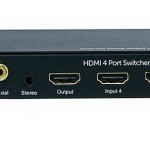
HDMI stands for High Definition Multimedia Interface; HDMI is an audio video interface that is used to transmit both digital audio and video streams of data which are uncompressed and encrypted.
HDMI is slowly becoming the de facto standard for connecting digital audio and video sources to one another. For instance, many consumer electronics such as high definition flat panel TV’s, DVD disc players, set top boxes, high definition DVD players (Blu-ray and HD- DVD), AV receivers and camcorders, etc now offer the option of HDMI connections for a true digital experience.
With many homes having several devices that each connect using HDMI, it is becoming harder and harder for a user to connect every HDMI device to a single HD TV. Some TV’s only have one or two HMDI ports, however with an HDMI optical switch, connecting and selecting multiple HDMI sources together into a single HD TV or monitor is simple.
Standard HDMI Switches
HDMI switches come in many different configurations. Common configurations include 3×1 HMDI switch and 5×1 HDMI switch. A 3×1 HDMI switch simply states that there are 3 inputs available and 1 output available. The output usually goes to the main HD monitor.
HDMI Optical Switch
An HDMI Optical Switch takes the common configuration one step further. Besides allowing for HDMI inputs, an HDMI optical switch also includes support for TOSLINK optical audio routing. TOSLINK is an optical fiber connection cable primarily used with audio components. TOSLINK optical fiber is usually made from 1 mm plastic optical fiber or in high end applications, several fibers of quartz glass.
Since many quality audio receivers use a TOSLINK audio interface to send audio signals from a music source to the receiver, employing an HDMI optical switch will enable you to set up your HDTV and audio receiver using only one input. For those homes that utilize both TOSLINK and HDMI, a HDMI optical switch can help streamline your source connections, making it much easier for you to control all of your devices and save you the cost or need to upgrade your existing audio receiver to a new audio receiver that supports HDMI.
Connecting Your Audio and Video Devices Using an HDMI Optical Switch
Using an HDMI optical switch to create an efficient audio video setup is extremely easy to do. Many HDMI optical switches include an infrared remote to change the source device with just a click of a button. Using an HDMI optical switch not only enables you to organize your HDMI and TOSLINK device, but also get more use out of them since you no longer have to swap devices due to lack of open inputs.

Follow Us!