

If you have been enjoying photography for more than a few years, you probably have plenty of slides taken with analog cameras. Before digital photography, slides were a great way to view photos en masse. They were very small, making them light and portable and perfect for slide shows in homes, classrooms, and auditoriums. However, with the advent of digital photography and digital projectors, slides have lost their popularity and are slowing becoming obsolete. There are three main methods of digitizing a library of slides:
- Hire a professional to transfer slides to disk
- Scan slides to disk using a regular PC scanner with a transparency adapter
- Scan slides directly to disk using a specialized slide scanner
Hire a Professional to Transfer Slides to Disk
This option is possibly the easiest, but can be costly. There are plenty of services available either online or at photography shops that will digitize slide images and transfer them to a disk. This is a great option for those who would like to transfer just a handful of images; however, for those with big libraries of slides, it can be costly. Expect to pay about $1 per slide transfer, together with a service fee. Most services use professional equipment, and many customers are quite satisfied with the outcome.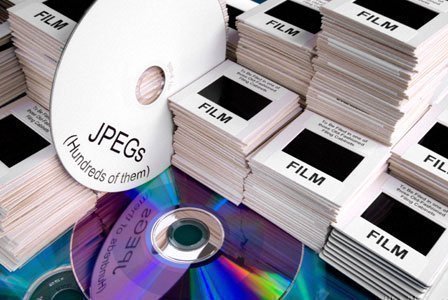
Scan Slides to Disk Using a Regular PC Scanner with a Transparency Adapter
Another option that delivers fairly reasonable results is to purchase a transparency adapter for your PC scanner. It should be noted that not all PC scanners have attachments available. However, if an attachment is available for your PC scanner, then it is worth purchasing it. With a slide adapter, you easily insert slides, and your digital scanner will scan and save them to your hard drive. In most cases, the slides will be of excellent quality and after digitizing them, they can be enhanced with software packages like Adobe Photoshop.
Expect to find slide adapters on moderate- to high-quality digital scanners. An adapter sometimes comes included or can be purchased as an accessory. It is extremely easy to set up and use.
Scan Slides Directly Using a Specialized Slide Scanner
If you have lots of slides but would rather scan them on your own into your computer instead of paying steep prices for a professional service, you may want to look at a specialized slide scanner. Slide scanners are built specifically to scan in slides. They are not only more efficient than the standard PC scanner with the slide attachment, but usually produce better quality. Most specialized slide scanners cost several hundred dollars. However, there are a few that cost under $100. Once your slides are scanned into your PC using your specialized slide scanner, you can enhance the quality of the images with software tools such as Adobe Photoshop.

Follow Us!