

A MKV file is a container format that can be used to store audio and video formats and is considered a competing format to the MP4 and AVI container formats. MKV (Matroska) is an open source format based on EBML (Extensible Binary Meta Language), and includes a greater number of features than supported by other container formats used in industry. The standard stores data in a compressed state along with an encoder. In order to play MKV files, a supporting codec is required.
What is a MKV File?
The MKV multimedia file container is designed to support an unlimited number of multimedia tracks or files in a single container file. The primary goal of the project team that develops and supports the format is to provide a universal format for multimedia storage based on open standards. The format is also known as the Matroska Multimedia Container, and has several file types associated with the project to include:
MKV – Video formats to include audio and subtitles
MKA – Audio only files
MKS – Subtitle only files
MK3D – Stereoscopic video
The use of different file extensions for known content saved within the container file is used to help improve speed and quality of file playback (similar to Apple’s use of slightly changing MP4 file extensions).
History of the MKV File Format
The Matroska project was originally announced on December 6th, 2003 and was a fork of the MCF (Multimedia Container Format) project. The fork came after Steve Lhomme (Matroska founder) and MCF lead, Lasse Kärkkäinen disagreed on the use of EBML versus a binary format for the MCF work. After the disagreement, work on MCF stalled, and many of the community developers departed to work on the Matroska project. The WebM audio/video format project announced in 2010 that the format would use the Matroska container format combined with Vorbis audio and VP8 audio.
What Are the MKV File Features?
MKV files are very similar to the competing AVI and MP4 container file formats except it is developed as an open source project. MKV possesses the following features:
– Has both HTTP and RTP audio and video streaming capability (Internet or LAN).
– Menu system similar to a DVD.
– Designed to be supported across all platforms or operating systems.
– Samsung, LG TV, and Blu-Ray players provide comprehensive support.
– Supports direct playback on televisions that support USB playback.
– Supports reliable error restoration mechanisms.
– Includes tools and libraries that developers can use to add MKV support to applications.
MKV File License
All Matroska file types (to include MKV) are open and free to use without license fee. Businesses are free to use the standard in commercial projects with the source code of MKV licensed under the GNU L-GPL by the Matroska Development team. The Matroska name and logo use do have some restrictions based on the specific circumstances. This measure was put in place by the development team to ensure that their technology was not devalued through defamation or incorrect implementations. The name and logo can be used without permission in non-commercial contexts; however, for commercial use the development group asks that companies contact them for permission.
What Are the Benefits of the MKV File Format?
The Matroska development team has had the advantage of the preceding AVI and MP4 container formats to identify shortcomings to address over the life of the project. As a result, MKV files have the following benefits:
– Are able to handle Variable Bitrate audio encoding (VBR) and Variable Framerate video encoding (VFR).
– Permit fast seeking using chapter markers similar through DVDs leveraging metatags embedded by the content author.
– Robust error correction even when the file is damaged.
– Selectable audio/video streams and subtitles.
– Support Internet and LAN streaming.
– Is an expandable container format that can have new codecs implemented in the future without significant re-work.
– Is free and does not require any licensing fees.
– MKV files are easy to change using software editing tools.
– Compact file size. MKV files are approximately 40% smaller than Blu-ray and 10% smaller than DVD files.
How Do You Play MKV Files on Windows?
In order to play Matroska or MKV files on a Windows computer, you will need the most recent CCCP playback codec installed on your computer. Once installed, players based on Microsoft DirectShow will be able to play the files (Windows Media Player, BSPlayer, Winamp, and Radlight Player).
Step 1 – Launch your computer’s web browser and visit the CCP Project website or download the Matroska Pack.
Step 2 – Download the Windows build of the codec to your computer. Once the file is downloaded, double-click the executable file and accept the default menu prompts that are subsequently displayed.
Step 3 – Once the installation is completed, the Zoom player will now be installed on your computer if downloading the CCCP project. Depending on the version of Windows and audio playback applications installed, you may have to use program specific directions to associate the file format with the player.
Step 4 – Right click a MKV file that you desire to play. Then, select or click the “Open With” menu option and choose either the “Zoom Player” or alternative multimedia playback application for the file such as Windows Media Player if you have installed the Matroska Pack.
The Matroska group recommends download and install of alternative MKV playback applications if you are not successful at using Zoom or Windows Media Player due to potential issues with the installation of DirectShow on your computer. These applications include The Core Media Player, VLC, Media Player Classic, Zoomplayer, Xine, Mplayer, Foobar2000, and The Core Media Player.
How Do You Play MKV Files on Mac OS X?
Mac OS X does not have native support for playback of MKV files at the time of this writing. The QuickTime, .MOV, format is the default video format installed on the operating system (OS). Two of the more popular codecs and players for MKV files on the OS include MPlayer and VLC. On Mac OS X 10.4 or newer installations, VLC is able to acquire or grab both audio and video from EyeTV programs and compatible capture devices. A plugin will have to be installed to the EyeTV app to use the feature with the VLC user interface (0.9.0 or newer) providing additional instructions on how to enable the feature.
Step 1 – Download the VLC or MPlayer codec onto your computer.
Step 2 – Select the download file to install.
Step 3 – Enter the administrator password for your computer when prompted on the subsequently displayed dialog box.
Step 4 – Launch the VLC or MPlayer application and use the program’s file chooser to select and run the MKV file.
Why Do People Use MKV Files?
The primary reason that consumers use MKV files are for the added features in the standard as compared to AVI and MP4. AVI does not natively support the newer codecs emerging in the marketplace such at AAC, H.265/AVC, or Vorbis without work-arounds being installed. Additionally, there are other items that can be added to a MKV file which is not supported by AVI such as soft subtitles that are displayed on-top of the video (and turned off if desired). The format also supports chapters similar to the traditional DVD format and other technical features or hooks that can be used by encoders. When compared to MP4 format, MKV supports more features such as functional VFR.
Troubleshooting MKV Files
The first problem that consumers run across when trying to play MKV files is not having a codec or player installed on their computer that supports the file format. Once the proper codec is installed on the computer, one of the most common error messages encountered by end-users is: “First element of file isn’t EBML” or something similar. This message is displayed to the end-user when the MKV file structure has become damaged or corrupted. The two most likely causes of the error are: 1 – The complete MKV file was not downloaded or was corrupted during the download process or 2 – The MKV file is mis-labeled and is really a different file format. After downloading the file again, if it does not play it will need to be obtained from an alternative source.
How to Convert MP4 to MKV Format?
A common task that arises for MKV users is figuring out how to convert MP4 to MKV format. Both formats are essentially containers, and since MP4 has less features available thank MKV, consumers do not generally see a loss of video quality when converting from MP4. One of the most popular, open source toolkits available to conduct the conversion is the mkvmerge program created by Moritz Bunkus that is part of the mkvtoolnix package. The mkmerge GUI application is a front-end application designed for use by end-users who are not comfortable with the command-line or terminal interface of the primary toolkit. The applications are available for GNU/Linux, Mac OSX, and Windows operating systems and are licensed under the GPL.
Step 1 – Download and install the mkvmerge application on your computer. There are specific builds available for installation on various Linux builds, Mac OS X, and the Windows OS.
Step 2 – After installation, open the mkvmerge application on your computer.
Step 3 – Select the “Add” menu button located near the top of the program. On the subsequently displayed window, use the program’s file chooser to locate the MP4 video that you want to convert to MKV.
Step 4 – Select the “Open” menu button and the MP4 file will be loaded into the mkvmerge program.
Step 5 – Select the “Browse” menu button that is located near the bottom of the application window. You will need to select a destination folder for the file once it is created and then select the “Save” menu button to save the location in the application.
Step 6 – Choose the “Start Mixing” menu button located at the bottom of the program. The MKV file will now be created which will take several minutes to convert the MP4 file to MKV.
Step 7 – After the file is converted, a “congratulations” window will be displayed. The folder can now be opened to run or upload the MKV file.
How to Convert MKV to MP4 Format?
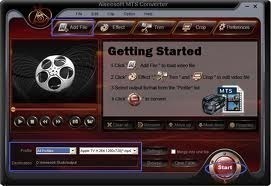
A common task that arises for MKV users is to convert the format to MP4 or AVI so that the content can be played back on alternative playback devices that do not natively support the MKV format. Although not all features will convert form MKV to AVI or MP4, the quality is considered sufficient for the majority of end-users who have a desire to watch the files on the various portable and other video playback devices.
Step 1 – Download and install the Wondershare MKV to AVI Converter on your computer. The application is available for free and the company now provides separate installations for both the Windows and Mac OS X operating systems (OS’s).
Step 2 – After the Wondershare application is installed on your computer, double click or select the program icon.
Step 3 – Once the program is opened, you can use the “Add Video” menu option to load a MKV file to convert to MP4 or drag the MKV file onto the open application screen. More than one MKV file can be loaded at a time to create a single, larger AVI or MP4 file.
Step 4 – Select the “Advanced” menu option and then choose “MP4” as the output file format from the software program. Other file formats that the application supports converting MKV to include MOV, 3GP, FLV, and SWF.
Step 5 – Select the “Edit Video” menu option to add effects or style changes to the video before starting the conversion to MP4.
Step 6 – Select the “Start” menu button option and the file conversion process will commence.
Step 7 – Select the “Find Target” menu option to find the output directory of the MP4 file.
Step 8 – Repeat the process for additional MKV files that you desire to convert to alternative formats for playback.

Abdul
Hi ,
i will be happy if you guys can help me out with this problem if someone did it or read about it
>> i have some .mkv files and i was wondering if i can stream this video files with HD quality on my website , or do i have to convert it to .H264 ?
Will.Spencer
I don’t see a Firefox addon which supports the .mkv file format. It also appears that Internet Explorer does not support the .mkv format. This would appear to make streaming impossible.
lovegirl64
help!..i’m playing an mvk. movie and has there’s no audio audio. (using media player classic 9)
memenode
Try it in VLC or GOMPLayer.
Daniel Memenode
Originally posted by sunlight: “yeah but my vlc is not playing the mkv files.
it crashes. (i have a mac – osx 10.6)
call me a luddite, but i would be happier if formats didn’t change every three seconds, but i could watch movies successfully instead of spending my time troubleshooting. btw i just updated vlc and it still doesn’t work.
the ‘advance’ of technology has serious downsides to it.”
I tested an mkv file I have and it plays just fine in VLC on my Mac (OS X 10.6.5). It’s possible that the file itself is the issue, but you could try it in MPlayer which also supports MKV.
Btw, does it give you any errors when it crashes? Have you tried re-installing it?
Also, I wouldn’t blame advances in technology. Often times the advance makes things simpler and easier while giving you more power, so change isn’t always bad. When things don’t just work it’s usually someone’s bad implementation.
sunlight
yeah but my vlc is not playing the mkv files.
it crashes. (i have a mac – osx 10.6)
call me a luddite, but i would be happier if formats didn’t change every three seconds, but i could watch movies successfully instead of spending my time troubleshooting. btw i just updated vlc and it still doesn’t work.
the ‘advance’ of technology has serious downsides to it.
steve littlewood
I fully agree with you sir. How on earth have we got to the point where there are more formats than you can shake a stick at. I own devices made by the same company that can not talk to each other because they use differing formats. Ridiculous.
rajendran karaikudi
juz now saw BAck up plan .. HGreat resolution at just 565 MB…
Awesum…!!
yogeshawp
hi….this is awesome yaar
i download a in mkv format and the quality was very nice.
And one thing is size..first when i seen this file size i can’t believe….
dk
Hi,
We can have any format (.avi, mp4, mkv, .divx & .mpeg etc.)with a small file size and high picture quality. It only depends whether the media player decoders are capable of un compressing the highly compressed video files.
It all depends how you encode them from the parent format, irrespective whether it is .avi or .mp4, .mkv etc….
I encoded a 1.4GB .avi to a 400mb file in .avi wit practically no loss in picture quality.
Most of the movie .vob files I rip in any compressed video formats as mentioned above are high quality and small file sizes like 300mb onwards with English sub titles. However takes a very long time (>2 hours) and almost 100% CPU capability. 720x abc resolution is very crisp for watching on any flat panel and do not need to go for a HD resolution. It only consumes lot of disc/drive space.
Daniel Memenode
Donzie, according to the article above MKV format has “direct television USB playback support – MKVs can be directly played from USB when plugged into the television USB port“.
If your TV doesn’t support MKV you can convert it to AVI with these instructions.
Donzie
..the videos are crisp clear.
…but im trying to play it on my LCD TV (USB Video) how and to what format can i convert this to maintain its quality. My TV supports MP4, AVI format?