

One of the most famous fatal errors that occurs on computers running the Windows Operating System (OS) is the Blue Screen of Death (BSOD). A BSOD may be the result of a number of problems including hardware, software, or driver incompatibility with the computer’s OS. The BSOD often prevents users from rebooting their computer or using it normally. One common BSOD error that occurs is the Bad_Pool_Header. When this error occurs, the OS will not load and users will not be able to access the information stored on the NTFS disk.
What are the Causes of the Bad_Pool_Header Error?
The Bad_Pool_Header error is normally triggered when a system driver or the Windows OS fails to allocate enough memory. One of the following may cause these issues: NTFS file system corruption, disk write errors or problems, hardware driver incompatibility, a conflicting anti-virus or other software program installed on the computer.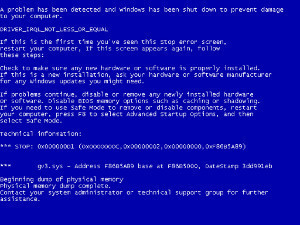
How to Resolve the Bad_Pool_Header Error
Step 1 – Press the “F8” key during normal computer start-up to start the computer in Windows Safe Mode. Complete each of the following steps and restart the computer until the Bad_Pool_Header error is corrected.
Step 2 – Run Windows update to ensure that the latest OS updates are installed, which may have caused an issue with one of the software programs or drivers installed on the computer.
Step 3 – Update any software packages that were recently installed on the computer. Recent software installations that are incompatible with the OS are known to cause the BSOD and the Bad_Pool_Header error.
Step 4 – Run the “CHKDSK” utility to repair any errors on the computer’s hard disk and restart the computer. Right click the computer’s hard drive in Windows Explorer, click “Properties,” select “Tools,” then run the program in order to find the “CHKDSK” utility.
Step 5 – Run the System Restore utility found in the Windows Control Panel to restore the computer to a previously good state. Users can choose the point to restore the computer from with the helper application.
Step 6 – If the Bad_Pool_Header error persists, consider a full OS re-installation. Back up all of the data on the computer before proceeding with the re-installation.
rejohn
dear Jessica, can we use to handle huge file size and deep root level issue the long path tool as you suggested, please.