

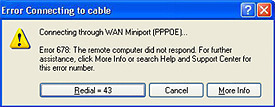
Error 678 is an error that is reported when a remote system does not respond correctly when an attempt is made to connect to the Internet. The Error 678 message appears as “The remote computer did not respond.”
Broadband connections
If this error occurs with a broadband connection, it could be because of the following reasons:
- The network cable to the machine may have been unplugged.
- The modem connecting to the Internet may be disabled or its drivers may be corrupt.
- Spyware.
- The TCP/IP stack on the computer is corrupt and needs repair.
- A third party firewall software is erroneously preventing the user from connecting to the Internet.
The options below will help users to get around this issue:
- Ensure that the network cable is correctly connected and that the cable is not damaged. Also ensure that the network adapter is enabled. To do this, click Start, Run and type ncpa.cpl, and click OK. After right clicking the Local Area Connection icon, click ‘Enable’ if it is available.
- Try restarting both the computer and the modem. After rebooting, wait until all applications and services have finished loading. After that, try the connection again.
- If using Windows XP, use the netsh command to reset the tcp/ip interfaces. Click Start then select Run. In the box that appears, type ‘cmd’ and click the OK button. When the command window appears, type ‘netsh interface ip reset log.txt’ and hit the enter button. Type ‘exit’ at the command prompt and hit the enter button. Restart the computer and try again.
- Try reinstalling the modem and its drivers.
- Use a good anti-spyware tool to get rid of spyware and/or adware that may be hindering a good Internet experience.
- Powerful firewall programs such as ZoneAlarm can cause the Error 678 to appear during their operation. To try isolating the problem, uninstall the firewall program and test the machine. If the program is indeed causing the issue, contact its technical support for a solution.
VPN Connections in Windows 2000
If using Windows 2000 and getting error 678 when opening a VPN connection, a hotfix is needed. Download the most recent service pack from Microsoft and install it.
If the problem persists, contact Microsoft for support here. NOTE: Microsoft may charge for their assistance.
Dial-up Systems
Error 678 generally means that the line is ringing, but the remote system is not answering the call. Check the number being called and verify that the number is correct.
If using an external modem, turn on the speaker to listen to the connection using the toggle switches on the modem chassis. The exact behavior will vary from modem to modem, so check the modem manufacturer’s manual.
If using an internal modem that supports the Hayes modem command set, turn the modem speaker on as follows:
- Click the Start button.
- Click Settings.
- Click on Control Panel.
- Click on Phone and Modem Options.
- Select the Modems tab.
- Select the modem being used for the connection and click Properties.
- Click the Advanced tab.
- Write down the initialization string. Ensure that it can be returned to the original value later. Add M0 in the initialization string.
Try connecting again. Listen to hear if the remote system is ringing or if the system is giving an error. If the phone only rings, find another telephone number for the provider and try that or contact the service provider for further assistance.
frederik
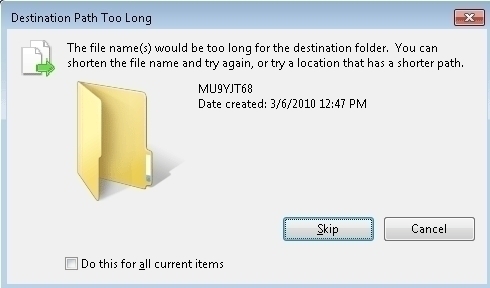
Yes it is true that “Long Path Tool” is helpfull
rejohn
You can use “Long Path Tool” !
gauresh narvekar
My nokia5130 mobile can’t connect to internet on my pc i tried both ovi suite and dialup connection but unable to connect.it gives 678error message
Gajanan Mulay
always showing error no.678, what to do, after all check you suggested it get restarted but why always it show this error. this is happening recently otherwise functioning well since last 2 years