Error 721
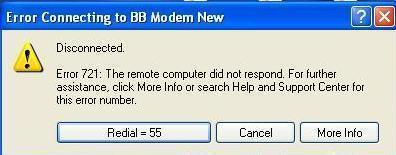
Error 721 is a Microsoft error which is encountered after making an unsuccessful attempt to establish a virtual private network (VPN) connection to a corporate network by using a Point-to-Point Tunneling Protocol (PPTP) client. You may even get an error 721 after making an unsuccessful attempt to establish a dial-up connection after upgrading your computer to Microsoft Windows XP from earlier versions. The exact error 721 description may vary from 'Remote PPP peer is not responding' to 'the remote computer is not responding'.
Cause of Error 721
Point-to-Point Tunneling Protocol uses Generic Routing Encapsulation (GRE) for tunneled data and the error may occur if the network firewall does not permit the GRE protocol traffic. The Generic Routing Encapsulation protocol is used along with Point-to-Point Tunneling Protocol to create virtual private networks between the server and the client or between the clients. You may even encounter this error if the modem driver is not compatible with Windows XP.
How to fix the Error 721
To resolve this error, you need to configure the network firewall so as to permit the GRE protocol 47. Also, you need to make sure that the firewall permits the TCP traffic on port 1723. Both of these conditions are required in order to establish the virtual private network connectivity by using Point-to-Point Tunneling protocol.
Installing the latest Windows XP compatible driver for the modem can also fix the problem in some situations.
- Error 734
Error 734 is a Point-to-Point Protocol error, usually associated with workstation connectivity to a internet provider or wide area network connection. The exact error message is "Error 734: The PPP link control protocol was terminated.". Source of the problem Error 734 is usually produced due to an error in authentication. Generally the username or password [...]...
- Error 678
Error 678 is an error that is reported when a remote system does not respond correctly when an attempt is made to connect to the Internet. The Error 678 message appears as “The remote computer did not respond.” Broadband connections If this error occurs with a broadband connection, it could be because of the following [...]...
- 0x800a138f Windows Update Error
The causes of the “0x800a138f Windows Update Error” are plentiful, and there are quite a number of ways to go about fixing this problem. The steps used to repair this error, are similar to the steps completed to repair the 0x800a0007 Windows Update Error. These steps include correcting the date and time settings, the language [...]...
- Error Loading Operating System
The Error Loading Operating System error appears when an operating system fails to load properly. This error is localized to the Microsoft Windows XP operating system, so users of other operating systems should not face this problem. Essentially, the Error Loading Operating System error occurs at a point between the computer’s BIOS running checks on [...]...
- Error Number: 0x800CCC0E
Error Number: 0x800CCC0E occurs in the Microsoft Windows family of operating systems when there is a problem with Microsoft Outlook Express. A conflict with Simple Mail Transfer Protocol (SMTP) servers while using one of the Microsoft Outlook Express programs to read or browse through mail traditionally causes the error. The full text associated with the [...]...