Home     Blog

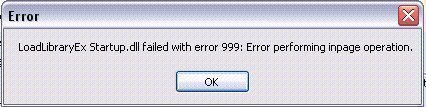
Error Performing In-page Operation

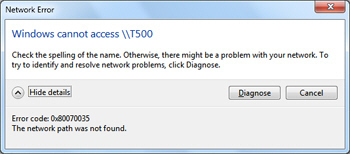
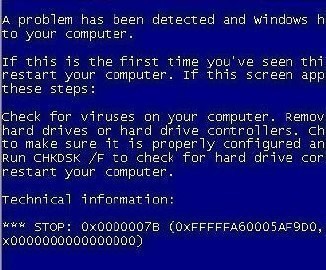
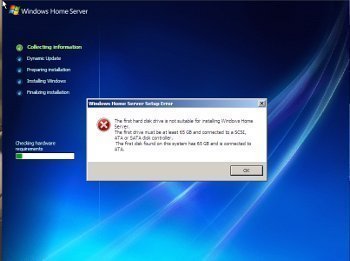
Windows NT, Me, and Windows XP’s Pre Service Pack 2 users sometimes experience the “Error Performing In-page Operation” error when attempting to copy files from a disk. If a user experiences this error while trying to access a disk that  he/she inserted into the computer’s floppy, CD, or DVD drive, the error is likely related to  the disk having physical issues. Operating system paging operations are not at fault despite the working of the error. This error can also be triggered while accessing data that is stored on a local network drive or on the Internet if there are connectivity issues between the computer and the stored data. In this case, the network connection is the medium that has the physical problem.

How to Fix Error Performing In-page Operation

Step 1 – If the error occurs while trying to access information stored on a network, wait for approximately 30 minutes-1 hour to see if the problem is resolved.Error Performing Inpage Operation Error Performing In page Operation
Step 2 – Attempt to log into the network from a different physical location. This is done to determine whether there is a network hardware or routing issue in the location that the user attempted to access the data from.

Step 3 – If the information stored on the network server still cannot be accessed, contact the LAN administrator to see if he/she can access or download the information needed.

Step 4 – If the computer’s hard drive or a portable medium that the user inserted into his/her computer triggered the problem, this is an indication of pending failure. Turn the computer off for approximately 30 minutes and attempt to access the medium again. If the information is accessed, save a copy of the data to a backup location immediately. This helps to safeguard against the possibility of losing the data for good in the event that the  drive or disk fails.
VN:F [1.9.17_1161]
Rating: 0.0/10 (0 votes cast)
Follow javanx3d on

Leave a Reply

Related Posts

  • Error 1327 Invalid Drive

    Error 1327 invalid drive can be triggered on a Windows computer when installing software that refers to a nonexistent drive, or when a computer attempts to reference the home drive’s default “H” drive when Windows Enterprise is installed. If the “H” drive is neither accessible nor installed on the computer, the software being installed would [...]...


  • Error 0×80070052

    Error 0×80070052 can occur when adding or accessing files on a USB flash drive. Although the error indicates that the drive is full or that files may not be created or saved, it can be triggered when the drive is not near capacity. The error is normally generated based on how the flash drive is [...]...


  • Error 80072ee7

    A computer commonly displays Windows Update error 80072ee7 when checking for Operating System (OS) updates or while trying to update Windows Live Messenger. This error is commonly displayed during the OS update because a static IP address for the Windows Update service is added to the computer’s Hosts file that needs to be changed or [...]...


  • DNS Error 80710102

    Sony’s Playstation 3 (PS3) is one of the most popular gaming consoles on the market. The user can connect the PS3 to the Internet to play multi-player, networked games and download or view movies/television shows. Users often encounter DNS Error 80710102 while attempting to connect their PS3s to the Internet. Router configuration issues or minor [...]...


  • Winlogon Exe Error

    Windows computer users may sometimes encounter the Winlogon exe error. When this occurs, the error is displayed and a blue screen of death (BSOD) with a secondary message similar to: “The instruction at xxxx referenced memory at xxxxx is also displayed. The memory could not be read.” The BSOD is prevented on newer Windows OS [...]...