

A new trend now-a-days is to connect your TV to your PC and record television shows directly to your computer. This may have seemed like an insane dream a decade ago but believe it or not, there are many methods that exist today that allow you to record television shows to your computer to watch at a later time. In this article, we have laid out some of the easiest and most reliable methods that allow you to record shows on your PC.
DVR
For those of you have not heard of a DVR, it stands for Digital Video Recorder. A DVR is the device that connects to your television and allows you to pause and record live television shows. DVRs are also known as TiVo. A DVR serves as a hard drive and data mangement center but it only allows you to record shows to the device rather than to a computer. With a few software upgrades, however, you can reconfigure your DVR to recognize external devices. Keep in mind, though, that DVRs are usually rented out to customers by the cable company so be sure that adding extra software does not interfere with your contract.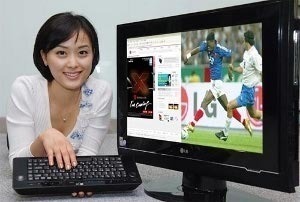
External Hard Drive
If you can upgrade your DVR to recognize external devices then your best bet is to connect your TV to your computer via cable and then connect your computer to a USB external hard drive. An external hard drive is a portable device that holds large amounts of storage but is connected to a USB port rather than being installed inside the computer. An external hard drive is essential to recording TV shows to your computer because your built-in hard drive will quickly be filled up with all of your TV shows. With an external hard drive, you can set the DVR to save the TV files directly to a specific folder so that it bypasses your internal hard drives altogether.
Diamond XtremeTV PVR600
The Diamond XtremeTV PVR600 is a hardware device that mixes a home theater, video recording software, and TV Tuner Card in one. The device allows you to record and convert TV shows to your PC and then manage them through built-in DVR-quality software rather than using shareware like Media Center Edition 2005. The device goes beyond simply recording TV shows as it also allows you to manage pictures, songs, and other media that is also on your computer or external hard drive.
TV Tuner Card
A TV tuner card is probably one of the easiest ways to record TV shows to your computer. A TV tuner card allows you to simply plug your television cable into the device and then it automatically converts the incoming television signals into file formats that your computer can understand. To avoid the complex installment requirements, you would be much better off to buy an external TV tuner card. Many TV tuner cards also serve as recording devices but if not, you can use any one of the following services to record TV shows to your PC and manage them afterwards.
Media Center Edition 2005
Media Center Edition 2005 is a great way to replace your DVR. The software is provided by Microsoft and is designed to monitor all of your media needs, including recording television shows to your computer. With Media Center Edition 2005, you can sort through your music, TV shows, other videos, pictures, and more all on separate pages and under separate categories. The program also allows you to copy your media to CDs and DVDs.
DScaler
DScaler is another Windows-based software that allows you to capture videos from your TV and play them back on your PC. DScaler’s main function, however, is that once it captures the video, it automatically scales it to the proper size so as to deliver extremely high quality. DScaler is a free program and is open source so there is plenty of community support on the Internet for this particular software.
GB-PVR
GB-PVR is a software that basically acts as a DVR for your computer. Assuming you have already connected your TV to your PC, this software will allow you to pause and record live television and play it back later on your PC. The software also allows you to automatically convert television shows into a file format that your computer can process such as DivX, AVI, or MPEG. Even better, the GB-PVR software is absolutely free to download so you can have everything that a traditional DVR supplies without the monthly rental fee.
john
I connect my laptop to a sony tv using vga.,.,.can i record tv shows using dvr?
sushant
1. Window Media Center, required IR device to complete the installation for satellite and antenna with set top box, otherwise installation will be incomplete.
2. Dscaler is free software, but it play directly with system memory, it may get crah in between, or slow the process.
3. GB-PVR : Now it’s not available for time being for download.
Kirt
I have always wondered about watching tv on your pc. I thought I needed an ethernet card to pull the show off my cable box, but I like the idea of the external hard drive much better.
Thanks for the info.