

HDTV stands for High Definition TV and while the FCC does not have a standard definition for HDTV, it is widely agreed upon that HDTV is defined as having higher quality video, audio and a wider image aspect ratio than standard television broadcast signals.
HDTV is part of a larger set of standards called ATSC.
The FCC (Federal Communications Commission) has mandated that all licensed television stations be capable of broadcasting DTV by 2007.
To understand how much higher the quality HDTV is, you need to know the quality of standard TV. In the US, a standard TV has 525 scanned lines for each image. An image is refreshed every 30th of a second, however only half the image is refreshed every 30th of a second, so a full image is refreshed every 60th of a second. This format of refreshing an image is called interlaced. Progressive is when an image is refreshed in its entirety every 30th of a second. Out of the 525 lines of resolution that are scanned, only 480 lines are visible on the TV. Standard TV is also known as 480i (480 lines of usable resolution, interlaced).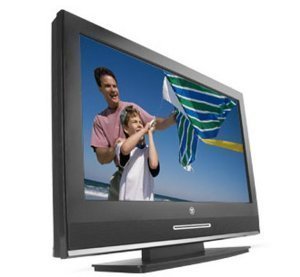
HDTV Resolution
There are 4 formats that can be viewed on a High Definition TV; they are 480i, 480p, 720p and 1080p. The higher the number, the higher the resolution. Although HDTV's can play all 4 formats, most experts refer to High Definition TV broadcasts as having either 720p and 1080p resolution.
High quality image resolution is the main selling point for HDTV's. All HDTV's signals are digital signals; no longer does your TV rely on analog signals for broadcasts. Most HDTV's are able to process either HDTV format (720p and 1080p). HDTV signals require 19.39Mbps of bandwidth — five times the bandwidth of standard TV signals. This is true even though HDTV utilizes MPEG-2 compression to conserve as much bandwidth as possible.
The 720p format offers 720 lines of horizontal resolution with progressive scan. Progressive scan means that every line is refreshed in each frame update.
The 1080i format offers 1080 lines of horizontal resolution with interlacing. Interlacing means that every other line is refreshed in each frame update. This means that it requires two frame updates to repaint the entire screen.
1080p offers the best of both worlds, 1080 lines of progressively scanned video.
HDTV Screen Ratio
Standard TV's use a 4.3 aspect ratio. This means that the screen format is more like a square than a cinema screen. Cinema screens usually have an aspect ratio of 16:9, which also is the screen ratio of all HDTV screens. This means that you can watch most movies on your TV as they would be shown in the theater. Most TV's crop off the sides of movies and programming that does not fit the ratio, so you are missing about 1/3 of the picture. However, with HDTV, you get to see the entire image without any cropping or letter boxes.
HDTV Digital Sound
Another great feature is that HDTV is able to receive and reproduce 5.1 independent channels of digital sound. This format is generally termed Dolby AC-3 and reproduces CD quality digital sound. 5.1 means that you can hook up 5 separate speakers, plus one subwoofer. The 5 speakers hooked up are usually part of a home theater surround sound system and consist of 2 front channel speakers, one center channel speaker and 2 rear or sometimes referred to as surround sound speakers.
It is important to note that HDTV requires either a built in HDTV receiver or a stand alone receiver to watch HDTV programming. Just having a High Definition television set will not allow you to receive HDTV broadcast and view them on your HDTV set. You must also have an HDTV receiver.
Watching High Definition TV
There are threeways to watch High Definition TV. The first way is to receive free broadcasts via the airwaves. You just need an HDTV, a HDTV receiver and an antenna. You can pick up HDTV signals from local broadcasters. These channels usually include all the major networks such as NBC, CBS, ABC, FOX and PBS.
The other way to watch High Definition TV is to have a cable or satellite signal piped into your home using an addressable set top box. Most cable and satellite TV boxes include the feature to view HDTV signals.
The third way to watch High Definition TV is with a DVD or DVR player. Many DVD players can play progressive format video which includes 780p. Newer DVD or DVR players can play formats of either 780p or 1080p.
HD Television Sets
Most of today's HDTV sets come in either LCD (liquid crystal display) or Plasma. These sets are usually about 30% more expensive than traditional TV sets and can be thousands of dollars more for extremely large sets, usually over 60 inches. All HD television sets are in 16:9 ration, have outputs for 5.1 AC3 digital sound and are extremely thin. Most LCD and Plasma TV's are only a few inches thick; ranging from about 2 inches to less than 6 inches in width.

Follow Us!