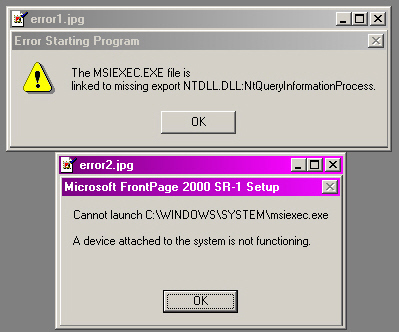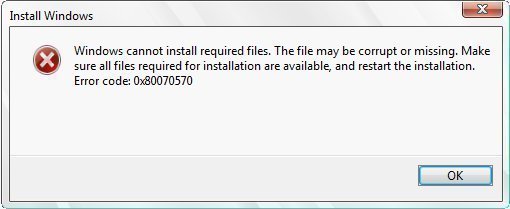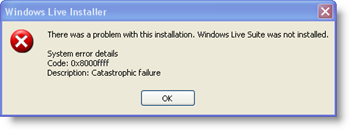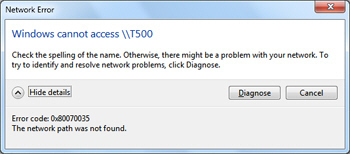
When installing software that is packaged with the Windows Installer, users may get an error 1603. The actual error message that displays is "error 1603: A fatal error occurred during installation." There are a few things that cause this to occur.
Windows Installer and Encrypted Folders
Users cannot install software packaged in the Windows Installer format into an encrypted folder.
Install the software into a different folder that does not have encryption turned on.
Remove the encryption
[ read more ]
A common error encountered by Microsoft Windows users when trying to read or write from a drive, disk, or portable media device is the I/O device error. When this error is generated, the transfer mode that the operating system is attempting to use for the operation may not be recognized. The I/O error may be experienced with various media storage devices such as: external hard drives, DVD or CDs, DVD or CD drives, SD cards, or USB sticks/drives. Common causes of the error include faulty hardware
[ read more ]
A computer commonly displays Windows Update error 80072ee7 when checking for Operating System (OS) updates or while trying to update Windows Live Messenger. This error is commonly displayed during the OS update because a static IP address for the Windows Update service is added to the computer's Hosts file that needs to be changed or removed for the service to be operational again. Some third-party programs and add-on applications that add static address entries to the file cause this problem. T
[ read more ]
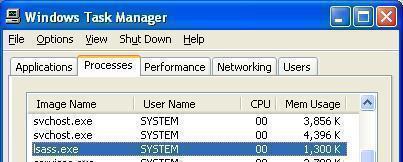
The Lsass.exe System Error is a problem that may affect a computer system running Windows XP. Lsass (Local Security Authentication Subsystem Service) manages the log in process information for accounts on the system.
Three things that may cause an error with the Lsass.exe process:
The msvcrt.dll file was corrupted or replaced with an incompatible version.
The user deleted or corrupted the Lsass.exe file.
A virus made changes to the Lsass.exe file.
Restoring the Original msvcrt File
[ read more ]
Blue Screen Stop 0x00000024 refers to a BSOD (Blue Screen of Death) error message that is displayed whenever there is a conflict with the NTFS.sys file, which is the file responsible for reading and writing to NTFS hard drives. A number of problems can cause this error, with the most common reason being that the user’s hard drive has failed or has become corrupted.
What Causes Blue Screen Stop 0x00000024?
While it is possible that software that is incompatible with NTFS systems
[ read more ]
“No Audio Output Device Is Installed” is an error message that is displayed whenever an audio output device, whether it is a speaker or earphone, is not working properly. A number of things can cause this error message and one may become frustrated when one realizes that one's audio output device is connected, but spontaneously stopped working properly.
How to Solve “No Audio Output Device Is Installed”
Because a number of things can cause the “No Audio Output Device Is Installed
[ read more ]
Error 1327 invalid drive can be triggered on a Windows computer when installing software that refers to a nonexistent drive, or when a computer attempts to reference the home drive's default “H” drive when Windows Enterprise is installed. If the “H” drive is neither accessible nor installed on the computer, the software being installed would be looking for operating system components that are not in an expected location, therefore the error is triggered. Unfortunately, error 1327 cannot
[ read more ]
Microsoft's Windows Installer components comprise the small constituents of a program, which are installed or removed collectively. They provide a useful way to not only install programs, but also gives the user the ability to manage these programs as well. Therefore, Microsoft Windows Installer has numerous functions to improve the tasks completed by the user:
The Windows Installer can be used to remove programs already installed on the hard drive. By using the Windows Installer, a
[ read more ]
Error 88780078 may occur on Windows computers when attempting to play audio files. This indicates that there is a bad DirectSound driver on the computer. This error is most commonly associated with using WinAmp to play audio files on Windows XP, Vista, or Windows 7. Though this is the case, other audio players can also trigger this error.
How to Fix Error 88780078
Step 1 – Select “Start,” “Settings,” and “Control Panel” to open the "Control Panel."
Step 2 – Select the “Aud
[ read more ]
Windows computer users may sometimes encounter the Winlogon exe error. When this occurs, the error is displayed and a blue screen of death (BSOD) with a secondary message similar to: “The instruction at xxxx referenced memory at xxxxx is also displayed. The memory could not be read.” The BSOD is prevented on newer Windows OS versions, but other problems that may require a computer restart will occur.
What are Winlogon Exe Error's Symptoms?
The Winlogon exe error usually triggers the BSOD on
[ read more ]