

Reverse DNS is the process of using DNS to translate IP addresses to hostnames.
It is the opposite of forward DNS, which is used to translate hostnames to IP addresses.
Internet names are those used to refer to hosts on the Internet, such as www.tech-faq.com and www.freebsd.org.
IP addresses are the numbers that Internet routers use to move traffic across the Internet, such as 216.17.138.115 and 216.136.204.117.
Reverse DNS Lookups
One of the best ways to understand reverse DNS is to use the DNS testing tool, `nslookup` to do a sample reverse DNS lookup.
Here is an example of using `nslookup` to do a reverse DNS lookup on the IP address 216.136.204.117:
bash-2.05a$ nslookup 216.136.204.117
Server: localhost.net
Address: 127.0.0.1Name: www.freebsd.org
Address: 216.136.204.117
Reverse DNS PTR Records
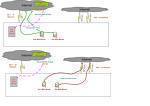
Reverse DNS is setup by configuring PTR records (Pointer Records) in the DNS server.
This is in contrast to Forward DNS, which uses A records (Address Records).
Reverse DNS Delegation
When someone registers a domain name with a domain registrar, he/she usually becomes responsible for that Forward DNS domain. In DNS terms, the domain is delegated to the person who registers the domain name.
However, this person is not responsible for his/her reverse records. His/her Reverse DNS records are still most likely the responsibility of your hosting facility or ISP.
To change the Reverse DNS PTR records, contact the company where the IP address came from, usually a hosting facility or an ISP.
Alternatively, the ISP or hosting company may delegate a range of IP addresses to the user, in which case the user must configure Reverse DNS and PTR records in his/her DNS server.
Is Reverse DNS Necessary?
Some junior DNS administrators configure forward DNS and forget to configure reverse DNS.
When they do this, some things work fine. Internet web browsing, for example, works great. However, not everything works.
Reverse DNS is required by some Internet protocols and by extensions to some other Internet protocols. Without reverse DNS, users will experience trouble with r-commands, IRC, some SMTP servers, most enterprise management systems, and many network backup systems.
Troubleshooting problems that faulty or non-existent reverse DNS cause can take considerable time and effort. It is much better to ensure that reverse DNS is configured correctly from the beginning.

Follow Us!