

SYSVOL is the acronym for the SYSFOL folder and all of the files stored in it on the Windows Operating System (OS). It stores the server’s copy of public data and files for the domain. These files consist of group or user policy information. The information stored in the SYSVOL folder is copied to all domain controllers on the respective domain.
What are the SYSVOL Requirements?
First, the SYSVOL folder has to be located on a Windows NTFS volume. The information stored in the SYSVOL folder is replicated on all domain controllers’ local disk via the File Replication Service (FRS), which must be installed for the operation to work properly. For network clients to access the SYSVOL tree’s contents, they must gain permission to access the NETLOGON and SYSVOL folders. The SYSVOL folder is used for a number of common networking applications, including adding a domain to an existing set or “Forest” of domain servers and locally creating a new logon script.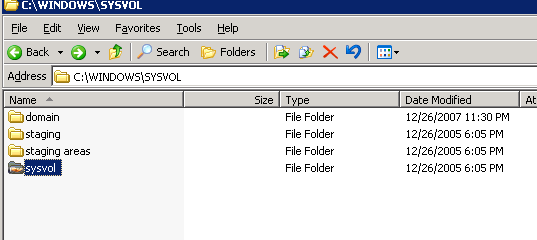
How to Add a Domain to an Existing Forest of Domain Servers
Step 1 – Log onto the computer running the domain that will be added to the existing forest of domain servers.
Step 2 – Choose “Start” and “Run,” enter “dcpromo,” and press “Enter” at the DOS command prompt.
Step 3 – Click “Next” then choose the “Domain controller for a new domain” menu option.
Step 4 – Click the “Next” and “Child domain in an existing domain tree” menu buttons, then click “Next” on the subsequently displayed menu.
Step 5 – Enter the network administrator login name and password, then choose the default menu prompts until “Browse” is displayed.
Step 6 – Select the location for storing the log and database folders that correspond with the domain forest, then click “Next.”
Step 7 – Click “Browse” then click the “SYSVOL” folder for the domain computer. Select the default menu prompts until queried about the level of permissions that should be assigned to the new domain server.
Step 8 – Enter the password for the domain server and choose the default options on the next two menus.
Step 9 – Restart the computer and the domain will be added to the forest.
Follow Us!